Why Does Your Story Upload Take So Long? Here’s What’s Slowing It Down

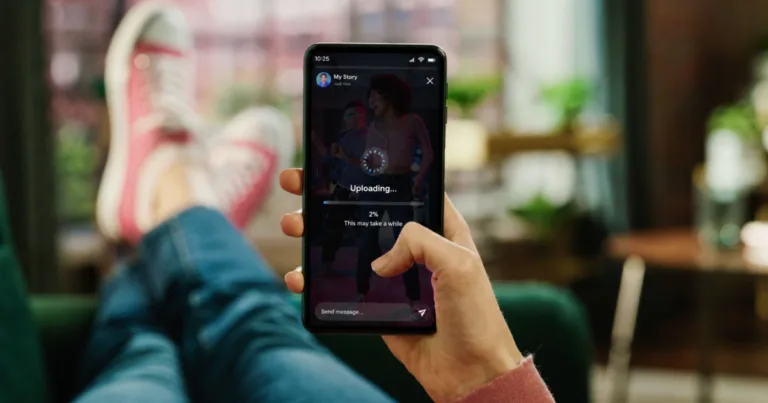
A person holding a phone showing a story upload stuck at 2%, illustrating slow social media upload speeds.
Story uploads can crawl along when your connection can't keep up — here's why.
// Delays in social media uploads are usually due to your internet.
Brianne Sandorf
Jul 21, 2026
Icon Time To Read3 min read
Icon CheckEdited ByBrenna Elieson

You’re at Disney World, and your kid just said the cutest thing in line for the Frozen ride. Luckily, you snapped a video, and now you want to share it with your followers. But when you get home and try to upload it, it takes several minutes instead of the handful of seconds you’re used to. If you’re especially unfortunate, it takes close to an hour.

Whether you’re using Instagram, TikTok, or YouTube Shorts, slow video uploads are a pain in the neck. Uploading such a short video shouldn’t take that long, so how can you fix it?

Why uploads stall

There are a few reasons why uploading media can take forever. Old or un-updated software or devices sometimes play a role, especially when you’re out and about and relying on cell phone data. But the most common culprit is your internet plan.

5G, cable, and satellite internet plans are asymmetric; they skew heavy on download speed and light on upload speed. For instance, T-Mobile 5G Internet reaches up to 498Mbps download speed, but just 31Mbps upload speed, a 16:1 ratio. And the Spectrum Internet Premier cable internet plan offers 500Mbps of download speed but only 20Mbps of upload speed. That’s an astonishing 25:1 ratio, a massive discrepancy.

That doesn't mean internet providers are maliciously keeping you from uploading your latest Instagram story. Around 1 in 10 social media users consider themselves content creators, while another 1 in 10 call themselves influencers. So nearly 1 in 5 users are focused on producing content, while the other 4 in 5 are mainly consuming it.

In short, most people download more than they upload, so it makes sense for internet providers to devote the bulk of Mbps to downloading. But it’s still annoying and inconvenient when your new YouTube video takes forever to post. Don’t worry, though — there are ways to fix it.


How to find the upload bottleneck

The first step to finding the source of your upload lag is to update your software, like your apps and operating system. You can also try updating your device if it’s been a while since you replaced it, though you can skip that if it’s not in the (credit) cards.

If making updates and desired upgrades don’t fix the issue, it’s time to address your internet plan. You can start by taking the Reviews.org speed test. If your upload speed is less than 50Mbps or simply significantly less than your download speed, then that’s a good indication that it’s the problem.

How to fix your upload speeds with 5G or cable internet

If you have 5G or cable internet, you have two options: upgrade with your current provider to get increased upload speed or switch to a fiber provider.

Upgrading to another plan with your current provider is easy enough. You don’t usually need new equipment, a technician appointment, or a new account and billing setup. But there’s a snag.

5G and cable internet usually have low maximum upload data speeds. For instance, the fastest Spectrum cable plan goes up to about 40Mbps in upload speed. That’s swifter than other Spectrum plans, but it’s still not great — especially compared to the plan’s upload speed of 1,000Mbps (a whole gigabit).

Instead, switching to a fiber provider is usually the better option. Sure, you have to get a line installed, but it’s worth it. Most fiber plans include symmetrical speeds, where downloading and uploading are equally fast. So once you’ve made the switch, you can upload social media content just as quickly as you download it. Nice!

How to fix your upload speeds with satellite internet

If you have tortoise-like satellite internet, you might find yourself hitting a wall in terms of upgrading plans or switching. Satellite internet speeds are limited due to the nature of the technology, and replacement options may not be available, depending on your location.

But that doesn’t mean you’re stuck. Even if you have limited internet options, you may be able to get a new phone plan with an upload speed faster than what a satellite provider offers. While cell phone data’s not known for a crazy fast upload pace, in some cases, it’s better than satellite.

And there you have it. Whatever your internet’s like, if it’s slowing your social media down, you can now overcome the issue. Oh, and one more word of advice: just because you can now use your new connection to upload a new video every few seconds, that doesn’t mean you should. Trust me. ;)


Found this useful? Follow Reviews.org on Instagram, Facebook, LinkedIn, or catch us on YouTube

You can also add us as a preferred Google search source for the latest in tech and home services.

Brianne Sandorf
Written by
After five years with Reviews.org, Brianne can and will tell you which internet or mobile provider you should sign up for. She’s talked with internet customers across the U.S. and beyond and addresses their real-life concerns in every piece she writes. Brianne also created the ratings system for the Reviews.org internet service provider reviews and wrote most of them. Brianne channels her lifelong interest in detective work by hunting for obscure, need-to-know information about internet service providers. She’s always learning so that she can pass her knowledge on to Reviews.org readers. Her writing and expertise have appeared in numerous other publications, including Move.org, Parents.com, and the Stanford student blog. Her work for Reviews.org is also cited in a research paper about smart home assistants titled “Expert-Generated Privacy Q&A Dataset for Conversational AI and User Study Insights.” Brianne is a homegrown Utahn who loves to travel and see new places. She graduated from Westminster College with a double major in honors and creative writing. After 20 years in a 8,000-person city, she now lives in Murray, a bustling metropolis of 50,000 where she and her husband raise their two little girls.

Related Articles

A student in headphones writes in a notebook beside a laptop video call, with a Spectrum speech bubble representing internet for online school.
Back-to-School Internet: A 2026 Buyer’s Checklist for Households with Remote Learners
Going back to school? You’ll need internet with at least 100Mbps download and 20Mbps upload...
A woman checking her phone outdoors, holding on to her current device rather than rushing to upgrade to the newest model.
How Waiting One More Year to Upgrade Could Save You Hundreds
Save money by waiting until it is absolutely necessary to upgrade your smartphone.
College student smiling at her phone while studying with headphones on, representing an affordable phone and internet combo for student budgets.
I Found the Cheapest Cell Phone Plan and Internet Combo for College Students
Tuition and rent eat up most of your paycheck in college. Save a few dollars...
A woman holding true wireless earbuds and their charging case while commuting, reflecting on the buying advice from a long-term owner.
I Used AirPods for 5 Years — Here’s What I Wish I Knew Before Buying
If you’re in the market for a new pair of AirPods, here’s what you need...