
Splitting the cost of a streaming bill can get awkward … and complicated.
My In-Laws Asked Me to Pay for Hulu. Am I the Problem?

 5 min read
I recently received a text message in my family group chat that I didn’t expect.
“You can use our Hulu account, just send us $20 a month.”
My husband and I have rented my in-laws’ basement apartment for four years, and during that time, I used their Hulu + Live TV bundle account for my daily intake of “30 Rock.”
While an extra $20 a month wasn’t going to bankrupt me, that text message triggered my inner cheapskate to take over my prefrontal cortex – was it really worth paying $20 every month to watch TV?
The family chat pinged with a flurry of discussion. Was password-sharing even possible, since the other adult siblings lived in different states? Then there was the counterpoint: With the “unlimited screens” add-on, surely that meant other people could use the account? Or if not, should we set up a VPN to route our internet traffic through a single IP address?
After venting to my free AI therapist, Claude, who couldn’t give me a straightforward answer, I felt more confused than ever.
How was this going to work? I decided to find out.

Why you can trust us
At Reviews.org, our team takes its editorial independence seriously. We may earn money when readers click affiliate links, but we don't work for our brand partners, and they don’t approve our pieces before publication. To learn more, visit our About us page.
Key takeaways
- Hulu and Netflix don’t allow sharing outside your household unless you pay for an extra member add-on.
- Amazon limits Prime Video sharing to people in your Amazon Household, who live at your address. That being said, many Redditors find that it’s possible to add users outside their household.
- Experts say asking an adult family member to chip in isn’t rude, as long as expectations are clear and the conversation focuses on shared responsibility.
On this page:
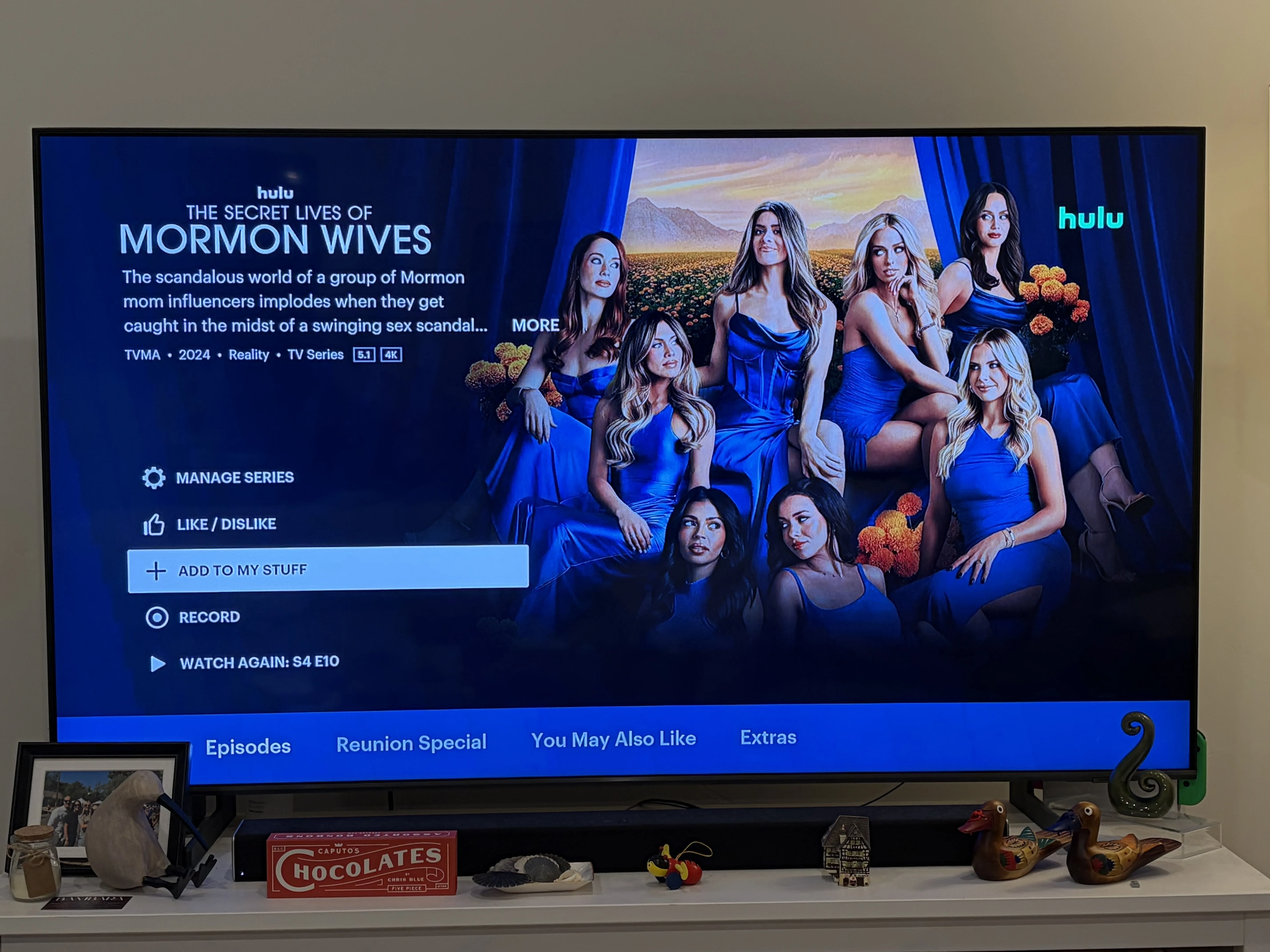
TV screen showing title screen for “The Secret Lives of Mormon Wives” Hulu reality TV show with multiple episodes and program listings.

Meet the expert
I’ve been reviewing household services, including streaming services, internet providers, and mobile plans, for two years. To get an objective take on splitting bills, I talked to a licensed marriage and family therapist and a personal finance expert. For the technical details, I dug through the help centers and terms of service for the top streaming services. I also combed through Reddit threads to see how real people shared their streaming accounts — successfully and unsuccessfully.

Staff Writer, Reviews.org
Is it rude to ask an adult child to pay their share of a subscription?
When I first received the text, I felt defensive. Why did they want to split a bill they were already paying for?
I talked to Teisha Levi, a licensed marriage and family therapist at Kaiser Permanente in Oakland, California, who doesn’t think it’s rude to ask an adult family member to contribute to a shared streaming subscription. “I think it can be a positive way to teach and reinforce responsibility, financial awareness and independence,” she said.
Levi learned this lesson growing up, when she had to contribute to a cell phone bill she shared with her father. At the time, it was simply a bill she had to pay. Now, she recognizes that it taught her to be mindful of the costs associated with the services she was using. ”For an adult child, it can be a meaningful opportunity to practice financial independence.”
It can also just be more cost-effective. “It doesn't have to be about nickel-and-diming your kids,” says Scott Oosterhouse, a personal finance and household budgeting expert, who thinks the reason for splitting the bill could be purely practical, rather than a personal vendetta. “If we’re paying for our own account, could we save money by each contributing to the bill?
Oosterhouse adds that financial independence isn’t going to come solely from splitting a streaming bill or covering the full cost. “The bigger issue is whether they're gradually learning that everyday life has recurring costs and that, as their income grows, they should start taking responsibility for some of them.”
Can I share my subscription with others outside of my household?
Financial independence aside, today’s streaming rules make splitting a bill more complicated than it needs to be. According to the Reviews.org Streaming Fatigue Report, as many as 13% of streaming users find workarounds — such as sharing streaming passwords outside the household, using unauthorized or illegal streams to watch live content.
I looked into the top streaming services to see whether sharing a subscription password was even possible. Here's what I found:
Can I share my Hulu account?
The Hulu Help Center website states that Hulu can’t be shared with people outside your household, unless you pay for the Extra Member add-on.
What is a Hulu Household?
Hulu doesn’t spell out exactly how it determines your household. The Help Center says that it looks at “your subscription activity, linked devices, and internet connection among other factors.”
If you get a notification saying, “This TV doesn’t seem to be part of the Hulu Household for this account,” you can update where your household is or confirm that you’re away from home. However, Hulu warns you may only be able to do this a limited number of times.
In other words, it’s possible you could share outside your household for a while, but Hulu can restrict your access.
What is a Hulu Extra Member?
Hulu offers an Extra Member paid add-on where you can invite one person to use your account outside of your household. That person needs to live in the same country as the account holder.
The Extra Member add-on is only available on the following plans:
- Hulu (With Ads)
- Hulu Premium
- Disney+, Hulu Bundle
- Disney+, Hulu Bundle Premium
- Disney+, Hulu, ESPN Select Bundle
- Disney+, Hulu, ESPN Select Bundle Premium
It is unavailable on:
- Hulu + Live TV or bundle plans
- Disney+, Hulu, ESPN Unlimited plans
- Disney+, Hulu, HBO Max Bundle plans
That ruled out the official route for sharing for my in-laws, who pay for Hulu + Live TV.
Hulu plans and sharing restrictions
*
30 day free trial, then $11.99/mo. includes ads.
†
Hulu (No Ads) excludes a few shows that play with ads before and after the video.
‡
U.S. residents, 18+ only. Access content from each service separately. Location data required to watch certain content. Offer valid for eligible subscribers only.
^
Compatible device and internet connection required. Offers and availability may vary by location and are subject to change.
Does Hulu’s Unlimited Screens add-on let me share my account outside my household?
No. Hulu + Live TV’s unlimited screens add-on ($9.99/mo.) only allows you to stream on devices connected to your home network. It’s only available on plans with Hulu + Live TV plans.
Can I share my Netflix account?
Like Hulu, Netflix only allows sharing outside your household when you pay for an Extra Member, according to the Netflix Help Center website. Gone are the days when all of your college roommates could use your Netflix password years after you graduated.
What is a Netflix Household?
A Netflix Household is the main residence associated with your account. It’s established when you sign into Netflix on a device, such as a smart phone, on the same internet connection as your TV. It’s based on your IP address, device IDs, and account activity.
What is a Netflix Extra Member?
Netflix offers an extra member paid add-on where you can invite someone to use your account outside of your household. They have to be in the same country where the account owner created their account. You can only add an Extra Member to Standard or Premium plans, not ad-supported plans or accounts billed by a third-party.
Netflix plans and sharing restrictions
^
Compatible device and internet connection required. Offers and availability may vary by location and are subject to change.
Can I share my Amazon Prime Video account?
Officially, you can only share your Amazon Prime Video account with other people in your Amazon Family.
What is an Amazon Family?
According to Amazon Help and Customer Service, an Amazon Family lets you share your Amazon Prime benefits and Prime Video (With Ads) account with one other adult, up to four teens (who were added before April 7, 2025, or after January 1, 2026), and up to four children in your household. These users must be living at your primary residential address. Prime Video Ultra, the ad-free tier, is not eligible to be shared.
Unofficially, some users report sharing their accounts outside their household without running into restrictions. In one Reddit thread, a user asked whether an elderly family member in a senior facility could use the family’s Amazon Prime Video account. Commenters said they’d done this by either adding a new user profile or inviting the person to their Amazon Family.
Amazon Prime Video plans and sharing restrictions
How to share subscription costs with your family
If you think it’s time to share the bill, here’s how to approach it:
1
Decide when to start splitting the costs
If you’ve been covering the bill and it isn’t a financial burden, Levi suggests establishing expectations upfront. Start the arrangement when the family member becomes financially independent or can reasonably contribute.
2
Figure out a fair split
Sara Winslow, a streaming customer in Los Angeles, thinks it’s important to take a holistic approach. “If there are multiple adult siblings, I would look beyond who pays for Netflix and ask: Who is routinely expected to contribute? Who is routinely excused from contributing?”
For example, if one sibling earns less than another, you might adjust how much each person pays.
3
Have a clear, open discussion
Talking it through matters. Levi recommends making sure “the expectations are clear and that the conversation is framed around shared responsibility, rather than as a punishment or judgment.”
Oosterhouse agrees. “The conversation doesn't need to feel harsh either. It can simply be, ‘You're working now, and you're using some of the household services, so we'd like you to start contributing a little each month.’”
For Levi, chipping in on household or shared expenses is a life skill. “Learning to understand how much things cost and taking responsibility for your share is one small way adults exercise independence.”
As for me, I decided to keep my $20 and found a different show to watch daily, “Young Sheldon,” on HBO Max — the one streaming subscription I pay for myself.

Frequently asked questions (FAQ)
Can I use a VPN to share a streaming account with my family?
It is possible to use a VPN to share your streaming account. However, it may not work reliably, because streaming services don’t define your household by IP address alone — they also look at your devices and account activity. Most streaming services’ terms of use also prohibit using tools to get around their restrictions, and many block known VPN connections. If you want to share with someone outside your home, an extra member add-on is the approved way to do so.
How much should I pay to use a family member’s streaming account?
There’s no set rule, but a good benchmark is dividing the subscription charges per person.

Related Articles
My In-Laws Asked Me to Pay for Hulu. Am I the Problem?
My in-laws asked me to chip in $20 a month for Hulu. Here’s how to...

Loopholes That Get You Free Streaming All Year (Or For the Rest of Your Life)
Here’s how my family of three gets free streaming all year. I cover ad-supported platforms,...

Best Cheap Phone Plans in 2026
The best cheap phone plans start at $25/mo. Compare Metro by T-Mobile plans and deals...
How to Add Home Security and Wi-Fi Protection to Your Internet Plan (2026 Guide)
Xfinity WiFi Shield provides digital security and home monitoring for free. Xfinity Shield Select adds...



