Modem vs. Router: Why Renting Both Might Be Costing You Twice

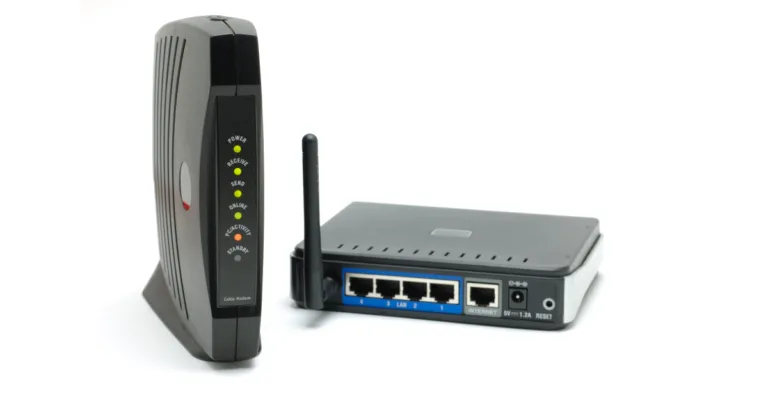
A standalone cable modem next to a separate Wi-Fi router, illustrating the difference between the two devices ISPs often rent out separately.

Renting a modem and router as two separate devices is often where the extra monthly fees sneak in.

// Renting your equipment is a waste of money and internet quality.
Benjamin Lee
Sep 09, 2026
Icon Time To Read5 min read
Icon CheckEdited ByKelly Huh

Let’s be honest, not many of us know exactly what a modem and router do. I barely knew until I had to do some research. With our media room at its peak — gaming consoles, soundbar, streaming services galore — we needed a new modem and router to properly fit our lifestyle.

Although that would be expensive, I already knew that renting the equipment from my internet service provider just isn’t worth it. As many experts will tell you, owning them is better for your finances and everyday internet use. Let’s clarify exactly what a modem and router are and what to know when deciding to rent or buy.

Modem and router for dummies

In a nutshell, this is what each device does:

  • Modem: Short for Modulator-Demodulator, the modem modulates your outgoing traffic (searches and online activity) and sends them out across the internet and demodulates your incoming traffic (the results of your searches and activity) so that the router can route it to your devices.
  • Router: This device creates the Wi-Fi network. Your router broadcasts the incoming traffic from your modem to your devices and routes your outgoing traffic from your device to the modem.
  • Gateway: This is a single device that combines a modem and router. They provide easy installation, compatibility with the ISP, and overall cost efficiency.

To simplify it, imagine this:

  • Island = Your household
  • Outside world = ISP
  • Warehouse = modem
  • Worker = router
  • Orders = Online search, activity, etc
  • Different parts of the island = different devices in your household

You live on an island that is cut off from the outside world. When you finally want to connect to the outside world, you get a warehouse on your island and hire a worker. Let’s say you order Netflix for the east side of your island. Your warehouse will send that order request to the outside world which will then bring Netflix to the warehouse. The worker will make sure Netflix is sent to the east side of the island as you requested.

Essentially, the only thing you need to know is that you need both a modem and router or a gateway to get Wi-Fi for all of your devices. How you get them is the real question.


Can you pay the rent?

When you sign up with your ISP, it may seem convenient to rent your modem and router from them directly. As I said, most people don’t fully know what this equipment does, which means they would need to do a lot of research to pick the best ones. Not only will renting from your ISP save you from that work, it also comes with low maintenance costs, free tech support, regular software updates, and free replacements if the equipment malfunctions. In terms of perks, convenience is all there is.

The most important drawback you should look out for is the overall cost. ISPs typically charge about $10 per month to rent a modem and router, adding up to nearly $120 per year. Or, you can purchase a decent modem and router for under $100. In the long run, renting just adds up.

Aside from fees, the quality of the modem and router themselves can be iffy. For starters, the rental equipment isn’t new. As Netgear points out, “you are renting very dated equipment that has been redeployed and refurbished several times before arriving on your doorstep.” A typical modem and router can last about five years, so when you rent, you won’t know how many households have used them and for how long; by the time it gets to you, it could very well be worn out.

Also, since the equipment is circulated around different households, it’s meant to be rudimentary and versatile. For someone like me who streams everyday, works remotely, and plays online games frequently, this basic equipment would not be able to handle my heavy internet traffic alone.

Perhaps the biggest drawback is that your ISP basically owns your commitment. If you buy your own modem and router, you can switch ISPs and still use the same equipment — a method that makes your Wi-Fi setup future-proof. If you rent, you’re locked in. How-To Geek reports that many ISPs prefer that you use proprietary equipment and some even forbid you from using your own. Most people probably wouldn’t mind due to the convenience and since they don’t plan to leave their ISP anytime soon.

However, never forget the fine print of renting: the real owner can take it away any time they want. Netgear warns that ISP-issued modems and routers have firmware that can disable Wi-Fi features. In a time when we’re worrying about ISPs throttling, renting equipment basically gives ISPs full control over your internet use. It doesn’t matter if you paid for the fastest internet speeds, they can just turn it off.

Buy it yourself

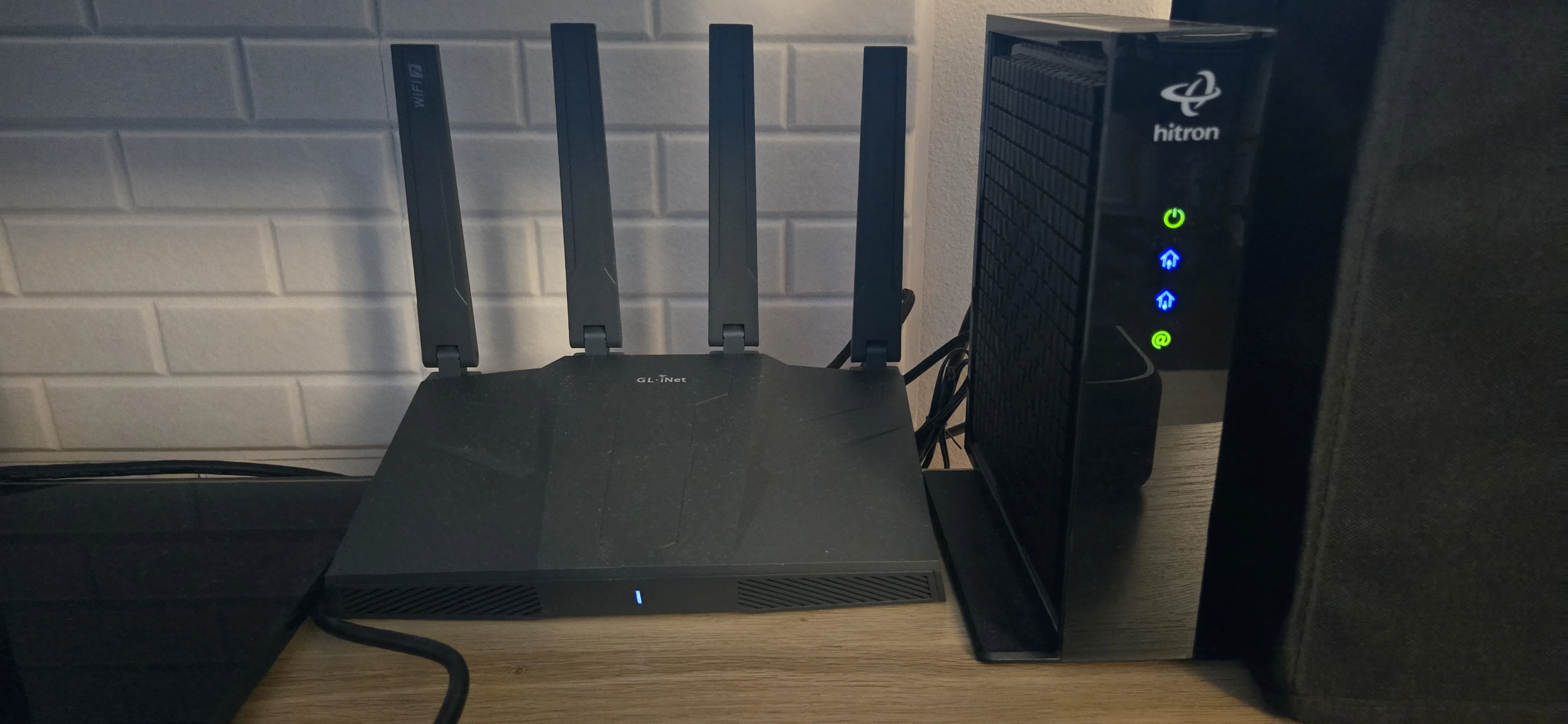
An image of my modem and router that accompanies other media devices.

My Hitron CODA56 modem and Flint 3e Dual-band Wi-Fi 7 Home Router that powers my media room with a strong and stable internet connection. Image courtesy of Benjamin Lee, Reviews.org

Generally, having your own modem and router is a reasonable financial investment. Instead of paying a monthly fee for renting, owning is a one-time purchase. Although it can be pricey, it’s definitely better than the total in rental fees. For example, we bought our Hitron CODA56 modem for about $160 ($210 original retail price). This modem should be able to last up to five years.

Buying your own modem and router means you can ensure that it fits your lifestyle. My media room has become a home theater for streaming and games. In order to guarantee everything runs smoothly, we got the Flint 3e Dual-band Wi-Fi 7 Home Router. Knowing the specs of this router, I know that it is able to provide enough speed and stability for all of my devices. From watching the latest episodes of Lanterns in 4K to playing Marvel Rivals online for five hours straight, I enjoy my media with zero buffering and zero latency.

While there are drawbacks to owning your own modem and router, there are ways to avoid them. When you buy your own equipment, there won’t be free tech support, free installation, nor any guarantee that your modem and router are compatible with your ISP. However, like your phone or laptop, you wouldn’t — and shouldn’t — buy the first modem and router you see on the shelf.

With the proper research, you can find a modem and router that fits all of your needs and your ISP’s requirements. While needing tech support is inevitable, it’s not impossible to find; modems, routers, and any devices will always have troubleshooting instructions and contacts. As for installation, we were able to install our modem and router without any issue.

The decision will ultimately depend on your situation. Renting is ideal if:

  • You only use the internet to stream shows and use social media
  • You prefer smaller rental fees over time along with free tech support
  • You trust that your ISP has decent equipment

Getting internet access is perhaps one of the most important aspects of our lives — make sure you have the equipment you need to enjoy it.


Found this useful? Follow Reviews.org on Instagram, Facebook, LinkedIn, or catch us on YouTube

You can also add us as a preferred Google search source for the latest in tech and home services.

Benjamin Lee
Written by
Benjamin Lee doesn’t just strive to write, he strives to perfect. His writing style is informative and straightforward, with a dash of fun here and there. Starting out as a journalism major, he immersed himself in pop culture and media to write about the latest trends. As he journeyed through his career path, he realized just how much technology (from abundant streaming services to exciting apps) has entered the zeitgeist. He knew that writing in this field was his path.

Related Articles

A standalone cable modem next to a separate Wi-Fi router, illustrating the difference between the two devices ISPs often rent out separately.
Modem vs. Router: Why Renting Both Might Be Costing You Twice
Renting a modem and router will cost you much more than it is to buy...
Fubo TV featured image
Fubo TV Review (2026): Is It Worth It for Sports Fans?
Find out if fuboTV is your next live TV streaming service as we go over...
Couple comparing cheap internet options on a laptop
Cheapest T-Mobile 5G Home Internet Plans: Find the Cheapest Plan (2026)
We researched the most affordable internet plans from T-Mobile 5G Home Internet to help you...
T-Mobile Cell Phone Plans and Deals: Compare and Save in 2026
T-Mobile Cell Phone Plans and Deals Check out all of T-Mobile plans and deals Shop...