

How Satellite Texting Actually Works—And Where It Fails

Young woman wearing a climbing helmet and safety harness checks her satellite messenger device while hiking along a mountain trail overlooking a turquoise alpine lake

Hiker staying connected with satellite texting technology during a remote mountain adventure. Image Credit: iStock/Oleh Slobodeniuk

// Your phone can send messages even if you don't have cell service.
Sara J. Nguyen
Aug 19, 2026
Icon Time To Read3 min read
Icon CheckEdited ByBrenna Elieson

I love hiking, but for years, I've ignored the advice to carry a satellite device. When my phone doesn't have service, a satellite device can help me communicate with emergency personnel. But I kept forgetting to buy one before my next outdoor adventure.

My lazy side was relieved when I realized I was carrying a solution in my pocket all along. My Pixel phone has a Satellite SOS feature, which can help me connect to a satellite in order to contact emergency services if I’m outside cellular coverage.

When cell service or Wi-Fi isn't available, satellite texting is a great plan B for communicating. It works completely off-grid. But there are some limitations to it.

Let's dive into how satellite texting features work and what to know before using it.
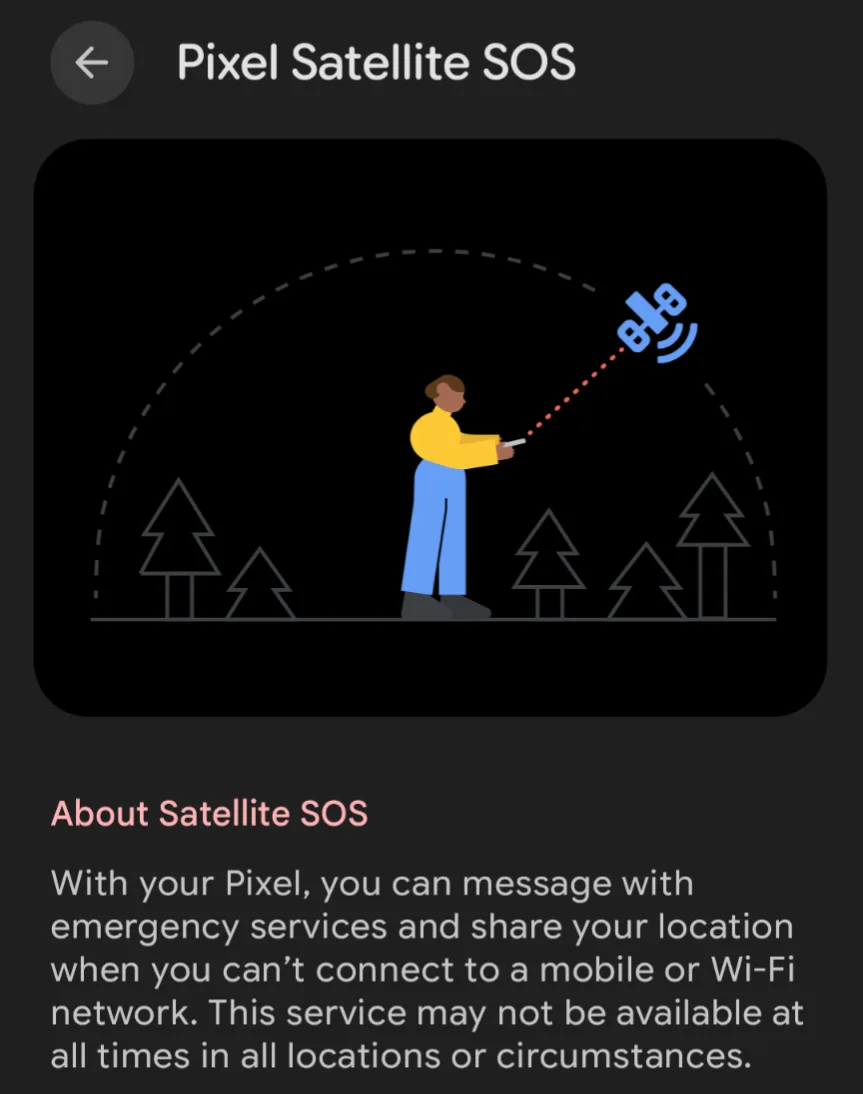
Screenshot of the Google Pixel Satellite SOS interface showing instructions for connecting a phone to a satellite to contact emergency services when there is no cellular or Wi-Fi connection.

Google Pixel’s Satellite SOS feature guides users through connecting to a satellite when cellular service and Wi-Fi are unavailable. It's a useful fallback when you lose cell service and need to communicate with emergency services.  Image courtesy of Sara J. Nguyen, Reviews.org

How satellite texting works

Many phones, like Pixel and iPhones, are equipped with satellite texting. When your phone can't reach a cell tower, it will connect to a satellite instead.

Here's a general look at how satellite texting works:

  • Your phone detects no cell service.
  • Your phone starts looking for a nearby satellite. You may get a prompt to point your phone in a certain direction for the best chance to connect.
  • Your phone sends a radio signal to the satellite.
  • The satellite sends the message to emergency services or your designated contact.

Once you send a message, stay where you are. This helps ensure you stay connected, and an emergency dispatcher can text you back. However, as satellites move, you may get prompted again to point your phone in a different direction.


What you need for satellite texting to work

Connecting to a satellite isn't as easy as connecting to a cell tower. A few extra steps are necessary to make sure your message gets sent and that you can receive messages from emergency dispatchers. Here are a few tips:

  • Make sure you have a compatible model with satellite texting features and your phone’s default messages app is enabled.
  • Check availability in your area. Pixel Satellite SOS can work in North America and Europe, while iOS works in the U.S. and parts of Canada.
  • Check the fine print. For example, Pixel devices only cover up to two years of Satellite SOS.
  • Choose a designated emergency contact and add their phone number.
  • Find an open area with minimal obstructions for the best shot at a stable satellite connection.
  • Keep messages short for faster send times.
  • Monitor your battery closely, since satellite connections use a lot of power.

What happens when you send an SOS?

Satellite texting is already connected to the local emergency number. If you also want to add an emergency contact, you'll need to enter their number. The designated person will receive a text message, and your location will be shared with them. They don't need a satellite device to get your emergency message.

When you attempt to send an emergency message, your device may ask some questions. This is to help determine what kind of help you need.

Emergency services will receive information like your name, location, device information (like battery level), and your emergency contact.

Where satellite texting works best

Satellite texting works best when you're outside of regular cell coverage. Places like hiking trails, camping spots, or rural roads are most likely to benefit from having access to satellite texting. Satellite texting can also come in handy if there's a natural disaster or cell tower outage.

In emergency situations, being able to send one important message can make a big difference. From sharing your location after a car breakdown to receiving medical assistance, satellite texting can make it easier to get help.

Where satellite texting falls short

Satellite texting depends on a clear path from your phone to a satellite overhead. That makes it much less predictable than sending a text through a nearby cell tower.

Here are some hurdles that make sending a message via satellite a time-consuming venture:

  • Satellite is moving: Your phone may need time to find a usable satellite, and you might need to reconnect later when the satellite moves.
  • Signal is weak: Your small phone antenna has to send a signal hundreds of miles away.
  • Obstructions can block signals: Dense forests, canyon walls, or stormy weather can interfere with the signal.
  • Connection is low-bandwidth: Keep messages short since it's sent in a reduced, low-bandwidth format.
  • Timing varies: A message might go through quickly, take several minutes, or even fail if conditions are extremely poor.

Found this useful? Follow Reviews.org on Instagram, Facebook, LinkedIn, or catch us on YouTube

You can also add us as a preferred Google search source for the latest in tech and home services.

Sara J. Nguyen
Written by
Sara J. Nguyen is a freelance writer, specializing in online security. She aims to help people enjoy technology while protecting their data and privacy. Sara's work has appeared on reputable platforms like Frontier Internet, All About Cookies, and more. When she's not writing, she's planning her next international trip.

Related Articles

How Satellite Texting Actually Works—And Where It Fails
Learn how satellite texting works on your phone, when it can help in an emergency,...
Young teenager examining a smartphone at a mobile phone retail store display, comparing different device options
The Smart Way to Add a Kid to Your Family Cell Phone Plan
Adding a child to the family's cell phone plan can be expensive. Parents have cheaper...
Compare Spectrum Internet's cheapest internet packages
Optimum Hidden Costs: How Much Do You Really Pay?
Your Optimum Internet bill may include hidden costs and extra fees. We go over a...
Compare Xfinity Internet and Google Fiber
Spectrum Internet vs. Optimum Internet: Which Provider Is Better?
Choosing between Spectrum or Optimum Internet? Here’s which one we think is best.