
I'll trade you this cat sticker for your Tiny Teddies.
Cricut StickerPix Print + Cut review: Printing money
Cricut StickerPix Print + Cut

Comes with
Ink cartridge
Sticker sheets (pack of 18)
Photo paper (pack of 18)
Sticker sheets (pack of 18)
Photo paper (pack of 18)
Connectivity
Bluetooth
RRP
$529

 4 min read


Stickers are like currency when you’re a kid. You trade them on the playground, bestow them upon people as gifts, and adorn your most prized possessions with them. They are a show of opulence backed by sticky residue. I wasn’t the most sticker wealthy kid in school, and I'm no economist, but the Cricut Sticker Print + Cut is still giving me a high that I feel only meme coiners can relate to. I’m inflating a fake economy, but man does it feel good.
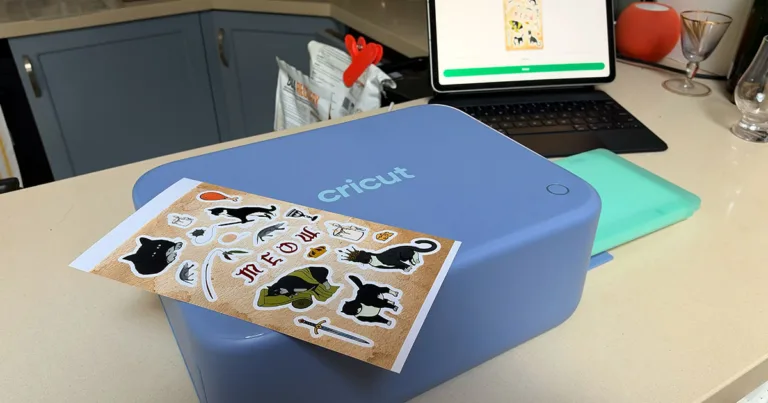
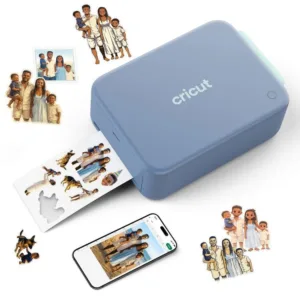
What the Cricut Sticker Print + Cut does is all in the name. It is a small printer that allows you to print out custom sticker sheets, even cutting them to similarly custom shapes. The possibilities are literally endless. Through the Cricut app and the Cricut Design Space you can browse pre-designed sticker sheets, create your own compilations with images in the Space, import your own drawings, your own pictures, and use generative AI tools to create and customise any of the above. The creating process is incredibly simple - at it’s core it is digital collage, and you can bring as much or as little of your own style to it as you wish.
The ease of it has already given me a complex.
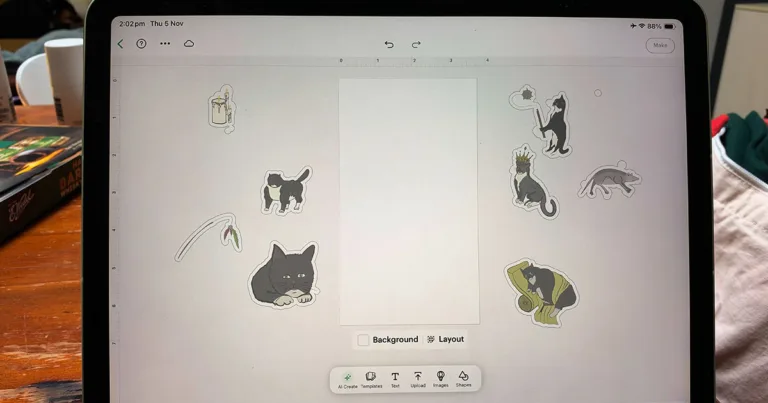
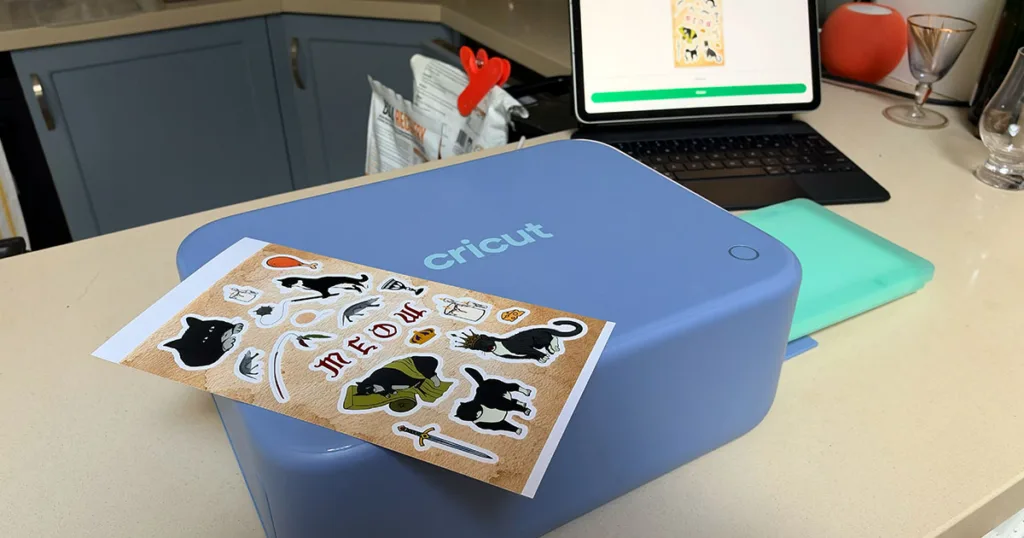
My first project was a sheet of cursed medieval cats inspired by my brother-in-laws cat. I drew each of the weird little kitties in ProCreate, exported them as PNG files, and uploaded them directly to the Project Artboard in the Cricut app. Arranging, reshaping, and even fixing up little issues with the eraser was incredibly simple in the iPad app. It uses a simple hold and drag functionality that is entirely intuitive, but definitely made easier with the aid of an Apple Pencil or a stylus. Within half an hour of nitpicking the layout, it was ready to send to the printer.
The printer itself connects via Bluetooth using the Cricut app, and set up would have been a plug and play situation if it didn’t need a firmware update. Considering how over-engineered a lot of connected technology can be these days (see vacuum cleaners that never do connect), the ease of this set up was legitimately refreshing. It was no harder than pairing a new set of headphones.
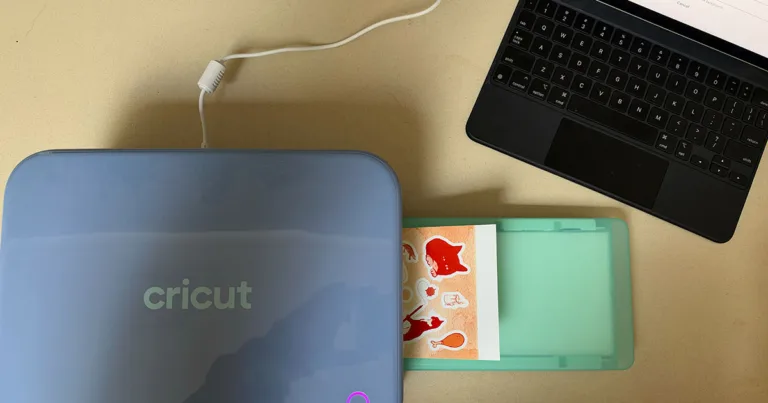
Once sent to print, the sheet prints first the yellow layer, then gets sucked back into the machine for another run through for the magenta layer, and then goes back in again to print the cyan. Then it goes back in one more time so the machine can cut the sticker sheets to their specifications. It feels a bit weird if you’re used to a normal printer, but don’t freak out. The layering creates crisp lines and beautiful depth of colour that make the sticker sheets look entirely professional. When the first one was finished, I squealed like I was a little girl playing Tip on the playground again.
It all seemed too easy for how gorgeous the final product came out.
I flashed back to all the empty folders and bare walls that cried out for stickers when I was a kid. My sticker poor fortunes had turned, and this time I was in charge of the market.
Naturally, my second instinct after I found myself drunk on the power was to look at what this addiction might cost me. I might be a sticker-fiend, but I’m a fiscally responsible one. To my surprise the ongoing costs are relatively reasonable. Each ink refill can print 36 pages, and Cricut sells bundles of the ink refill with various numbers of Print + Cut Sticker and photo sheets. The cheapest option gets you a refill, 18 print + cut sheets and 18 photo sheets for $44.95 and that goes up to enough of each for 72 prints at $84.95. That brings the cost of each sticker sheet to somewhere between $1.17 - $1.24.
For bespoke stickers of this quality, that is excellent value. If you choose to pay for premium access to the Cricut Design Space, that will set you back an extra $13.99/mth. Assuming, for ease of calculations (and that you also want to create your own sticker economy) that you are printing one sheet per day, the total cost of a sheet of stickers is around $1.70. Much cheaper than what you’d pay at the local dollar store, and cheap enough to sufficiently flood an economy with. Once you’ve made enough to balance out the cost of the machine that is.
At $529 for the initial bundle, it is a pricey novelty device, but I can see legitimate use cases outside of making weird sticker sheets for your friends. I can see parents and kids using them to make custom stickers for drink bottles and other property, newly weds handing them out at weddings, and small business owners using it to print seals on demand rather than committing to buying in bulk online. You can also use it as a photo printer, which isn’t as good value considering photo prints cost around $0.15 at Kmart, but the option is still there.
Cricut StickerPix Print + Cut: Final thoughts
Cricut’s StickerPix Print + Cut does what it says on the tin, and it does it with ease and flare. The simplicity of the device could give the least crafty person you know the confidence to step into their creative side. Unlike meme coins, that confidence isn’t even false. You’ll get something tangible out of it, that will live another life once you’ve made it. The starting price is high for leisurely sticker users, but for those that subscribe to the value of stickers (or want to make their inner, stickerless child happy), this machine in particular is well worth the swing.


Related Articles
Cricut StickerPix Print + Cut review: Printing money
I'll trade you this cat sticker for your Tiny Teddies.
Apple iPhone Duo review: Return to XS
Apple's first foldable arrives with big expectations and an even bigger price-tag.

Aussie Broadband mobile plans review
Aussie, Aussie, Aussie! Oi, oi, oi!
Lebara Mobile review: International calls galore
A no-fuss favourite for tourists and ex-pats.


