
What to do each week so nothing falls through the cracks.
The Complete 2026 Moving Checklist: A Week-by-Week Timeline


 6 min read
 Edited ByBrenna Elieson
I have a love/hate relationship with moving. It’s exciting to move into a new place and bring my decorating ideas to life, but the actual moving part requires coordination, time, and money.
This moving checklist breaks the moving process into phases so nothing gets forgotten: hiring movers, packing, updating your accounts, and getting the best internet and smart home tech set up before day one.

Why you can trust us
At Reviews.org, our team takes its editorial independence seriously. We may earn money when readers click affiliate links, but we don't work for our brand partners, and they don’t approve our pieces before publication. To learn more, visit our About us page.
Moving checklist at a glance:
Before the move:
After the move:

Meet the expert
Hi, I’m Kelly. I’ve moved to three homes in the last five years and have helped several family members move to new houses, so I’ve gathered a few tips and tricks over each move. For this guide, I spoke with Rebecca Edwards, Moving Expert at Move.org, who has written guides on home services and tech for over 10 years. I also spoke with Kevin Parrish, Internet Expert at HighSpeedInternet.com, to learn about getting set up with the best home tech.

Staff Writer
Before the move
8 weeks out: planning and budgeting
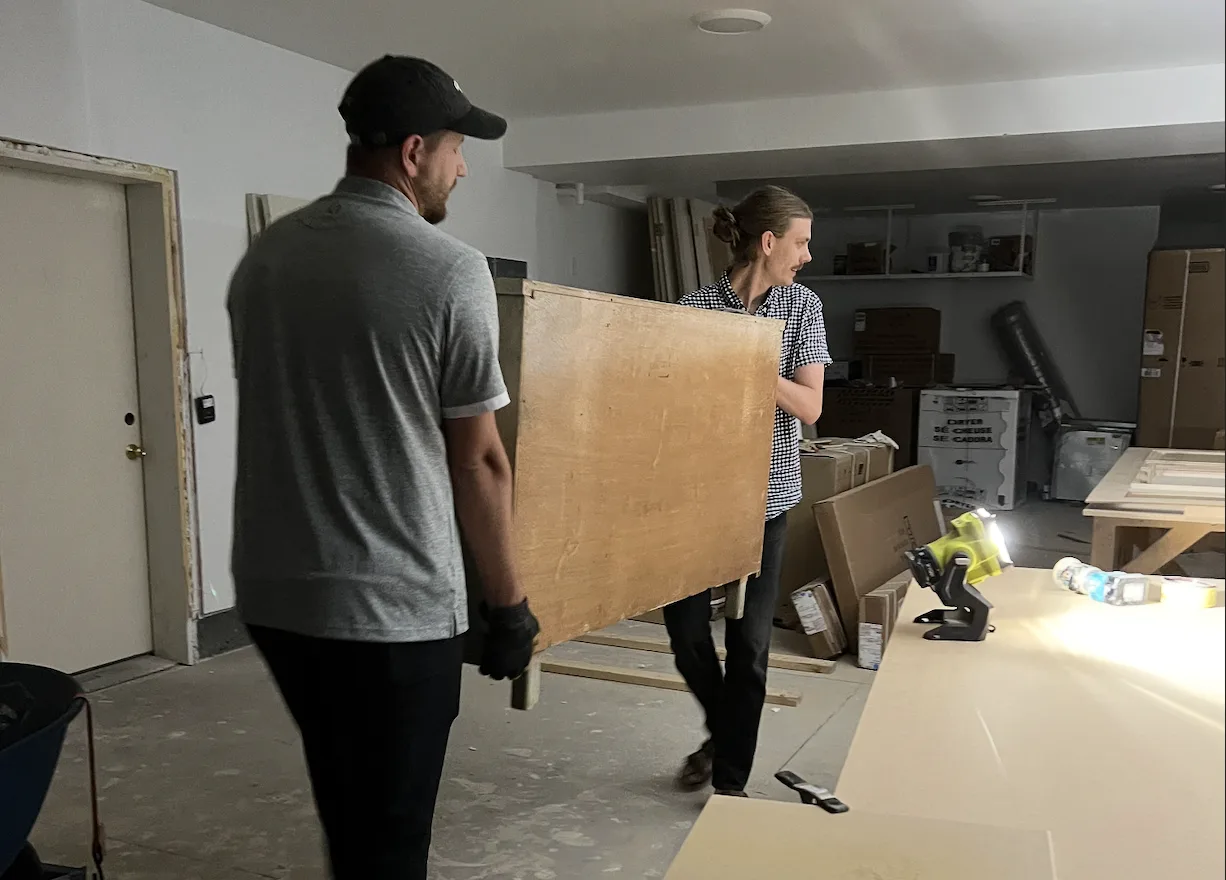
My brother-in-law (left) helped my husband (right) with the heavier furniture items when we moved into our new apartment. Image courtesy of Kelly Huh, Reviews.org
The earlier you start, the more options you have. This is especially true for scheduling movers, which book up fast in peak season (May through September). Here’s what you need to get squared away first:
- Create your budget. Factor in mover costs, packing supplies, truck rental, security deposits, and any overlap between rent payments or mortgages.
- Research moving costs. Get at least three quotes. For a two-bedroom apartment move, professional movers typically run $300–$900 for a local move, and several thousand dollars for moving across state lines.
- Reach out to friends and family for moving assistance. Give everyone a job, and make sure to thank them with a meal or a little Venmo transfer.
I’ve moved both ways — with professional movers and completely DIY — and the best option usually comes down to your budget, timeline, and tolerance for stress. DIY moves can definitely save money, but they also tend to take more time, energy, and coordination than people expect — especially once you factor in packing, lifting heavy furniture, and the inevitable last-minute chaos. Hiring movers costs more upfront, but for a lot of people, the reduced stress and saved time are absolutely worth it. I always tell people to look beyond the base price and think realistically about what will make the move smoother and less overwhelming for them personally.

Managing Editor at Move.org
4–6 weeks out: decluttering and logistics
This is the phase most people dread, but you’ll be glad to get it out of the way before the big day comes.
- Declutter room by room. This is what I call the “Marie Kondo” step. Sell, donate, or discard anything you wouldn't pay to move. For the big stuff you don’t want anymore, Facebook Marketplace is my go-to.
- Collect packing supplies. Buy boxes, packing tape, bubble wrap, and packing paper. You can also check out Costco for free boxes if you’re already shopping there.
- Audit your tech setup. Moving is a natural time to upgrade your router and swap out old smart home devices. You can also sometimes recycle old routers for a discount at Best Buy on a networking device or whole-home Wi-Fi system.
Sturdy packing boxes that get the job done
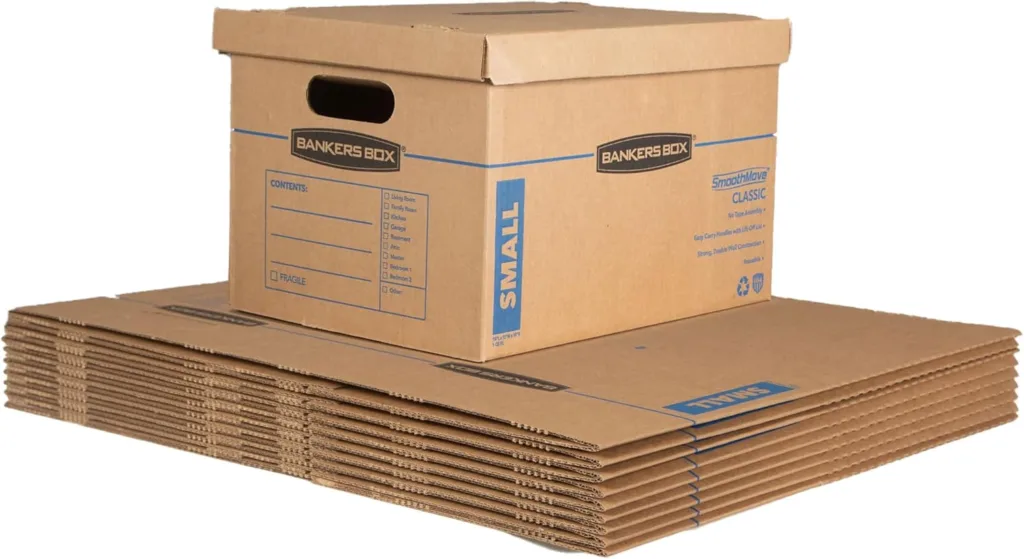
Bankers Box SmoothMove Bankers moving boxes come flat-packed and assemble without tape, making them easy to store until move day. Image courtesy of Amazon.com
The Bankers Box is synonymous with affordable quality when it comes to moving. I bought a set of these in college, and it survived three moves. Even if the box comes with a lid, I recommend securing it with packing tape.
A nifty label maker so you know where everything is
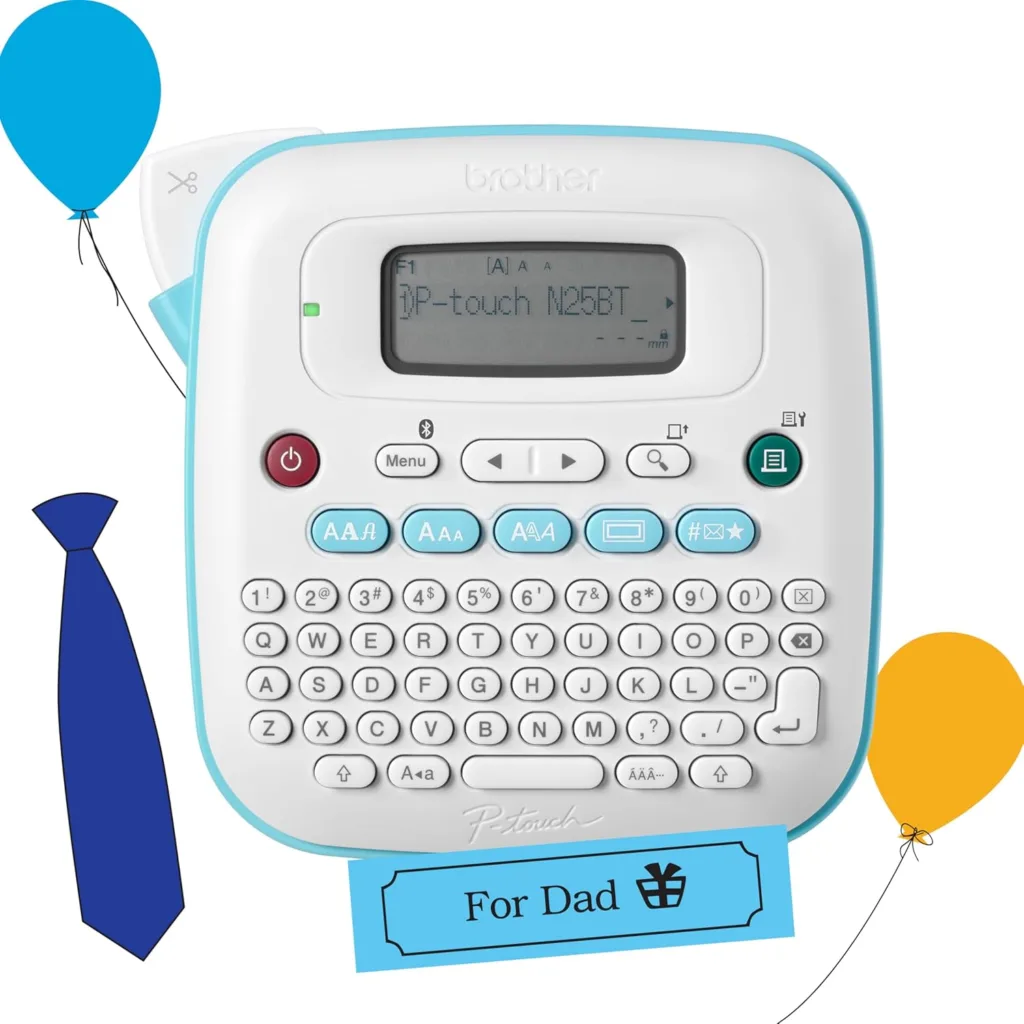
Brother P-touch Label Maker This compact label maker prints custom labels to help you clearly mark every box before moving day. Image courtesy of Amazon.com
The Brother P-Touch label maker streamlines labeling boxes, bags, and items so you can keep track of all your stuff during the moving chaos.
A reliable router under $100

This compact router can be set up solo or with extenders for enhanced Wi-Fi coverage. Image courtesy of Amazon.com
The Amazon eero 6 mesh Wi-Fi router can support up to 900Mbps download speeds and coverage of up to 1,500 sq. ft. While you can opt for the pricier version that supports Wi-Fi 7, most households with average internet usage will find this router is more than capable of providing reliable internet throughout the home. Plus, you can add more extenders for whole-home coverage.
Buy a router or mesh system if you don’t want your internet provider poking around in your home network — who knows what data it collects from rentals. Whether or not you save money over time depends on what you buy and how it compares to your provider's equipment, but you have the freedom of choice when it comes to purchasing a router or mesh system, which you don't get from rentals.

Deputy Editor at HighSpeedInternet.com
2 weeks out: change and transfer your address
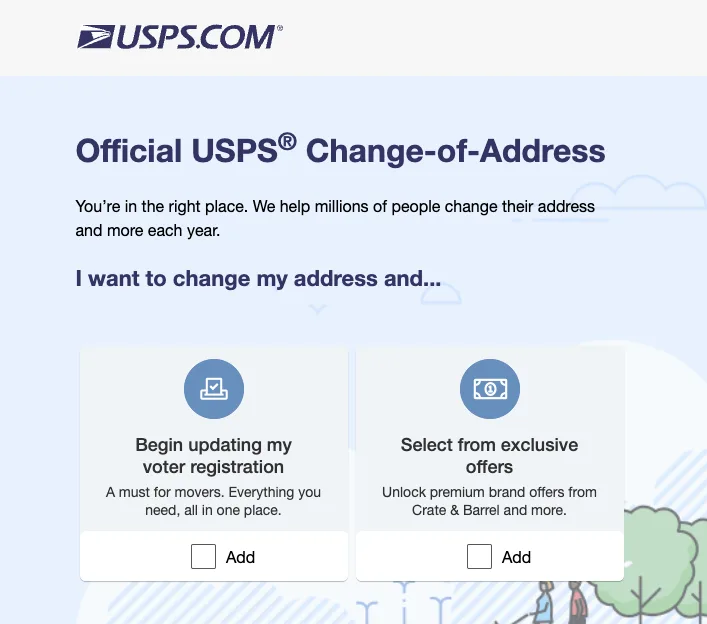
When you move, you can update your address by going to moversguide.usps.com. Screenshot of USPS Change-of-Address website taken by Kelly Huh, Reviews.org
Batch these tasks in one or two focused sessions and then end the day with your favorite takeout so you have something to look forward to (because it’s about to get boring).
- Update your address everywhere. This includes your employer's HR department, bank, credit card companies, insurance providers, and any subscription services. I’ve used the USPS Change of Address form every time I’ve moved, which forwards your mail for a $1.25 identity verification fee.
- Schedule utility transfers. Contact your electric, gas, and water providers to set a disconnection date at your old address and a connection date at your new one.
- Book your internet installation now. After shopping around for the best internet plan in your area, set up a time to get your internet installed. Most cable and fiber providers book installation appointments 1–2 weeks out, and longer during peak moving season.
Moving week: final preparations
The week before a move tends to feel chaotic. These steps keep it from going sideways.
- For each member of the household, pack an essentials backpack, weekender bag, or suitcase. You’ll be living out of this for a week. Include:
- Chargers for your phone, laptop, electric shaver, and smartwatch
- Valuable jewelry
- Toiletries
- A multi-port USB charger or power strip
- A portable power bank
- Your laptop
- A pen
- Important documents (lease, ID, insurance cards)
- Medication (prescription meds, ibuprofen, Band-Aids)
- Clothes for a week
- Plan for kids and pets. When my in-laws were moving, I took my niece and their dog to an outdoor art fair while the rest of the extended family packed up the house.
- Pack the most valuable items yourself. If you have small valuables that you want to keep safe, consider packing them yourself or keeping them at a trusted friend’s house in the meantime.
- Clean the house and toss all perishables/trash. Either clean the house yourself or hire a cleaning company. To save money on household tasks, I ask around the neighborhood and see if anyone’s teenage kids would be willing to carry out some easy tasks (lawn mowing, vacuuming) for some cash during the summer.
A portable power bank so your phone doesn’t die
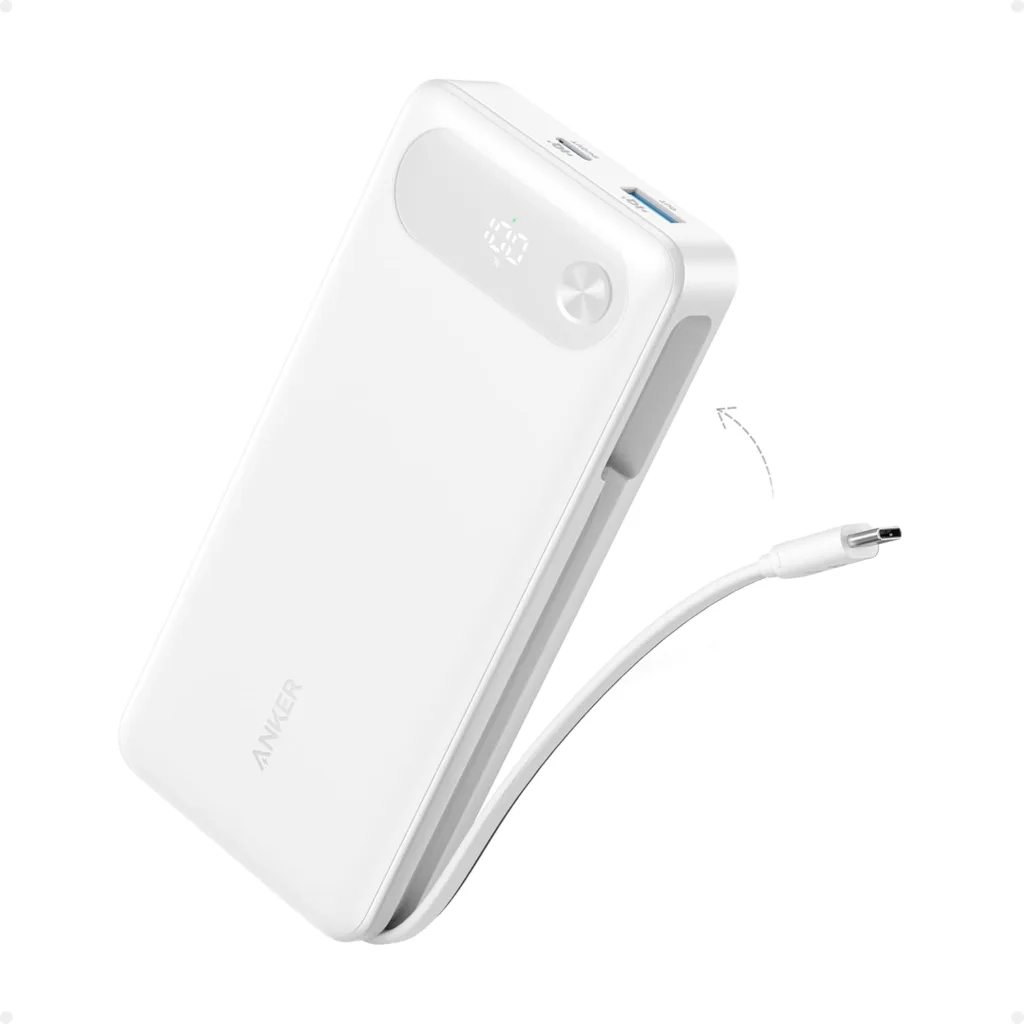
The Anker portable power bank has a built-in USB-C cable and LED battery display so your phone stays charged through a long moving day without hunting for outlets. Image courtesy of Amazon.com
The Anker Power Bank with a built-in USB cable allows you to charge your phone and other devices throughout the day without ever plugging into an outlet. It’s ideal for a busy moving day with little time to sit down. Plus, you’ll use it whenever you travel in the future.
A backpack to keep all your essentials within reach
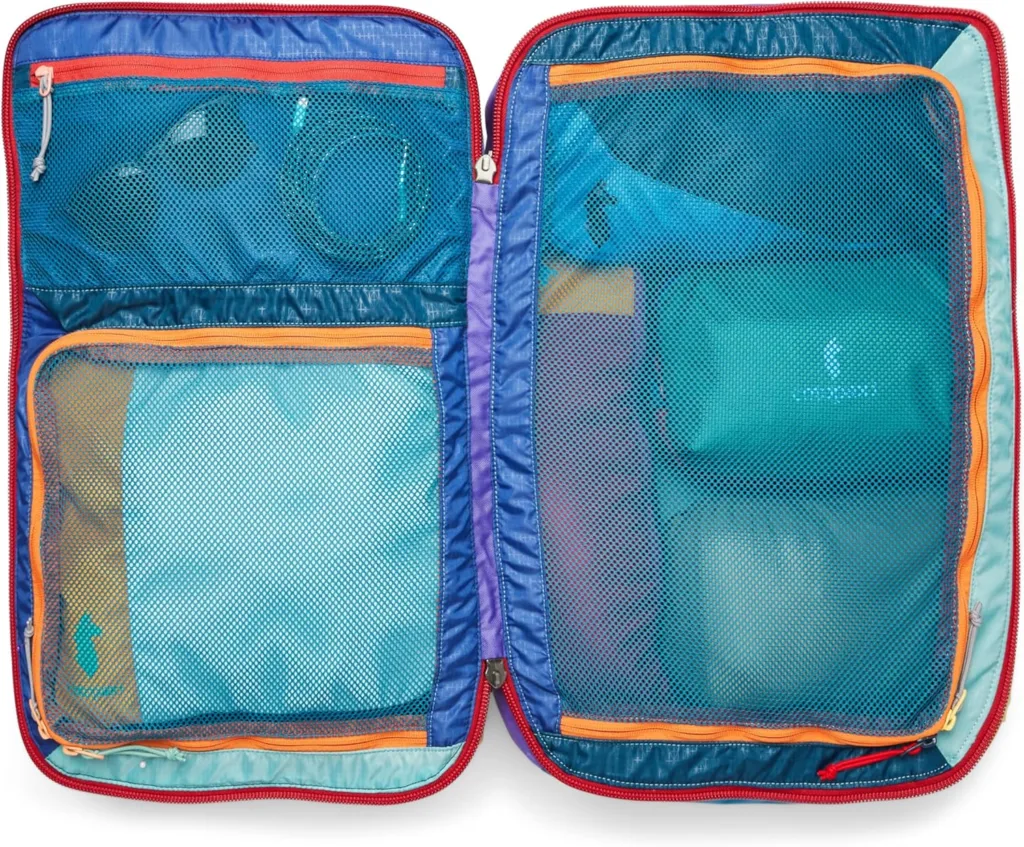
This colorful, compartment-packed Cotopaxi backpack keeps your moving day essentials organized and within reach so you're not digging through boxes for your toothbrush on night one. Image courtesy of Amazon.com
Our family loves this giant, sturdy Cotopaxi Allpa Travel Pack, which uses deadstock fabric for a unique, thrifted look. The backpack opens up with multiple zippered compartments, so you can take it as your plane carry-on or, in this case, a few days of having all your stuff packed in boxes. Plus, having it on straps instead of wheels makes it easier to lug around with you throughout the day.
Moving day
Keep this day simple. Your one job is getting everything from point A to point B without losing anything important.
- Photograph both homes. Take photos of every room at your old address (for security deposit documentation) and at your new address before furniture goes in (to document any pre-existing damage).
- Take meter readings at both addresses. Photograph your electric, gas, and water meters — this protects you from being billed for usage you didn't create.
- Walkthrough at the new place before the movers leave. Note any damage to walls or floors in writing — ideally via email or text to your landlord or moving company so there's a time-stamped record.
After the move
Give yourself permission to unpack over a few days. The goal on day one is function, not perfection.
- Update your address. File with the DMV (most states allow this online), your voter registration, the IRS, and your health insurance provider. Do this within 30 days of your move — some states require a driver's license update within 10 days.
- Test all appliances. Run the dishwasher, check the oven, and test every outlet. Document any issues with photos and notify your landlord or property manager in writing immediately.
- Meet your neighbors. It sounds small, but knowing one or two neighbors by name pays off fast when you're locked out, getting a package delivered, or navigating a neighborhood issue.
Set up your internet
Don't let internet setup be an afterthought — getting stuck without service for the first week at a new address costs real time, especially if you work from home.
Before you contact your current provider about a transfer, check what's actually available at your new address. Internet availability is hyperlocal — fiber service may end at a specific street, and a provider that covered your old apartment may not serve your new one.

Enter your ZIP code below to find internet providers available at your new address.
Consider smart home and home security
A new home is the easiest time to start fresh with smart home tech. Smart plugs let you control lamps and appliances before you've unpacked your full setup. If you want to go further, a smart thermostat can reduce energy costs significantly — useful when you're adjusting to a new home's heating and cooling quirks.
You should also consider a home security system. A new address means new vulnerabilities — especially in the first few weeks when you're still learning the neighborhood.
An Alexa-compatible smart plug
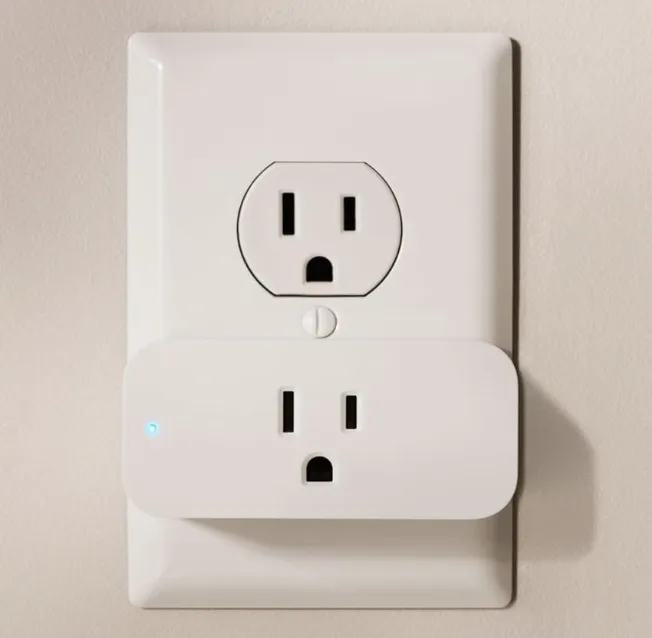
This smart plug lets you control lamps, fans, and small appliances with your voice or a schedule. Image courtesy of Amazon.com
An Amazon Smart Plug works with Alexa so you can create routines for lights and lamps or other household appliances. It sets up in minutes and works right away.
A smart thermostat that knows you’re a cold sleeper
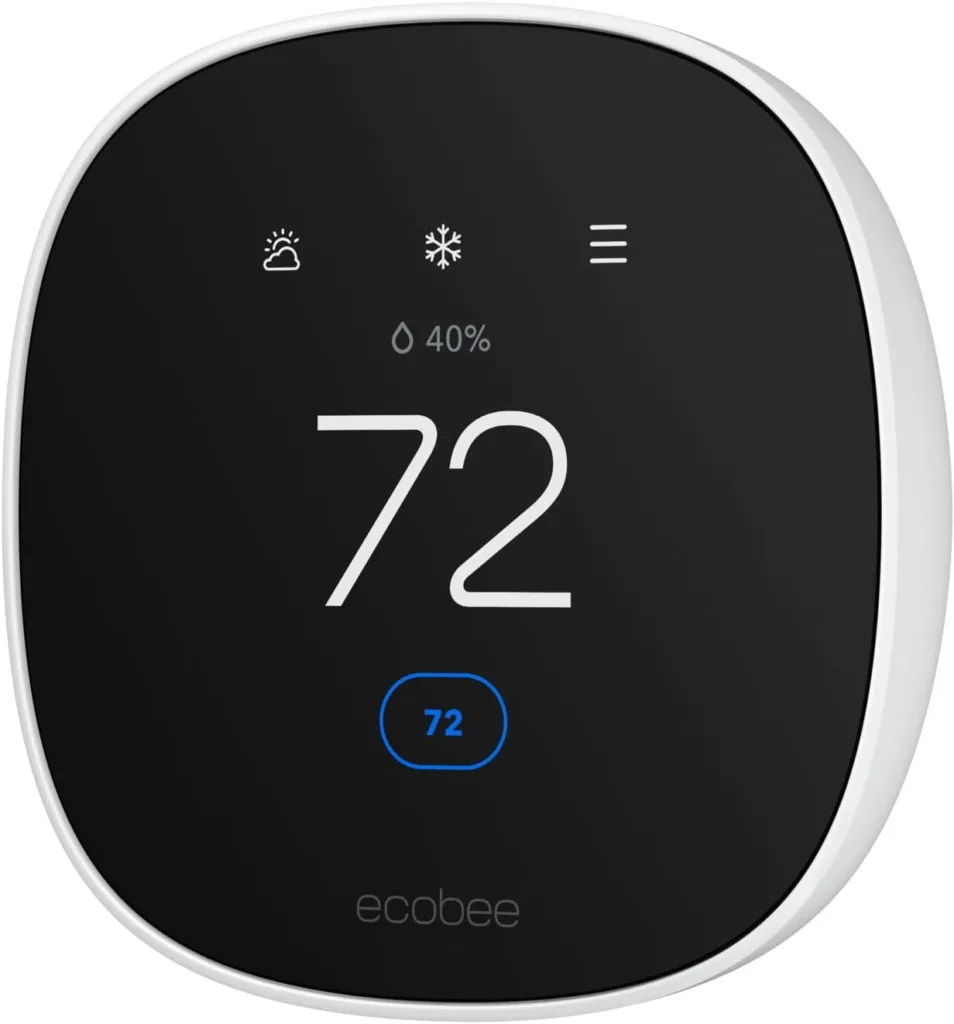
This Wi-Fi-connected thermostat lets you set schedules and control your home's temperature remotely so your new place is comfortable the moment you walk in. Image courtesy of Amazon.com
I love my ecobee Smart Thermostat, which lets me adjust the temperature whether I'm using the app in bed or at the thermostat itself. You can also set a schedule — like cooling things down at night before bed.
SimpliSafe Security system
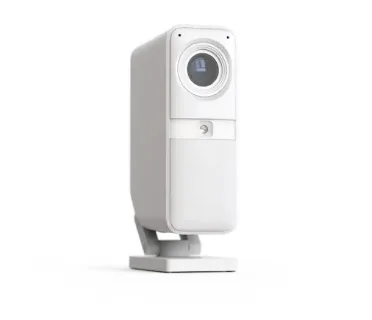
This compact indoor camera lets you monitor your new home remotely and can pair with a monitoring plan, so live agents can intervene if a break-in occurs. Image courtesy of SimpliSafe.com
The SimpliSafe home security system is fully customizable based on your safety needs. You start with a base station, an electronic keypad, and a mix of burglary sensors and indoor and outdoor cameras. I love the flexibility to pay monthly or buy the equipment outright.



FAQ
Eight weeks is the right target for most moves. That gives you time to get competitive mover quotes, declutter without rushing, schedule utility transfers with enough lead time, and book internet installation before appointment slots fill up.
The process varies by provider. Some providers offer transfers online or by phone if service is available at the new address. In all cases, check availability at the new address first using the ZIP check tool above, then contact your provider at least two weeks before moving day.
Prioritize your driver's license or state ID (most states require an update within 10–30 days of moving), voter registration, health insurance, vehicle registration, and tax information with the IRS.

Related Articles

How to Add Home Security and Wi-Fi Protection to Your Internet Plan (2026 Guide)
Xfinity WiFi Shield provides digital security and home monitoring for free. Xfinity Shield Select adds...

She Quit Social Media for 30 Days—Including Dating Apps. Here’s What She Learned.
I spend 27 hours a week on social media. I wanted freedom from it. Danika...

Viasat Internet Plans and Deals
Read about Viasat internet prices, plans, and deals for high-speed internet.

Did You Just Get Hacked? Here’s What to Do in the Next 10 Minutes
Getting hacked cost me $4,500 in fraudulent charges. Here's what to do immediately after getting...



