
Putting the pro in protagonist. And also in projector.
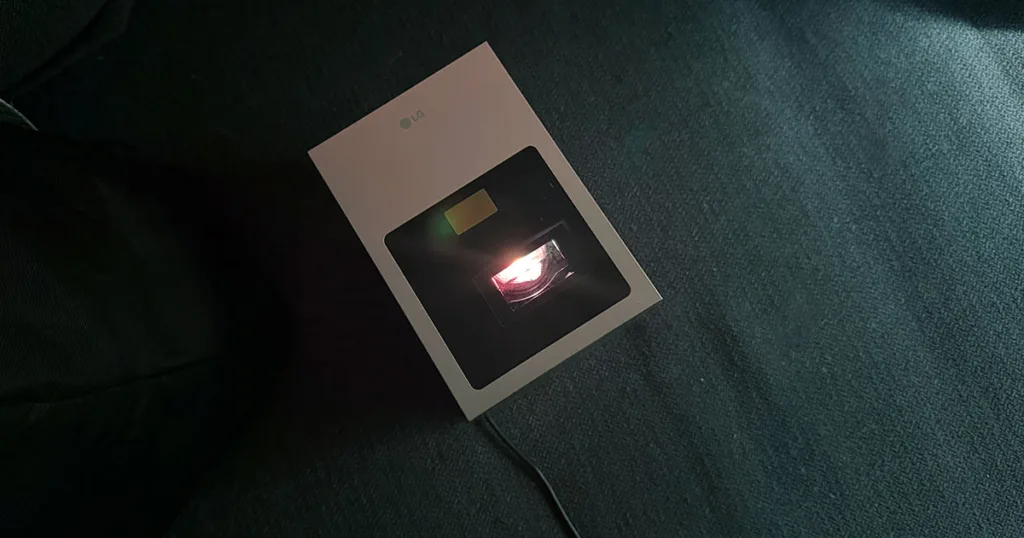
LG CineBeam S Projector review: Part of the story
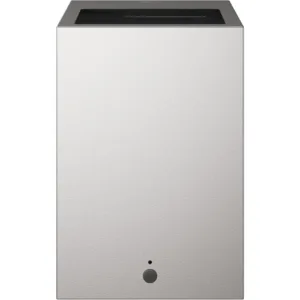
LG Cinebeam S

Resolution
4K - 3840 x 2160
HDMI
Yes - 1
RRP
$2,499

 4 min read


The LG CineBeam S is a bit of a choose your own adventure projector. There are plenty of automatic features you can utilise, or if you want to get granular with your set up you can do that too. It won’t be a one and done system though. While the picture quality, and the WebOS interface gives you a solid starting point for your viewing pleasure, the device is let down by its poor in-built speakers, limited ports, and a sticky remote. It’s a chapter, but not the whole book.
LG CineBeam S: Picture and audio quality
Across the board, the Cinebeam S allows you to take full control. If you want to go expert mode and dial in the brightness, white balance, and input the colour of your wall individually then you can do just that. Or if you’d rather skip straight to the happy ending, the inbuilt presets do the trick.
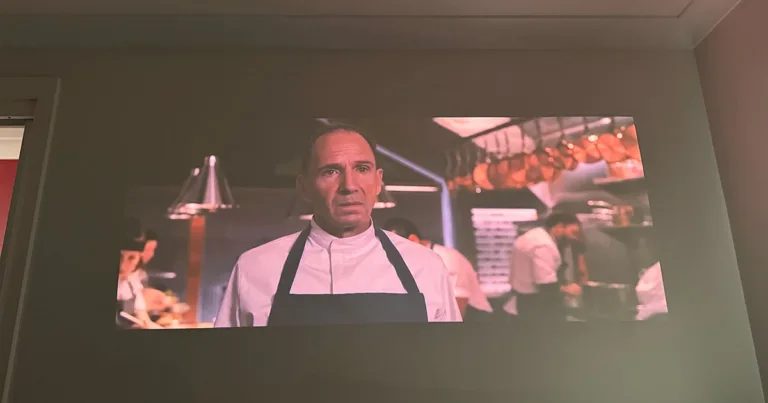
There are a range of picture settings to choose from depending on your preference, environment, and the time of day, but during testing I found the Low Light, Night Time setting to be the most true to colour. This is where the 450,000:1 contrast ratio really comes to life. The Menu is one of my go-to testing films. It starts off bright and full of light before descending into darkness, and throughout the scenes the CineBeam S was able to keep up. Once I found the right setting that is. While other settings made the blacks look more grey, and washed out in the darker scenes, Low Light, Night Time allowed the contrast to properly shine through and it was hard to fault the overall viewing experience.
However when it comes time to expand the lovecraftian universe, you’re going to be hit with some limitations. The projector only has three ports; a HDMI, and two USB-C ports, but practically it actually has one of each since one of the USB-C is required for power. That leaves you with very few options for connecting other wired devices. If you’ve got an Apple TV then you’ve only got one USB-C to hook up your audio set up. That isn’t very practical.
It does have Bluetooth so you can connect speakers through this, but I’ve never met a cinephile who doesn’t also have strong opinions about their surround sound set up and its cabling. If these are your people, this isn’t the projector for you.
Even if you aren’t a sound nerd, the audio quality from the in-built speakers will likely still irk you. During testing I found the audio to be tinny and hollow, despite the CineBeam S having Dolby Atmos. There was almost no soundstage, and the bass was dismal. It works fine for dialogue, but for immersive experiences or playing music the whole thing just sounds flat.
LG CineBeam S: Set up and OS
Projectors can be finicky, even more so when you add in a shorter throw like you see on the Cinebeam S, but the automatic squaring modes make set up a breeze. Within a few clicks the projector is able to orient itself on your chosen wall with surprising accuracy. The one downside is that if you move it, it does get a little confused and starts to drastically change how the screen is being thrown. Waiting a few minutes before running set up again does the trick, but if you don’t have a permanent position for the projector it can be a bit of a pain.
On the software side, LG has integrated the WebOS interface into the projector, which gives you instant access to pretty much any streaming app you could want. It ultimately makes the CineBeam S akin to a smart TV. You don’t need to have anything else to be able to start streaming your favourite shows, although the experience will be better if you do. You can share your screen or cast directly from your handheld device, or you can plug in other streaming boxes. Both which will likely be preferable as the included remote’s buttons are sticky and unresponsive for the most part.
While WebOS does make life easier, I find myself stuck on the ads on the home screen. The whole top position - which takes up the top third of your screen - is over run by a large banner ad. If you’re actively using the projector, clicking around or navigating away from the home screen then these ads stay silent, but if you leave it dormant for a few minutes the sound will start to play.
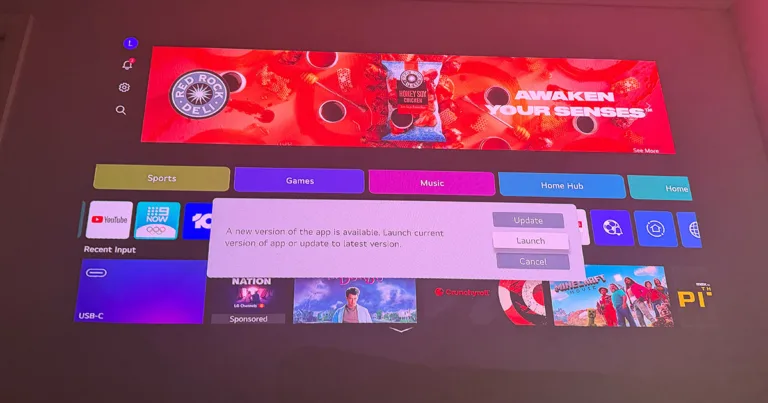
Now obviously ads are everywhere, but something rubs me the wrong way about putting them so prevalently in an operating system for a piece of tech you’ve already spent thousands of dollars on. Imagine if your phone’s lock screen played ads. You’d be livid. While I can understand ads on free websites, or (to a lesser extent) on relatively cheap streaming services, putting ads on big ticket devices feels like an unfair exchange for the consumer. While the device’s value deteriorates with use, the value proposition switches and the user inevitably becomes the commodity. Deep in the settings, you can find a toggle to switch off these ads, which makes this more palatable, but it still feels gross.
A note on the LG CineBeam S as a sewing projector
I initially spoke to LG about reviewing the CineBeam S, focusing on it as a sewing projector. This might seem niche, but there is a large cohort of the sewing community that loves a projector for sewing patterns, and I was keen to join them. Unfortunately this is not the one for sewists.
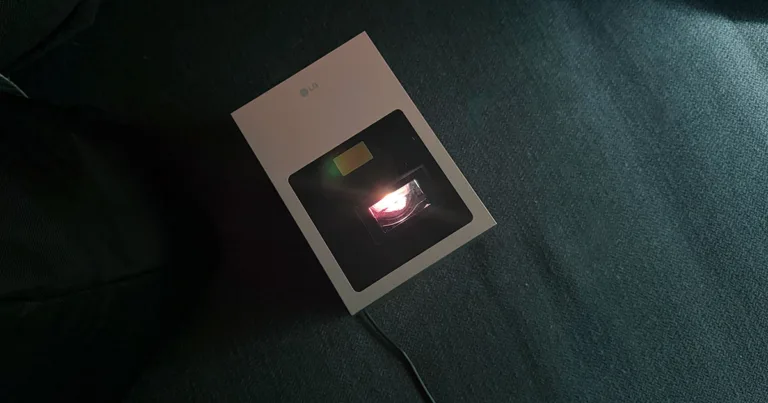
Although the short throw specs look good on paper, due to the design I couldn’t find a good way to project the pattern on a flat, horizontal surface. The cables plug in on the side you would need the projector to sit on to be able to accomplish this. If you wanted to set up a permanent, floating solution then you could, but for most hobby sewers this is probably a bridge too far.
Final thoughts
There is plenty to like about the LG CineBeam S, but it has some twists that will send you for a loop in the first act. To get the most out of this projector you’ll want to have a solid sound system, which preferably works well over Bluetooth, or something similar. For those in the Sonos universe, you’ll probably be fine, but for anyone who still loves a cable you’ll likely find the device lacking what you need.
Still though, for a relatively affordable projector, the picture quality and ease of set up are hard to beat at this price point.


Related Articles
LG CineBeam S Projector review: Part of the story
Nothing bad to say about this budget banger.
Nothing Phone 4a review: Making phones fun again
Nothing bad to say about this budget banger.
Google Pixel 10a review: This feels familiar
Small screen, big ambition.

The best Satellite NBN Internet plans available in Australia
Don't get ripped off...



