
A sensor side-grade that doesn't take long to click with.
Logitech Pro X2 Superstrike review: Synthetic synergies
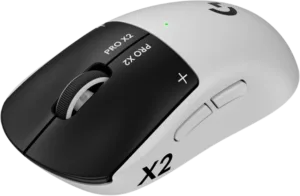
Logitech Pro X2 Superstrike gaming mouse

Price
From $299
Weight
51g
Battery life
Up to 90 hours

 4 min read
 Unique haptic trigger system
Striking looks
Lightweight design
Unique haptic trigger system
Striking looks
Lightweight design 
 Expensive
No Bluetooth
Expensive
No Bluetooth Gaming gear comes and goes from my desktop relatively frequently, but my Logitech G Pro Lightspeed Wireless has held its spot as my mouse of choice for over five years. Back in 2020, this particular peripheral won me over with a minimalist design, sleek feel, high-end specs and long-lasting battery life.
It’s the kind of mouse I’m hard pressed to part with, even as it has succumbed to the ravages of time and lost both its prior lustre and reliability. Fortunately, the new Logitech Pro X2 Superstrike promises to be the worthy replacement I’m looking for. It pairs up a fresh look on the outside with cutting-edge tech on the inside. The only catch is the one you’d expect: the asking price.
How much does the Logitech Pro X2 Superstrike gaming mouse cost in Australia?
Starts at $299
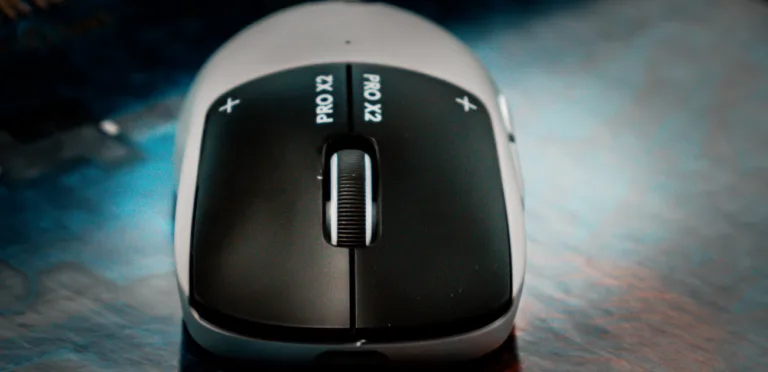
In Australia, the Logitech Pro X2 Superstrike comes in at a recommended retail price of $299. That’s fairly far from thrifty, though not entirely out of line with other high-end enthusiast gaming gear available from rival brands like SteelSeries and Razer.
Still, you might be able to save a few bucks if you shop around. Check out the table below for a round-up of the best deals for the Logitech Pro X2 Superstrike in Australia.
Logitech Pro X2 Superstrike gaming mouse: Design and features
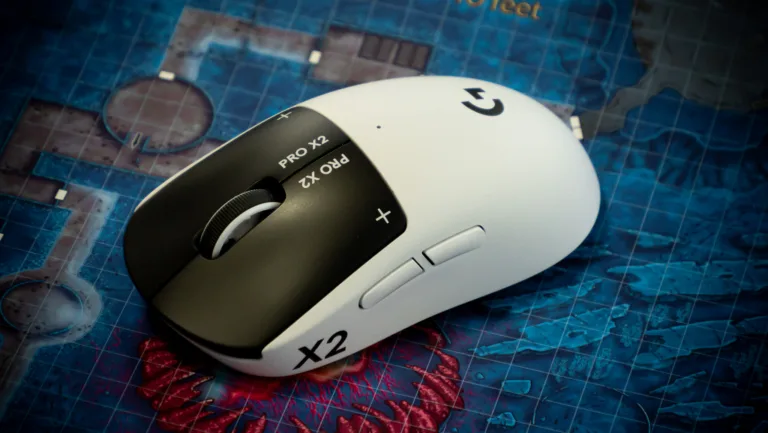
A two-tone palette can easily end up on the fast track to a favourable aesthetic, and the Logitech Pro X2 Superstrike makes the most of that momentum. The buttons, branding and underside of the mouse are black. The rest is white. The subsequent clash in tone quickly makes for a more complementary contrast. The overall look is as clean as it is eye-catching.
It doesn’t hurt that this form-factor is as lightweight as it is, with the Logitech Pro X2 Superstrike weighing in at just 61g. On the front, there’s also a concealed USB-C port. Meanwhile, the underside of the mouse offers a discreet stowaway compartment for the USB-C receiver when not in use. On top, there’s a mouse wheel that’s satisfyingly grippy to turn, but nothing too special.
Finally, on the inside, the Pro X2 Superstrike is powered by Logitech’s Hero 2 sensor. This choice component offers up to 44,000 DPI and up to 88Gs of acceleration. Used wirelessly, you’re looking at a response rate of 8000Hz. Connected to a PC via cable, that figure goes down to a more sluggish 1000Hz. Though specs are largely impressive, they fall slightly short of industry-leading. If you know where to look, it isn’t hard to find a mouse that’s lighter or one with a faster sensor spec.
Last but not least, there are two buttons on the side of the mouse. These can be remapped using the Logitech G companion software. Your mileage is going to vary, but depending on what you’re looking to play, a few extra mouse inputs can go a long way.
Logitech Pro X2 Superstrike gaming mouse: Performance
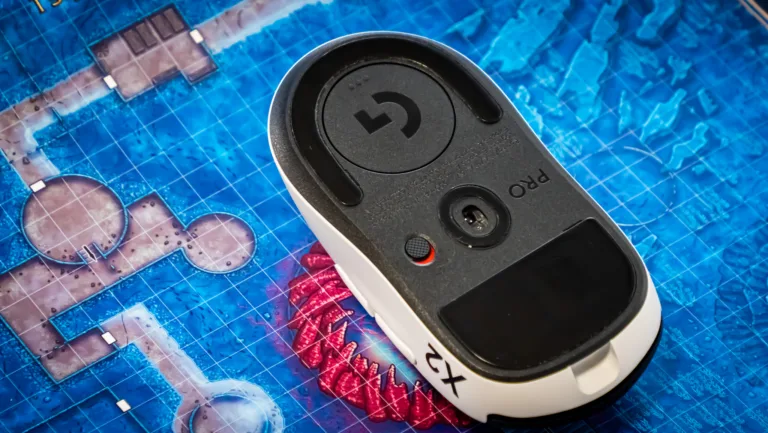
Of course, the biggest drawcard that the Pro X2 Superstrike brings to the table is the new Haptic Inductive Trigger System (HITS) found inside the chassis.
Essentially, Logitech has traded out traditional mechanical microswitches for a set of fine-tuned haptic sensors. On paper, this transition in tech allows for a click faster than any mechanical parts can offer, as well as one that can be tweaked to your liking. In practice, this sidegrade to synthetic sensors mostly lives up to the hype.
The sensation of using the Logitech Pro X2 Superstrike is a little less punchier than you might expect or be used to, but the ability to tweak the actuation point of each button on the mouse using the software suite is genuinely novel and did a lot to endear me to the hardware writ large.
Even if I’ve used audibly clickier mice in the past (or even if I cared enough about the narrow difference between the performance of this mouse and something like the Razer Deathadder V4 Pro), the overall functionality still absolutely meets the mark in a way that is hard to complain about.
On a daily basis, I was absolutely satisfied with what the Logitech G Pro X2 Superstrike had to offer. After a few weeks of usage, I haven’t yet had the mouse die on me either. According to Logitech, you can expect around 90 hours of battery life per charge. Depending on how many hours you’re using it each day, you’re looking at a few weeks or maybe even a full month before you need to top it back up.
Although connecting to your PC or Mac using a dongle is fairly normal for a gaming mouse, I would have liked to see Bluetooth connectivity included as a fallback option. Given that Logitech has gone so far as to keep the Pro X2 Superstrike compatible with its own proprietary wireless charging ecosystem, it feels like a relatively small ask – even if it’s no dealbreaker.
Logitech Pro X2 Superstrike gaming mouse: Is it worth the money?
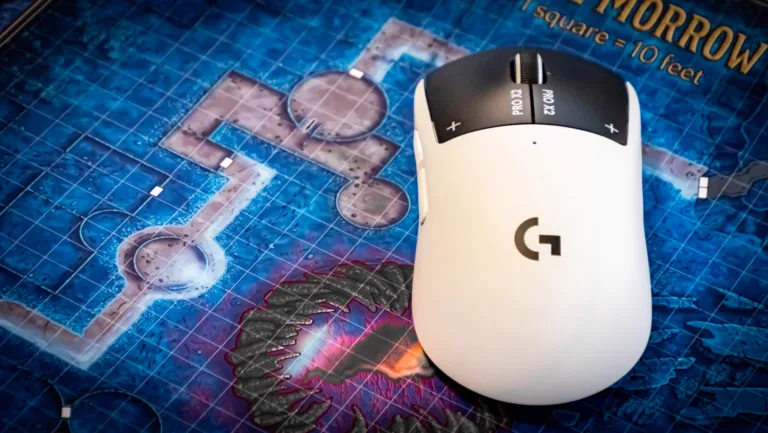
For as much as I adored my old mouse (and for as little as the gaming mice scene has changed over the past five years), the Logitech Pro X2 Superstrike still manages to feel like a meaningful upgrade and one that clicked with me almost immediately.
When it comes to gaming mice, it’s very easy to fall into the logic of an arms race. The story told by a bigger number is easier to parse, even if it rarely provides a full picture of whether or not a given piece of hardware, like the Logitech Pro X2 Superstrike, is going to suit your specific needs.
The thorny truth is that no two consumers are looking for the exact same combination of look, feel, sensitivity and sensor size when it comes to gaming mice and the weight that the marketing often places behind things like speed and sensor size often serves to obfuscate that. It’s better to be safe than sorry, so you might as well throw your money at the spec sheet with the biggest numbers you can find.
The Logitech Pro X2 Superstrike sidesteps this situation by offering the ability to tweak things without that inherent inconsistency coming at a compromise to everyday usability and long-term reliability. As a result, and even as expensive as it is, that combination makes for a gaming mouse that is uniquely easy to recommend.


Related Articles

Telstra vs Boost Mobile: Which offers better value?
Boost on a budget.

Woolworths’ Everyday Mobile review: Perky plans
Woolworths, the Fresh Phone plan People.
The best iPhone plans available in Australia for every model
The iPhone 18 is calling.
Belong vs Telstra: Mobile plans compared
Mobile value belongs to Belong.
