
A step-by-step guide to paying your Visible bill on your phone or computer.
How to Pay Your Visible Wireless Bill





 2 min read
Visible Wireless has defied convention by offering a cheap and powerful unlimited data plan on the nation’s best mobile network. The company has also been shaking things up by making bill pay simple (you can even pay your Visible bill with Venmo).
In this short guide, we’ll walk you through the two main ways you can pay Visible Wireless bill: with the Visible app or the Visible website.
Pay your Visible bill using the app
You can use the Visible app to activate your service, check your account balance, manage your account settings, add new lines, and, of course, pay your bill. Here are the steps to take for making a payment.
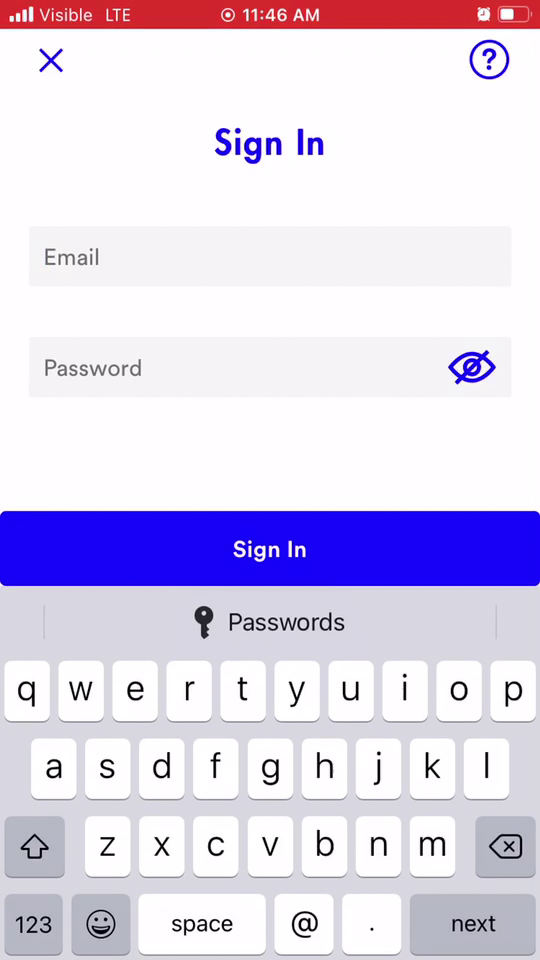
1. Open the app and sign in
When you open the app, you’ll be on the home screen. Tap the Sign In button at the top of the screen. Enter your account information.
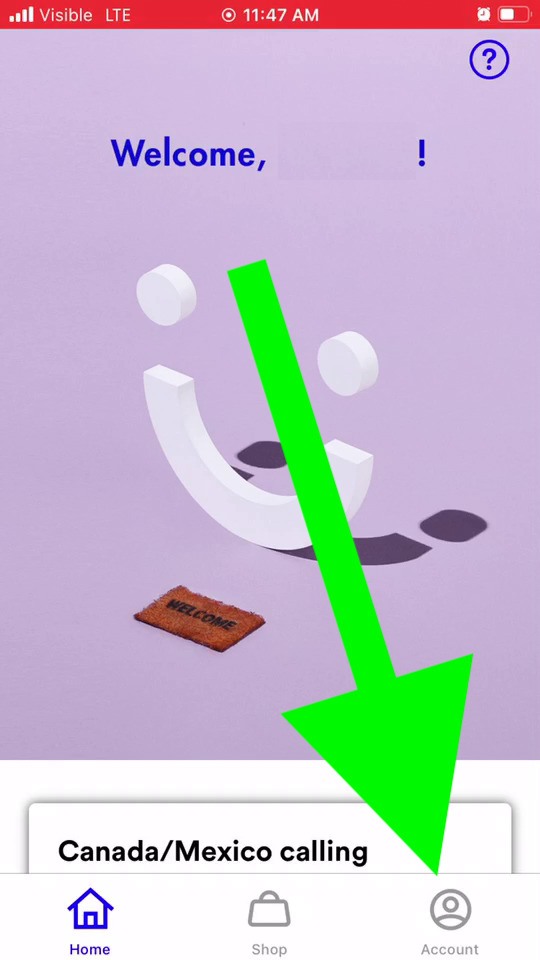
2. Go to your account
Swipe right or tap the Account icon from the menu at the bottom of the screen.
On this screen, you should see the amount due on your bill.
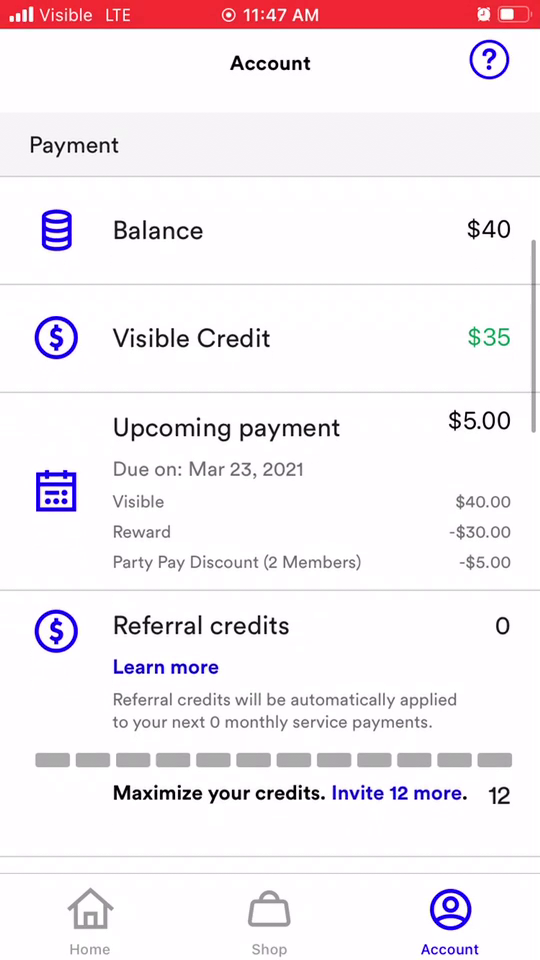
3. Tap the Pay Now button
The Pay Now button will be blue if you have a payment due. Tap it, and it will take you to a payment screen.
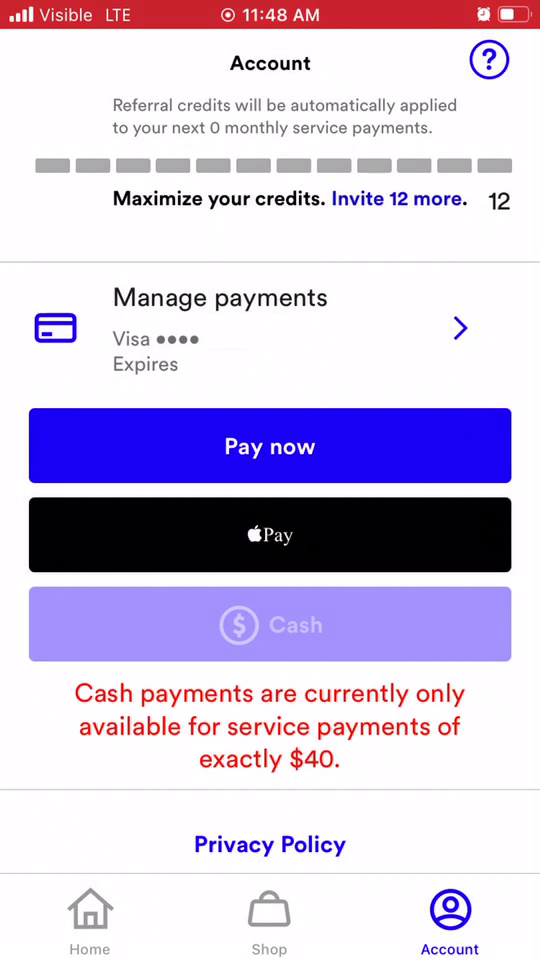
4. Follow the prompts to make a payment
You can make the payment using a credit card you have on file, or by using PayPal or Venmo. You can also choose to set up autopay using the app, which will save you the hassle of paying manually every billing cycle.
Pay your Visible bill using the website
If you don’t have your phone with you but you still need to pay your bill, you can do it online using your computer or another device.
1. Go to Visible’s website and sign in
Go to www.Visible.com and click the Sign In icon on the top right corner. The icon looks like a person. Enter your username and password.
2. Click on Account
The blue Account button will take you to your account page. From there, scroll down to the section of the page that says Next Payment.
3. Click the Pay Now button
Follow the prompts given to pay your bill. You can pay using a credit card, PayPal, or Venmo. You can also use the website to activate autopay, so that you don’t have to manually pay your bill every month.
Related articles

Related Articles

Best Internet Deals in March: Save Money on Home Wi-Fi
Save money with the best home internet deals this month, including Xfinity deals, AT&T deals,...

My Xfinity X1 DVR Review 2026: A User-Friendly DVR With Cost Tradeoffs
News of XFINITY's X1 is everywhere, but how does it rate? Is it worth the...

My Optimum Mobile Review (2026): A Service Mostly for Optimum Internet Customers
Optimum Mobile (formerly Altice Mobile) is a small phone carrier that uses T-Mobile’s network. It’s...

Why I’m Telling My Baseball-Loving Friends to Skip Optimum This Year
Why I’m Telling My Baseball-Loving Friends to Skip Optimum This Year The high price of...



