Why I’m Telling My Baseball-Loving Friends to Skip Optimum This Year

3 men watching baseball
//The high price of cable doesn't guarantee a front-row seat anymore
Brenna Elieson
Feb 27, 2026
Icon Time To Read4 min read

For sports fans, it’s game season 12 months a year (just ask my kids!). If you can’t stand the thought of missing a game, Optimum TV’s most popular packages include a comprehensive array of sports programming, from collegiate basketball to the World Cup.

Diehard fans can also add the Optimum Sports Package to their existing lineup, plus other add-ons, like Pay Per View in English or Spanish. Even with all the extras, however, some games may never grace your screen. Read on to learn about Optimum’s TV hits and misses for sports enthusiasts.

Optimum’s Dedicated Sports Menu provides personalized access to your favorite teams

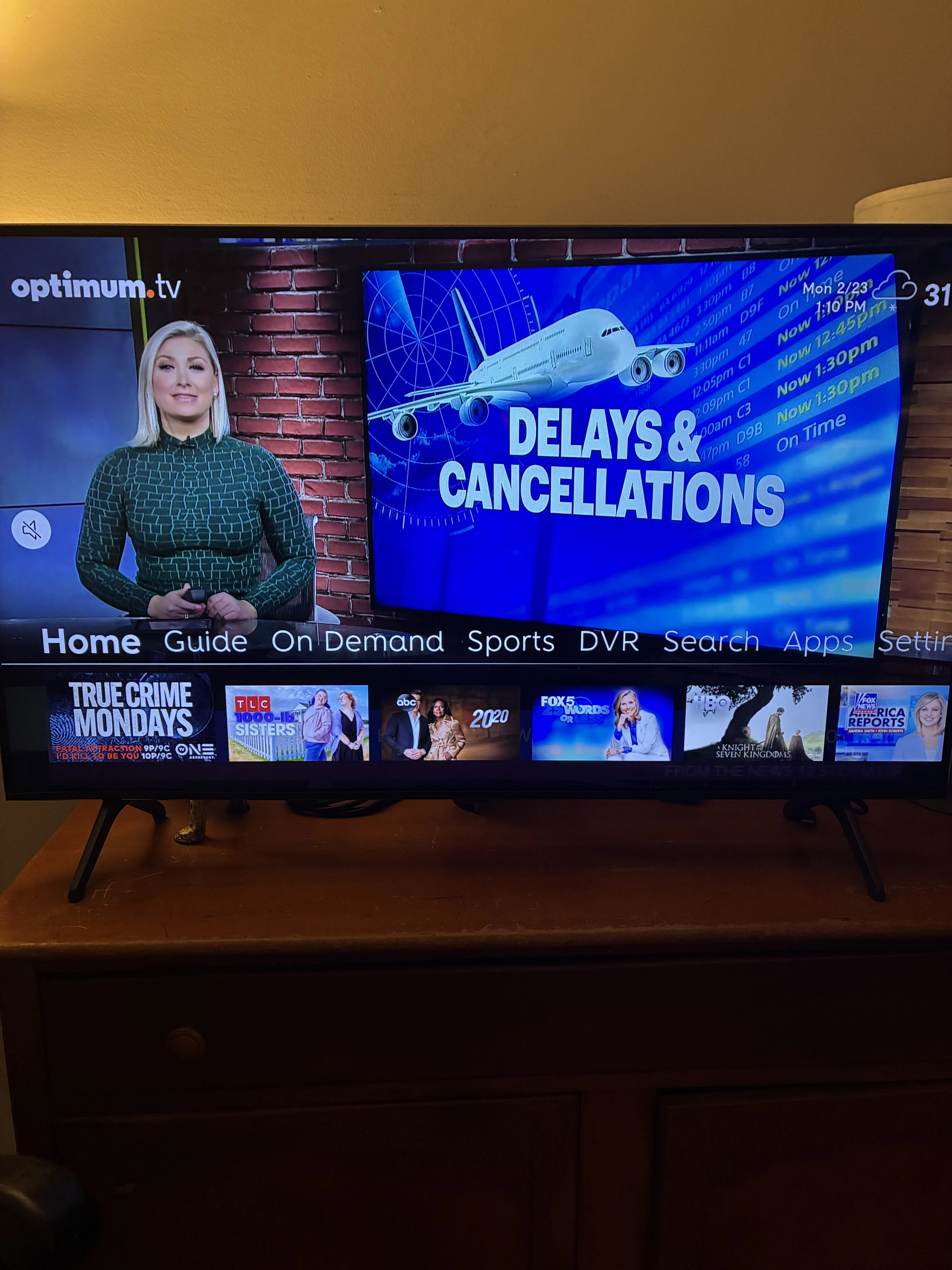
When the game is on, timing is everything. Optimum provides customers with a Dedicated Sports Menu button that pops up on the home screen the second you turn on your TV. You can use the Sports Menu to see every game that’s happening in real time, as well as what’s scheduled for later.

Click on Optimum’s Dedicated Sports Menu so you won’t miss a minute of the action on game day.

A Dedicated Sports Menu option is there the second you need it. Image by Corey Whelan

Having a personalized, dedicated sports menu is a free and easy way to find and watch the games you love, without having to remember which channel you’re searching for.

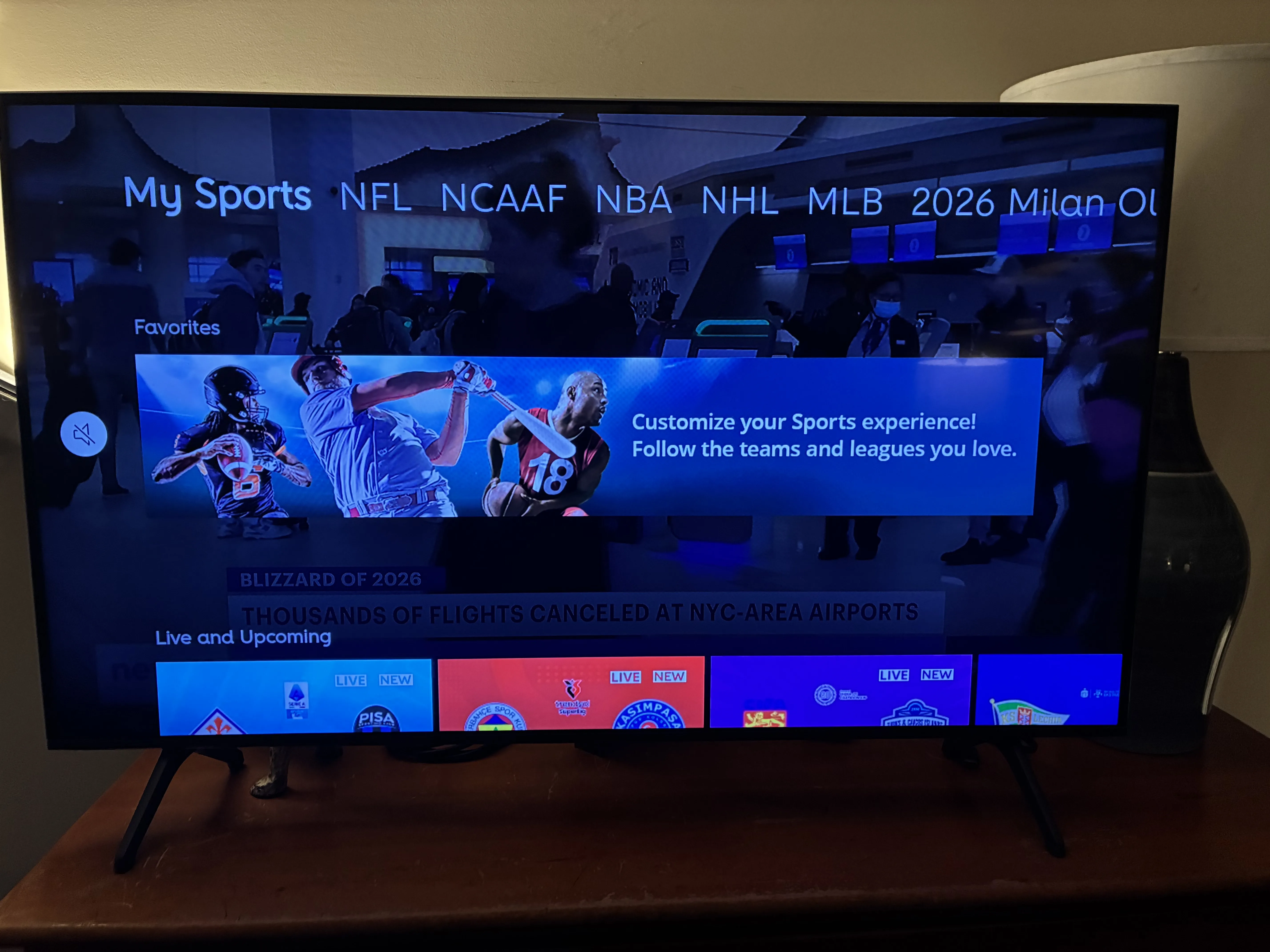
My crew likes to use the Menu to personalize their viewing choices each season. They simply favorite their best-loved leagues and teams in the My Sports subsection of the Dedicated Sports Menu, and from there they can see on-demand and replay content from multiple networks in one centralized location. This level of customization saves so much time, especially on those nights when you’re rushing home to catch the final inning.

Use the personalized My Sports menu to save the teams and leagues you love

The My Sports portal personalizes your sports menu, so the teams you love are front and center. Image by Corey Whelan

Optimum’s Sports Package add-on gives you unlimited access to the NFL, NHL, and more (much more)

Optimum customers with the Core TV package or greater can add Optimum’s Sports Package for $5 to $15 per month. The more you pay for your base package, the less you’ll pay for the Sports Package add-on. Basic TV and Extra TV customers aren’t eligible for this add-on.

The Sports Package gives you unlimited access to a really wide range of networks, including Fight Network HD, Willow by Cricbuzz, NHL Network, FOX Sports 2, and the World Fishing Network HD.

If your living room turns into sports central for the entire block on Sundays, you (and your neighbors) will be happy that the Sports Package also gives you NFL Red Zone HD. This channel uses a whip-around format composed of up to eight split screens to bring you every single touchdown, in every single live game, for seven hours or longer at a pop.

Watch live sports in 4K Ultra HD

If you want to feel like you’re in the stadium, 4K Ultra HD is about as close as it gets, generating four times the resolution of standard HD. You’ll need a 4K television or streaming device to reap the full benefits of this technology. Optimum offers an Apple TV 4K streaming device you can rent or buy from for $10 a month for 13 months, or $130 up front. 

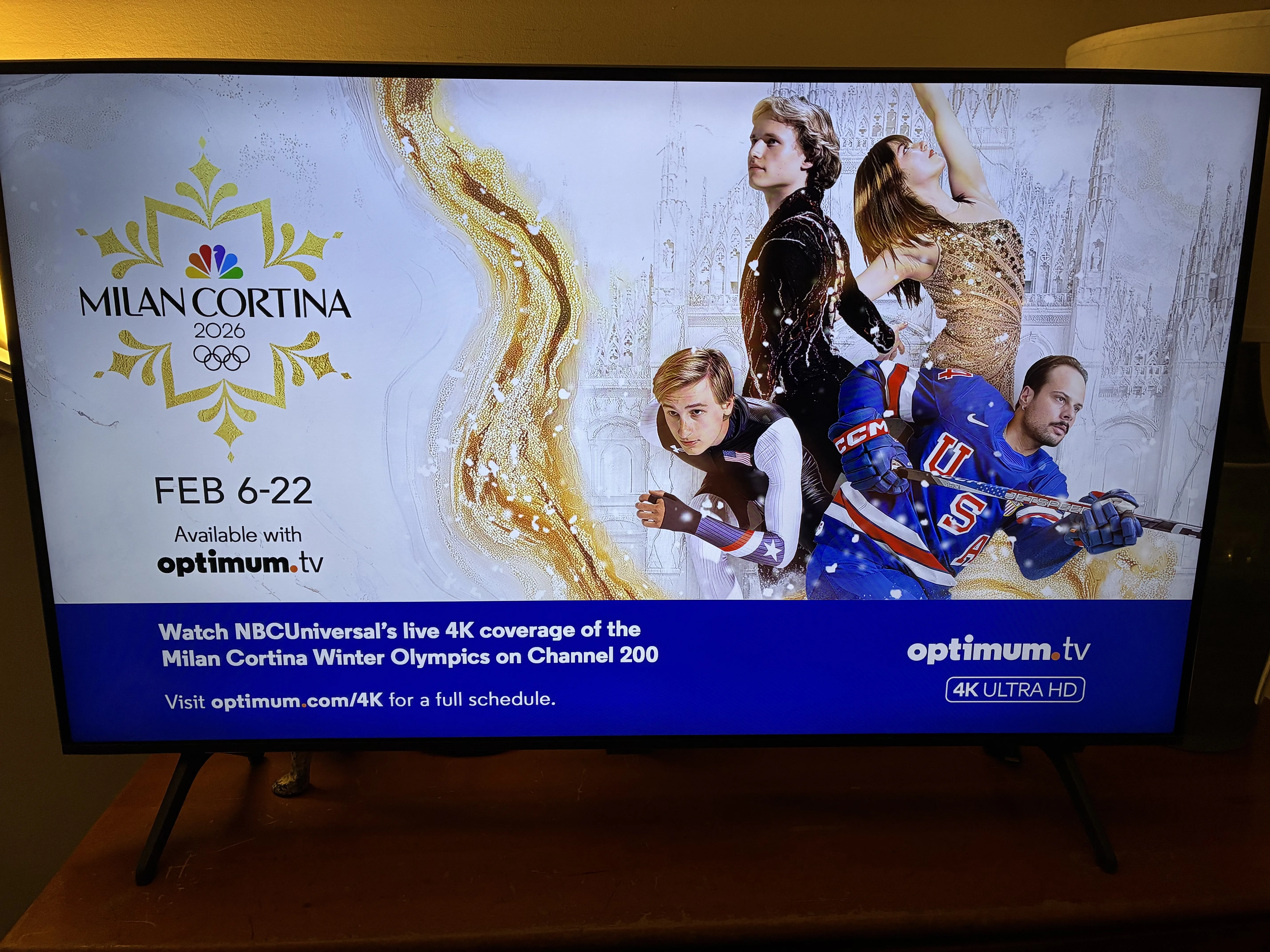
Optimum has a dedicated channel for 4K HD sports, and other live special events. In New York and New Jersey it’s channel 200. (Check your guide to find the dedicated 4K channel in your area.) The lineup changes, but the thrills won’t. The Olympics, college basketball, NBA and NFL games, the U.S. Open, and the World Series are some examples of live sporting events routinely shown in 4K Ultra HD. Live games on a 4K TV look sharper, clearer, and more vivid than standard HD. If you have a large screen system, you’re golden.

If you have a 4K TV and want the sharpest image possible, go for Optimum’s 4K Ultra HD

Optimum offers a curated selection of live sports and other types of events in 4K Ultra HD — four times the resolution of standard HD. Image by Corey Whelan

Optimum requires internet bundling with any television package, and at least 1 gig of internet speed is recommended for optimal 4K HD streaming. When choosing an internet package, pass on its least expensive 500 Mbps internet plan, and go for either the 1 gig or 5 gig plan, based on your household’s needs. Currently, HBO Max is included free for a full year with either option.

Buh Bye, MLB

In January 2026, Optimum’s broadcasting agreement with the MLB Network expired. This came on the heels of a long-term contract dispute between Optimum and the MSG Network that is finally resolved. The fight got so nasty that Governor Kathy Hochul of New York entered the foray and told both entities to make up and play nice already. 

According to Optimum, local and regional coverage of the NY Yankees and NY Mets will be available on other stations, but that’s hardly sufficient for diehard baseball fans. After all, how many times can you watch “Field of Dreams”? Optimum also hasn’t mentioned if spring training will be covered on any local stations. Even the World Series, which should be broadcast in 4K HD, probably won’t be. How much can a fan take?    

Optimum’s track record of contract disputes with sports networks can be troubling, since fans get stuck in the middle with nowhere to go but a sports bar, and the last thing sports fans want is a game blackout. Optimum hasn’t cornered the market on contract disputes, which are, unfortunately, commonplace. Verizon Fios and other providers have also had their share.


Lots of good, a little bit of bad

You know what they say — perfect is the enemy of good, but for baseball fans, good doesn't include a missing channel. If you’re an avid baseball fan who relies on the MLB Network for 24/7 coverage, you may want to pass on Optimum this season.

Despite that one nasty hiccup, Optimum TV offers solid, dependable benefits for sports fans year round.

Brenna Elieson
Written by
Brenna has been writing for Reviews.org since 2021, where she covers everything internet and mobile. Her title is Staff Writer, but that hardly covers it. She’s also the person behind countless brand compliance checks, editorial refreshes, and SEO updates—not just for internet and mobile, but for all content verticals, ranging from home security and VPNs to ad campaigns and whatever else lands in her queue. Working on the site through a wide-angle lens, Brenna helps spot gaps, eliminate redundancies, and sharpen overall strategy. Before Reviews.org, Brenna worked as a corporate recruiter while achieving her bachelor’s degree in English Literature from Utah Valley University. After graduating in 2020, she happily traded interview score sheets for style guides. She grew up in a small Utah farm town of 900 people, where the nearest stoplight was 20 miles away. Now based in Pleasant Grove, Utah, she spends most of her free time writing, painting, or at the movie theater with her husband—popcorn and Takis are a must—catching the latest release, good or bad. Call it editorial fieldwork.

Related Articles

Family sitting on couch watching TV in living room
My Xfinity X1 DVR Review 2026: A User-Friendly DVR With Cost Tradeoffs
News of XFINITY's X1 is everywhere, but how does it rate? Is it worth the...
3 men watching baseball
Why I’m Telling My Baseball-Loving Friends to Skip Optimum This Year
Why I’m Telling My Baseball-Loving Friends to Skip Optimum This Year The high price of...
Paramount Plus featured image of family watching tv and laughing
What Paramount+ Gets Right for Families (And What It Doesn’t)
Paramount Plus offers an ideal variety of content for families, with its Nickelodeon kids collection,...
Hulu + Live TV featured image
My Hulu + Live TV Review (2026): Full Cable Replacement But Not Worth the Price
If you’re looking for a live TV streaming service, we'll tell you everything you need...