
Your Library Card Is a Free Netflix Alternative—Here’s What You’re Missing

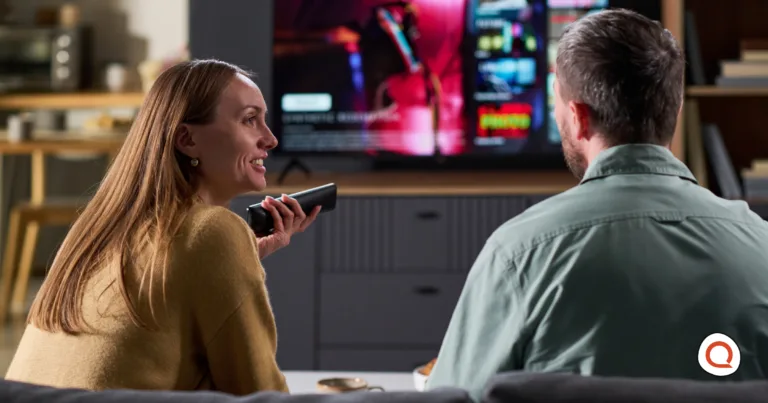
Couple sitting on a couch browsing a streaming service on their TV using a voice remote control

Finding free Netflix options is easier than you think — start by browsing what's already available on your devices. Image Credit: iStock

// Kanopy and Hoopla offer thousands of titles, no credit card needed.
Helena Jackson
May 20, 2026
Icon Time To Read3 min read
Icon CheckEdited ByBrenna Elieson

After Netflix’s recent price hike, scrolling through its library has felt more frustrating than usual. I'd been shackled to the service so long that I had no idea I had access to alternative free streaming with just my library card.

We've covered the best free streaming options and how they compare to cable — and here I compare Kanopy and Hoopla head-to-head so you can decide whether either one can replace what you're paying for.
What your library card unlocks

Kanopy and Hoopla are two popular free streaming platforms available to U.S. library cardholders. While availability differs by region and library, most people have access to at least one, and many have access to both.

For both Kanopy and Hoopla, “free” means that these services are already funded by the library system, so they have no ads, no trial period that will auto-charge your account once it ends, and no need for you to pull out your credit card.

You will need a library membership to access these services, but those are free in virtually every U.S. city and county. However, not every library participates in funding these platforms, so you will need to check that your local library has access to these catalogs.

Kanopy vs. Hoopla: what's the difference?

While these two services might seem interchangeable, there are some key differences worth knowing.

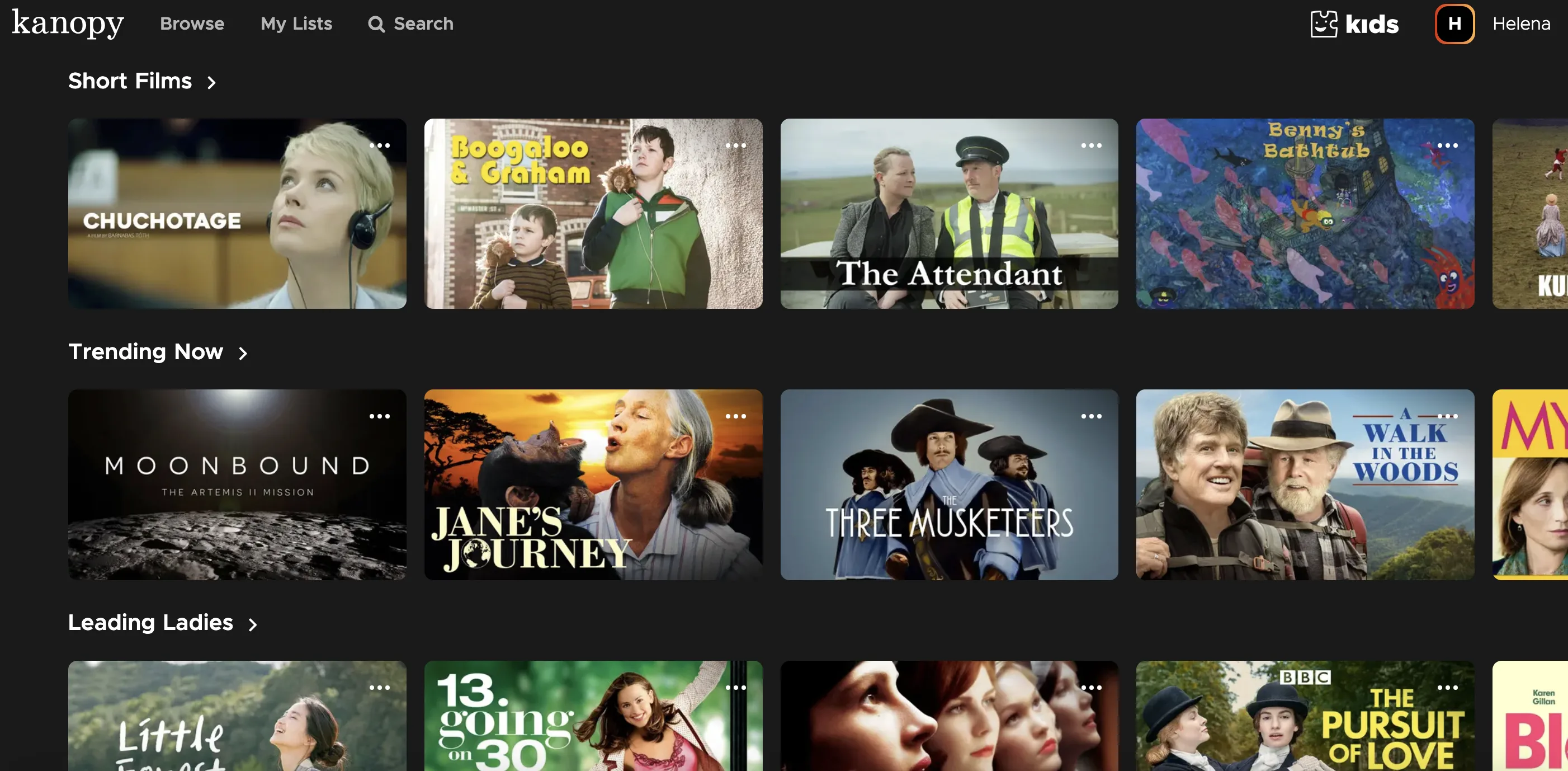
Kanopy browse page showing Short Films, Trending Now, and Leading Ladies categories with titles including Moonbound, Jane's Journey, and The Three Musketeers.

Kanopy's curated categories go well beyond the mainstream — short films, documentaries, and classics all in one place. Image courtesy of Helena Jackson, Reviews.org

Kanopy's selection might be more alluring to serious film enthusiasts — it focuses on indie films, documentaries, and classic cinema, and has a partnership with the Criterion Collection. Kanopy is also completely ad-free but typically limits users to 10 plays per month, although some libraries set different caps. That said, the catalog has plenty of fan favorites too, so casual viewers will find things to love. If you want a more curated experience, Kanopy is very much worth exploring.

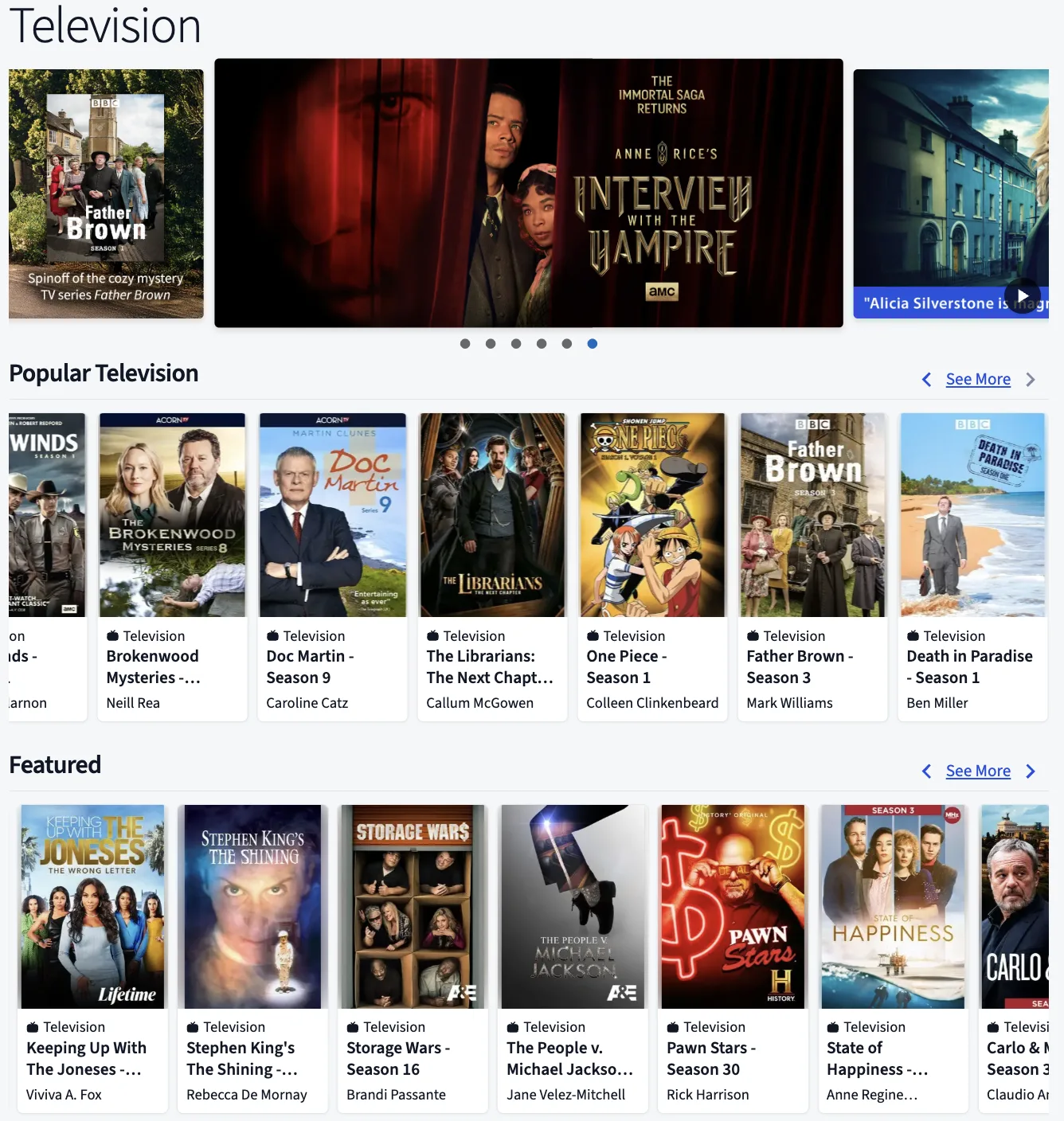
Hoopla browse page showing Television section with popular titles including Doc Martin, Father Brown, One Piece, and Death in Paradise.

Hoopla's TV catalog spans BBC dramas, anime, true crime, and reality TV — a broader mix than Kanopy's film-focused library. Image credit: Hoopla

Overall, Hoopla might be the better choice for households that want more variety and no borrow cap. The service has a much broader catalog than Kanopy, extending from movies and TV shows to comics, audiobooks, ebooks, and even music. It has no monthly play limit, but it is funded per-borrow by the library, and so some libraries put a cap on total monthly borrows.

How to find out if your library offers free streaming

Both platforms have built-in library locator tools. You can also go to your library’s website and look for a “Digital Resources,” “Apps,” or “Services” section, or simply search “[your city] library Kanopy” or “[your city] library Hoopla.”

To use Kanopy's library locator:

  • Go to kanopy.com
  • Click "Get Started"
  • Click "Find Your Library" (or "Find Your University," if you're a student or faculty member)
  • Type your library's name, city, or zip code into the search bar
  • Select "Select This Library" and create your account

To use Hoopla's library locator:

  • Go to hoopladigital.com
  • Click "Get Started"
  • Click "Let's Go!"
  • Type your library's name, city, or zip code into the search bar
  • Select "Next" and create your account

Once you're in, check your library's specific borrow limits — they vary more than you'd expect, and Kanopy's play cap in particular can differ by system.

No library card? The process to get one is usually free and can often be done online in minutes. It’s worth a look!

What to do if your library doesn't have Kanopy or Hoopla

Not every library has access to both platforms — in fact, my main local library has access to Kanopy but not Hoopla — and some don't offer either. But you still have options!

If your library isn't on Hoopla, the platform can forward a request on your behalf. Similarly, Kanopy recommends contacting your library directly to let them know you are interested.

Alternatively, you can try getting another library membership at a neighboring system — each library can have different requirements for getting a card, and some metro areas even allow cross-system cards, so it's worth searching the libraries near you.

Is free streaming with a library card worth it?

These services won't replace Netflix for everyone, but they might be better alternatives for specific viewers, such as film fans, families, light streamers, or anyone mid-cancellation. Free streaming with your library card is hard to beat. And at the very least, it’s worth five minutes to check if these services work for you. If you’re anxious about the money you’re spending on cable or streaming, our best streaming services guide can help you figure out what's actually worth keeping. Either way, check your library's digital resources page today.

Helena Jackson
Written by
Helena Jackson is a creative writer based in Provo, Utah. She has nine years of experience in freelance writing, particularly fiction, nonfiction, and poetry. She can usually be found outlining her latest novel or expanding her genre horizons.

Related Articles

Couple sitting on a couch browsing a streaming service on their TV using a voice remote control
Your Library Card Is a Free Netflix Alternative—Here’s What You’re Missing
Kanopy and Hoopla let you stream free movies, TV, and more with just a library...
Outdoor bullet security camera mounted on a house exterior with a blurred residential background
Is Your Home Actually Secure? Here’s What a Home Security Camera Can and Can’t Do
A home security camera won't protect you from everything — here's what it actually does...
Outdoor home security camera mounted beside house monitoring front yard and entryway
How to Build Budget Home Security One Layer at a Time
You don't have to buy a full system on day one. Here's how to build...
happy woman with curly hair sitting on couch using laptop
How To Lower Your Hughesnet Internet Bill
Wondering how to lower your Hughesnet internet bill? Check out this helpful guide for expert...