
45% of Americans Have Never Touched Their Smart Device Privacy Settings — Fix It in 3 Steps

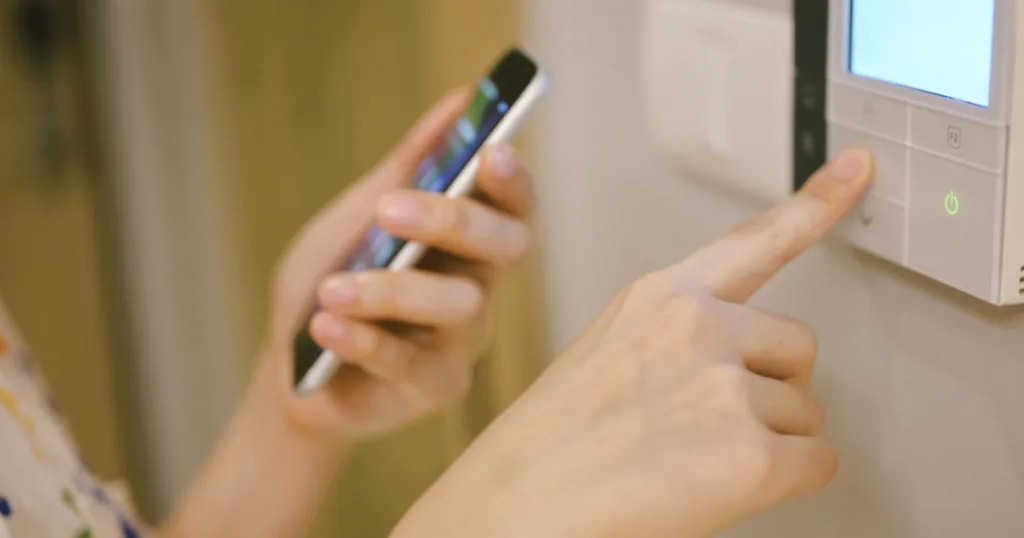
Person holding a smartphone while pressing a button on a smart home control panel mounted on a wall.

Woman adjusting smart home thermostat. Image credit: iStock/monkeybusinessimages

// It’s not uncommon to never touch a privacy setting.
Trevor Wheelwright
Jun 10, 2026
Icon Time To Read3 min read
Icon CheckEdited ByKelly Huh

You research the latest smart TV, voice assistant, doorbell, camera, or even a new AI app, finally decide on one, wait for it to ship, and start setting it up. You can't wait to get it going, so you skip past the tutorials, and you're all ready to go.

But there's one part you may have missed, or that was likely buried in menus and unclear about what you had control of.

Your privacy settings.

According to the recent Reviews.org 2026 State of Consumer Data report, 45% have never adjusted their privacy settings on a smart home device.

You can take simple steps to ensure your data and privacy settings are updated, giving you a clearer idea of what your device is actually doing with your data. Let’s go over how you can get started.

Step 1. Check the privacy policy before you buy

57% of survey respondents have never read the full privacy policy before using a connected device. It’s understandable: policies are long, legalistic, and appear as a roadblock during setup when you just want to start using your device.

If you're not going to pore over every legal detail, it's still worth checking the privacy dashboard or privacy center of every device you purchase. Look for deletion, auto-delete, and data-sharing controls.

Before your next device purchase, search “[brand name] privacy” and look for a plain-language summary or dedicated privacy page.

Do you trust your device?

Trust rankings are a practical shortcut when evaluating a new device, and brand reputation on privacy is increasingly influencing real purchase decisions. Reviews.org asked survey respondents to share how they felt about top brands, and found that all brands failed to provide a perfect trust score. Of the brands evaluated, Roku came out as number one.

Brand
Trust Score (out of 5)
Roku3.32/5
Meta2.66/5
Wyze, Eufy, and ArloBelow 2.6/5

Step 2. Turn off tracking on your smart TV

Smart TVs track what you’re watching with Automatic Content Recognition (ACR). This technology monitors what you watch via constant screenshots, eventually generating a profile of your viewing habits over time. This profile can then be sold to advertisers.

If you’re not a fan of your data being sold, you can look through your privacy settings and turn off ACR. While you’re at it, check that those privacy settings carry over to your other devices such as video game consoles, tablets, and other media players, too.

Here are some helpful examples of where to find privacy settings on your smart TV:

Brand
How to find privacy settings
SamsungDepending on which model you have, you can turn off Samsung’s Viewing Services and other privacy-based features with these paths:
• Settings > Support > Terms & Privacy > Privacy Choices
• Settings > All Settings > General & Privacy > Terms & Privacy / Privacy Choices
• Home screen sidebar > Privacy Choices > Terms and Conditions > Privacy Policy > Uncheck Viewing Information Services
LGOn some newer webOS versions, this path may be slightly shortened.
• All Settings > General > System > Additional Settings > Live Plus > turn it off
SonyDepending on your model, you can find Samba Interactive TV under the following menus:
• Settings > Device Preferences or System > scroll to find Samba Interactive TV (it’s not a top-level toggle)
• Older Android TV models: Settings > Initial Setup > Samba Interactive TV > Disable
• Newer Bravia sets: Settings > Bravia Privacy Settings (also check Sony-specific viewing data collection)
Vizio• Newer models: All Settings > Privacy & Legal > Viewing Data
• Older models: All Settings > Admin & Privacy > Viewing Data
• Alternatively: System > Reset & Admin > Highlight Viewing Data
Roku TV• Settings > Privacy > Smart TV Experience > “Use info from TV inputs” or “Auto Content Recognition (ACR)”
Amazon Fire TV• Settings > Preferences > Privacy Settings > Device Usage Data > turn it off

Note that some of these paths may not match your exact model year, firmware, or software version. Privacy settings can also be reset after firmware updates.

Step 3. Limit what your AI assistant remembers

Privacy settings aren't just for physical devices. Voice assistants and AI tools may store voice commands, typed prompts, assistant requests, and related account activity.

According to our survey, even though 65% of respondents expressed privacy concerns about Amazon Alexa, Google Gemini, and ChatGPT, 50% have never deleted or limited AI assistant conversation history. This suggests that the gap between concern and action is wider than you’d expect.

If you want to limit what your AI assistant stores, you have to go find the settings yourself, because they’re turned on by default. Here are a few helpful examples for popular AI assistants:

Assistant
How to manage your data
Amazon Alexa• Open the Alexa app > More > Alexa Privacy > Manage Your Alexa Data
• Review or delete history
• You can also choose how long to save recordings
Google Assistant / GeminiReview activity through Google account controls:
• Google Assistant: myactivity.google.com > filter by “Assistant” > review and delete voice and audio activity
• Google Gemini: myactivity.google.com/product/gemini > review and delete chat history
• Or: open the Gemini app > profile picture > Gemini Apps Activity
• To stop saving future conversations: toggle off “Keep Activity”
Apple SiriCheck Siri and dictation privacy controls in device settings:
• Settings > Privacy & Security > Analytics & Improvements > turn off Improve Siri & Dictation
• To delete history: Settings > Siri & Search > Siri & Dictation History > Delete Siri & Dictation History
ChatGPTManage chat history and training settings in account controls:
• Profile > Settings > Data Controls > toggle off “Improve model for everyone”
• Note: this setting is off by default for Temporary Chats and Business plans, but on by default for free and ChatGPT Plus users

Privacy settings aren’t foolproof

One thing you should know is that deleting history controls what is stored, not what is processed. That means your data still travels to the AI assistant’s servers in real time.

That doesn’t mean the effort isn’t worth it. It just means that taking control of your data and how it’s used requires occasional checking-in over time, just like how you might change your password a few times a year.

It also means it’s worth evaluating what brands you buy from in the first place. A quick Google search on a company’s history with data breaches and privacy reputations can help you figure out which companies are worth buying from and which companies you ought to avoid.

Methodology

reviews.org logo png

Methodology

Reviews.org surveyed 1,000 U.S. adults as part of the 2026 State of Consumer Data report. Data on smart device ownership, privacy settings adjustments, AI assistant data history, privacy policy review habits, and brand trust scores is sourced from this survey.

Disclaimer: Smart TV privacy setting paths in this article are sourced from official brand support pages, including Samsung, LG, Sony, Vizio, Roku, and Amazon Fire TV. AI assistant data management steps are sourced from Amazon, Google, Apple, and OpenAI. Menu paths may vary by model year, firmware version, or software update.

Trevor Wheelwright
Written by
Trevor’s written about YMYL (your money, your life) topics for over six years across editorial publications and retail/eCommerce sites. His work’s been featured on Forbes, RealSimple, USA Today, MSN, BusinessInsider, Entrepreneur, PCMag, and CNN. When he’s not researching and writing, you can find him around Salt Lake City, Utah, snapping photos of mountains and architecture or seeking out some good tunes and friendly faces.

Related Articles

Person holding a smartphone while pressing a button on a smart home control panel mounted on a wall.
45% of Americans Have Never Touched Their Smart Device Privacy Settings — Fix It in 3 Steps
Nearly half of Americans have never changed smart device privacy settings. Here are simple places...
Woman sitting on couch with a concerned expression pointing a remote at a smart TV
Your Smart TV Tracks More Than You Think—and Most Americans Don’t Know How to Stop It
Smart TVs are in most U.S. homes, but many Americans don't feel in control of...
State of Consumer Data 2026: Americans Want More Control Over What Their Devices Collect
The Broadband Equity, Access, and Deployment (BEAD) program allocates $42.5 billion among U.S. states and...
How Americans Plan to Watch the 2026 FIFA World Cup
How Americans Plan to Watch the 2026 FIFA World Cup By Monica Yoshida May 28,...