Why Samsung’s Privacy Display Is the Underrated Screen Feature You Actually Need

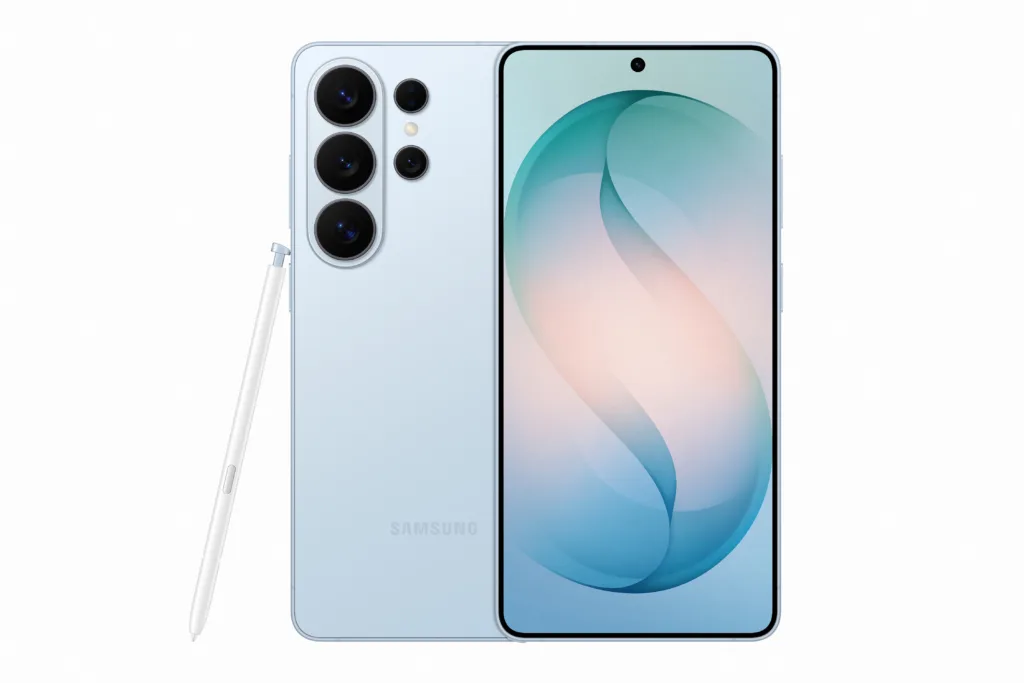
Image containing Samsung Galaxy phone front and back view with stylist. Photo Credit: Samsung

Image containing Samsung Galaxy phone front and back view with stylist. Photo Credit: Samsung

// Samsung's Galaxy S26 Ultra sets a new standard for phone privacy
Corey Whelan
Apr 15, 2026
Icon Time To Read3 min read
Icon CheckEdited ByBrenna Elieson

If you feel like somebody’s watching you, they probably are, especially if your phone rarely leaves your hand. Shoulder surfing is incredibly common and potentially dangerous to privacy and security. To combat this all-too-common problem, Samsung has an innovative solution.

Enter the newly released Samsung Galaxy S26 Ultra — a powerful, albeit pricey, smartphone five years in the making. The S26 Ultra is the world’s first device with built-in hardware that shields your phone from onlookers. When activated, the phone’s Privacy Display makes your screen look dark from every angle, except front and center. If someone’s trying to sneak a peek at your phone, they’ll only see a black screen.

Official product image of Samsung Galaxy S26 Ultra in Sky Blue

Samsung’s Galaxy S26 Ultra is lightweight, slim, and comes in cool colors. Image from Samsungmobilepress.com

I’m more likely to open a book than my phone when I’m outside, but my kids? Not so much. I’ll never forget the parade of fraudulent credit card charges that showed up on my bill after a particularly long day at Coney Island. For my family, this phone ups the ante on safety, but at $1,099.99, the price is an issue. Since I’m a longtime iPhone user, I probably won’t go for it myself, at least until the price comes down, but I have to admit I’m tempted.

Privacy Display is easy to navigate. You can quickly turn it off or on in settings or the quick panel on your home screen.

If you’ve relied on privacy workarounds like physical privacy screen protectors, you’ll likely find that the S26 Ultra provides more value. Stick-on privacy screen protectors dim your screen, forcing you to boost brightness and drain your battery. Most importantly, they don’t efficiently block over-the-shoulder viewing.

Physical privacy screen protectors also lack adjustability. You can’t exactly disable it once it’s glued to your phone screen. In contrast, the S26 Ultra has multiple visibility settings, allowing you to adjust the level of privacy at any given time. You can shield notification pop-ups and specific apps from prying eyes and set the feature to activate automatically whenever you type in a password.

What Privacy Display is and how it works

Digital screens on phones, tablets, and TVs rely on wide-angle and narrow-angle pixels (short for picture elements) to generate text and images. Even a small display might contain millions of pixels. This produces vivid images, but does nothing to protect your phone from password bandits.

Samsung’s breakthrough technology, OLED with Flex Magic Pixel, is built into the phone. When you’re in Privacy Mode, your phone automatically deactivates wide-angle pixels. By directing light solely in a straightforward motion, this acts to keep the screen clear when viewed from the front, but dark or blurry when viewed from the side.

Privacy mode reduces the overall brightness of your display, but most importantly, it eliminates screen viewing from unwanted angles. UL Solutions, a global safety science entity, verified that Samsung’s S26 Ultra ensures viewing-angle privacy throughout all off-axis directions (up, down, left, and right).

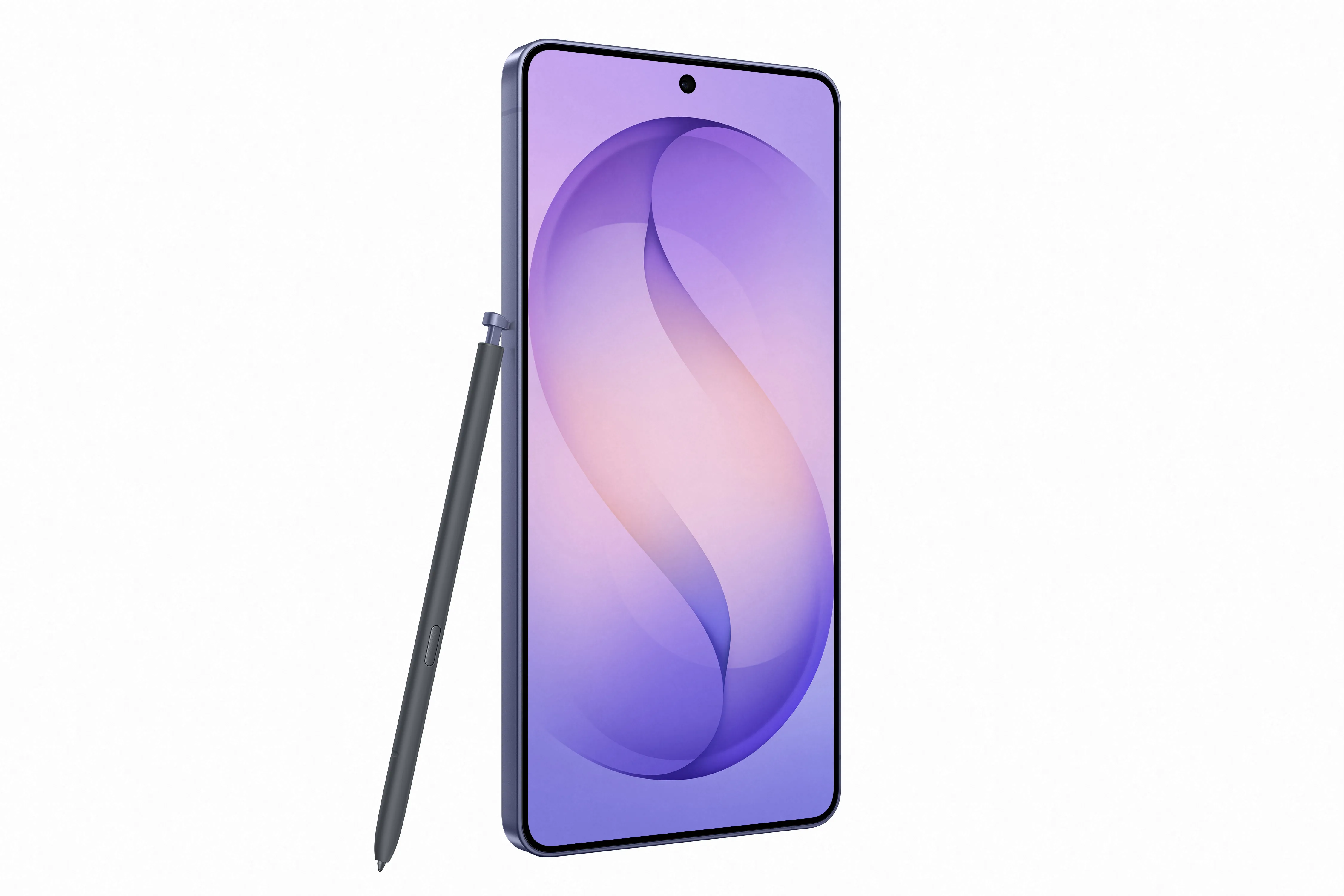
Official product image of Samsung Galaxy S26 Ultra in Ultra Cobalt Violet

Samsung Galaxy S26’s offers the “world’s first” privacy display screen.  Image from Samsungmobilepress.com

When you’re not in Privacy Mode, your phone reverts to using both wide-angle and narrow-angle pixels. One thing to look out for is color quality. Privacy Display makes your screen look dimmer, even when it’s turned off. If you’re wearing dark sunglasses on a sunny beach, this may be slightly annoying, but our review team found that the slight difference in screen brightness wasn’t nearly enough to negate the value of enhanced privacy. You’ll also have trouble sharing what’s on your screen with friends who are at your elbow.

The Samsung Galaxy 26 Ultra is currently the only phone hardwired with Privacy Mode. Since it’s engineered directly into the phone’s hardware, it can’t be added as a software update to older Samsung devices. If you want Privacy Mode, you’ll need to trade up. 

How Privacy Display got here

Concerns about privacy have been top of mind since the first smartphone was invented in 1992. Yet the industry provided scant solutions. To address the problem beyond a simple band-aid fix, Samsung Display filed patent applications for privacy display hardware elements in 2020. By 2024, nearly 150 patent applications were in play. Development ran in parallel with Samsung’s mobile division and Samsung Display.

With an innovation this new, delays were to be expected. Technological issues pushed the launch back by around 12 months in 2024. Rather than ship their flagship phone without Privacy Display, Samsung held it back for a solid year.

The amount of time, innovation, and dedication devoted to this one display feature shows the company's commitment to privacy.

The bigger picture for privacy

The Samsung Galaxy S26 Ultra is currently the only phone on the market that offers a hardware-specific solution to privacy concerns. It stands to reason that other companies will follow suit, and quickly.

Several offshore manufacturers, based primarily in China, are currently testing hardware-level privacy displays, with flagships expected imminently. It’s also possible that Samsung will offer its patented technology to other companies, including Apple.

No matter who gets there next, users can be assured that enhanced privacy technology will likely become standard, rather than rare. It’s about time.

Corey Whelan
Written by
Corey Whelan is a Brooklyn-based freelance writer with 10+ years of experience covering science, health, and consumer tech. She utilizes hands-on testing and data analysis to inform her work. Whelan shares her life with her two wonderful children, a silly little rescue dog, and an amazing extended family of arms-entwined cousins.

Related Articles

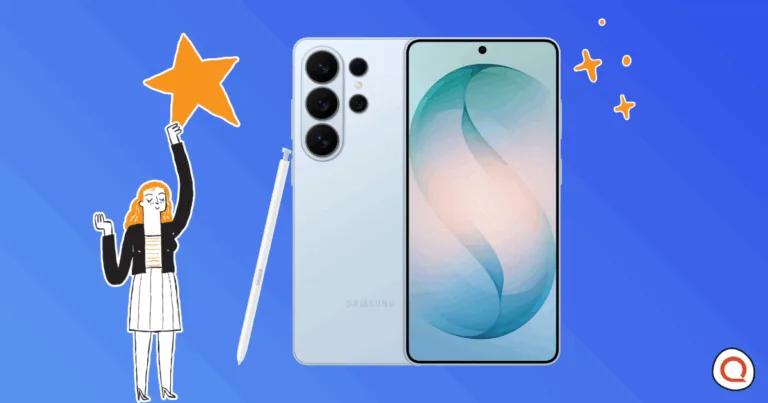
Image containing Samsung Galaxy phone front and back view with stylist. Photo Credit: Samsung
Why Samsung’s Privacy Display Is the Underrated Screen Feature You Actually Need
The Samsung Galaxy S26 Ultra with Privacy Display protects your screen from shoulder surfers with...
Person monitoring multiple home security camera feeds on a screen.
You’re Probably Only Using Your Security Camera for One Thing—Here Are 5 Better Ways
Security cameras do more than catch intruders. Discover five clever ways to use yours —...
Man holding and inspecting at-home WiFi router while working from home. Image credit: iStock/DragonImages
Backup Internet—Is It Worth It? 40% Say No
Man holding and inspecting at-home WiFi router while working from home. Image credit: iStock/DragonImages //Nearly...
2026 Most Popular Smart Home Devices
Reviews.org surveyed 1,000 Americans to find out which smart devices they own and how many...