
I have my own home theater setup, but I still watch YouTube on my laptop from the comfort of my bed. But when that dreaded loading wheel appears and persists, there are multiple factors at play.
3 Quick Signs Your Internet Provider Is Intentionally Slowing You Down

Before you blame throttling, it's worth running a quick check — sometimes it's just congestion, not your ISP holding you back.
// Internet slowing down? Find out why.

 4 min read
 Edited ByKelly Huh
Why is my internet so slow?
There are multiple reasons why your internet could be slow, such as having an outdated router, using too many devices or carrying out heavy internet activities (streaming, downloads) that compete for bandwidth.
There could also be ISP-side issues like throttling, deprioritization, or evening congestion in your area. ISP throttling is when your internet service provider (ISP) intentionally slows down your internet speeds to prevent network congestion. A common reason that you would experience this is because you reached your data cap for the month on your internet plan.
There are two other forms of network maintenance that can be confused for throttling:
- Deprioritization: when your data is temporarily slowed down in favor of higher-priority users
- Internet traffic shaping: your internet provider deliberately slows down certain types of online activity (like video streaming or file downloads) instead of treating all your internet traffic equally
What if you pay big bucks for an unlimited plan that promises high-speed internet, only for your ISP to slow you down without warning? While it’s valid to feel enraged by the sense of false advertisement, ISP throttling is legal and beneficial for overall network maintenance.
According to How-To Geek, some internet plans mention soft caps in the fine print specifically for throttling. I consider myself a stickler for rules; if my internet plan explicitly says I’ll be throttled after using a certain amount of data, I would understand. However, if I am throttled while watching the latestepisode of “Lanterns,” I’ll admit, I might scream.
Read more: The Best Internet Providers
3 signs you’re being throttled
1. Your video and audio quality suffers.
Imagine trying to watch “The Drama” and just as the plot thickens, it decides to buffer. Even as it resumes, the overall picture quality is choppy – you can’t take dramatic scenes seriously when Robert Pattinson and Zendaya have blocky faces.
2. It’s taking longer than usual for your social media sites to open.
Especially when your speed has been fine one moment, but suddenly changes. After taking a speed test, I can immediately tell that my laptop is running slower than usual. It’s still possible to go about my daily routine, it’s not the usual speed I am paying for.
3. You notice slower speeds when you come home from work.
ISPs will throttle you and others during hours with heavy internet traffic. Depending on your location, peak hours will vary, but XDA Developers says that it generally falls between:
- 8AM to 12PM
- 5PM to 10PM
How to throttle back
Since your ISP throttles you via your IP address, an effective way to prevent throttling is by using a VPN to hide your IP address. Plus, if you’re unsure if your ISP is throttling you, switching to a VPN and seeing your speed significantly improve is proof.
A simple, non-combative way to prevent throttling is to accept that it will happen and manage your data to avoid it. You can set your device to monitor your data usage and warn you before hitting your monthly data cap. This method is impractical for those who require heavy internet usage – I personally rely on a stable and fast internet connection for remote work, making throttling a huge nuisance.
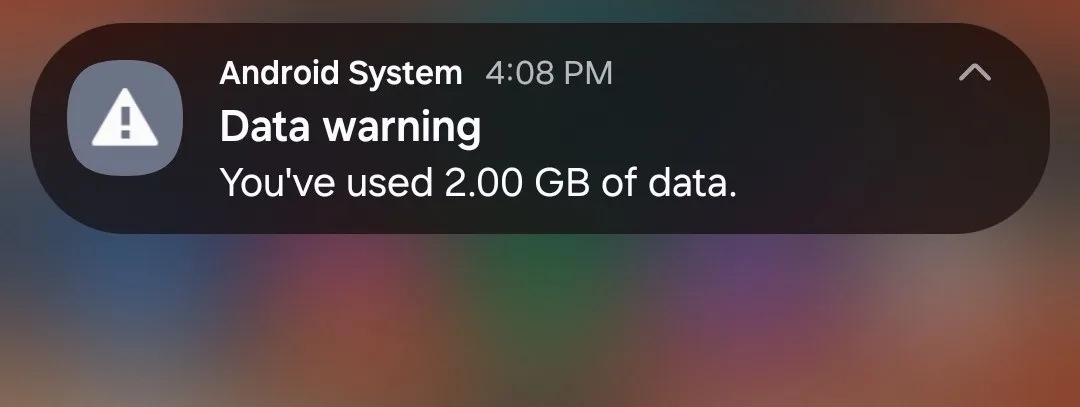
The warning that my phone gives me when I hit a specific amount of data used. While this does warn me before I hit a specific threshold, it is still the last thing I want to see on a long road trip. Image courtesy of Benjamin Lee, Reviews.org
It’s not always your ISP
Before you outright accuse your ISP, it’s best to confirm if other factors are causing your internet slowdowns. If you perform a speed test while on a VPN, and notice no actual change in your speed, it could mean the source of the slowdowns are closer to home:
- Check your equipment: Your router and modem might need a restart to get back into working shape. If your equipment is old, you may need to get newer models to support the internet speed you’re paying for.
- Too many devices: Your router is distributing bandwidth to all the devices in your household. If I use my laptop, phone, TV, and PS5 all at the same time, my internet will definitely slow down.
- Active apps: You can have a bunch of apps running in the background, unknowingly slowing down your device.
As for my predicament, after performing many speed tests and monitoring my laptop usage, I concluded that it may have early stages of thermal throttling, a built-in safeguard with my own device that slows down performance when overheating. The signs of thermal throttling are similar to ISP throttling but include a loud internal fan and hot surface. As Computer Info Bits suggests, thermal throttling can happen to most laptops around 194°F and 212°F. Once heated, it wouldn’t be able to cool down in surroundings over 80°F.
Luckily, I take precautions: I make sure that my laptop is always on a surface where it can get ventilation, I clean out the vents to ensure dust is not obstructing the flow of heat, and I always keep my AC blasting to cool the room. If I want to be extra sure, I could also replace the thermal paste inside my laptop to help cool down the laptop internally.
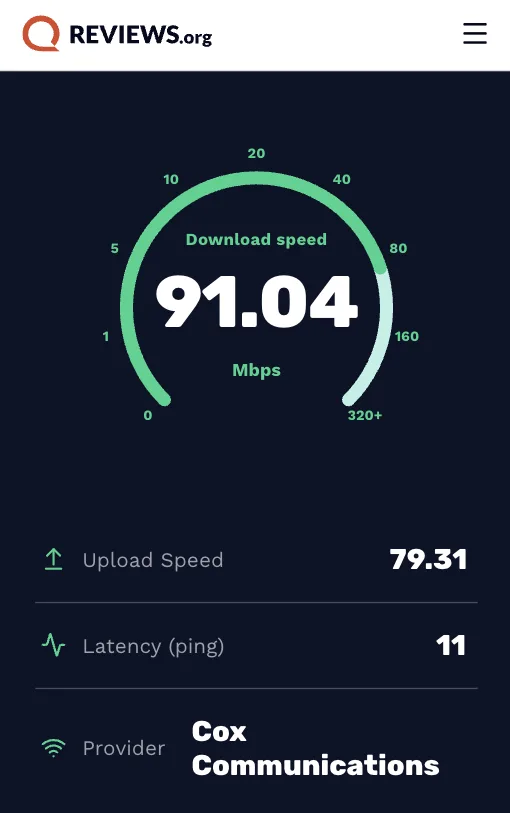
Weekends are primetime for internet traffic. I took Reviews.org’s speed test during peak hours and got 91.04Mbps, the lowest speeds I have had in a while.
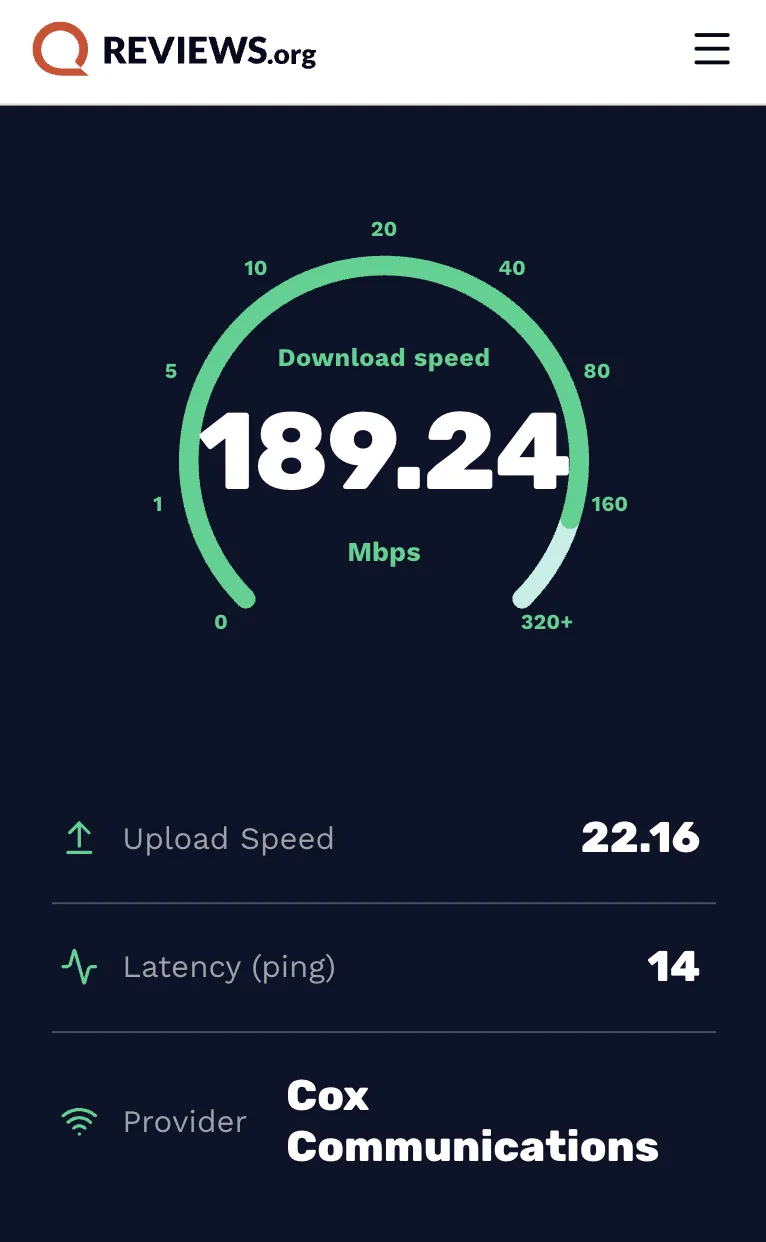
The speed test I performed after I cooled down my laptop and took extra good care of its ventilation. Image courtesy of Benjamin Lee, Reviews.org
After taking the precautions to keep my laptop cool, I did a speed test and found that my speed was at 189Mbps, optimal for what I’m paying for. That said, I do suspect that my ISP is always ready to throttle me at some point during the month.
Whether ISP throttling is necessary for network maintenance or a form of internet censorship will continue to be a debate as long as we constantly rely on our internet connections. What matters to me is that I can finish my episodes without any interruptions — and finish my work, of course.
Found this useful? Follow Reviews.org on Instagram, Facebook, LinkedIn, or catch us on YouTube.
You can also add us as a preferred Google search source for the latest in tech and home services.

Related Articles

3 Quick Signs Your Internet Provider Is Intentionally Slowing You Down
Don’t miss the obvious signs that your ISP is intentionally slowing down your internet.

Spectrum Low-Income Internet Guide (2026 Plans)
Spectrum offers discounted internet plans to qualifying low-income households. Explore this guide to learn how...

How to Lower Your Spectrum Internet Bill in 2026: Tips from a Spectrum Customer
Paying too much for your Spectrum Internet plan? Learn how to haggle with customer service...

Meet Spectrum INVINCIBLE WiFi™: When the Internet Goes Out, This Service Kicks In To Keep You Connected
Spectrum Invincible WiFi is a new service offered by Spectrum Internet that integrates a built-in...
