
Its $20/month 10GB Plus plan was great, but I have small complaints.
Red Pocket Review: It’s (Almost) as Good as Mint Mobile




 10 min read
 Edited ByBrenna Elieson
I’m no stranger to prepaid mobile carrier plans. About five years ago, I switched from T-Mobile to Mint Mobile (another T-Mobile prepaid carrier), cutting my bill in half and keeping the same great coverage. I decided to test out Red Pocket next—a prepaid carrier that runs off of all three big networks. Because you have to choose which network you want on your plan, I chose its GSMT network (AKA its T-Mobile network) since I could directly compare it to my Mint Mobile service.
After 30 days, I concluded that Red Pocket was almost exactly like Mint Mobile—It’s cheap and generally reliable. If you’re mostly connected to Wi-Fi, occasionally rely on data when you’re out and about, and want a cheaper cell phone bill, you should be satisfied with Red Pocket. Plans start at $10/month, which is way cheaper than T-Mobile, AT&T, or Verizon’s cheapest plan. Minus one night that my Red Pocket service dropped completely (absolutely no bars and only emergency calling available), I never had any hiccups with service while commuting, shopping, or chilling at home.
Keep reading for a more detailed look into my experience with Red Pocket’s cell phone service, or take a look at Red Pocket customer reviews below.

Why you can trust us
At Reviews.org, our team takes its editorial independence seriously. We may earn money when readers click affiliate links, but we don't work for our brand partners, and they don’t approve our pieces before publication. To learn more, visit our About us page.

Here I am activating my new Red Pocket line. It took about 10 minutes! Image by Monica Yoshida, Reviews.org
Here's my expert take on Red Pocket
For all our mobile reviews, we give a rating based on four main criteria:
Then, we average the scores to make an overall score.
If you are someone who values cheap monthly prices and mostly connects to Wi-Fi, then you’ll be happy with prepaid mobile carriers in general (like Red Pocket). They’re like off-brand cereal. They’re still good, actually. And a lot cheaper.
Check out what you can expect from Red Pocket service below.
Red Pocket plans
Here’s a quick overview of what you can expect from a Red Pocket cell phone plan:
Pros:
- Access to all three networks
- International benefits on all plans
- Discounted family plans
- Huge range of phone deals
- Aggressive new-customer promo prices
- Easy and fast eSIM activation
Cons:
- Confusing website
- One night of completely dropped service
- Limited priority data on all plans
- Must pay a large sum upfront for the lowest yearly price

Dollar value
5/5
Red Pocket offers three plans for $10, $20, and $30 per month for 3GB to 50GB. Compare this to Tello who gives you only 2GB for $10 while T-Mobile’s cheapest plan starts at $50 but gives you 50GB. When I first activated my service, there was a fourth plan called the Elite Plan for $40 per month that had extra international benefits. Weeks later, they discontinued it, so keep an eye out for seasonal offers when you sign up.
There are no activation fees with Red Pocket, which is kind of a big deal. For example, T-Mobile can charge $35 for a line activation, which is much more expensive than many prepaid single lines.
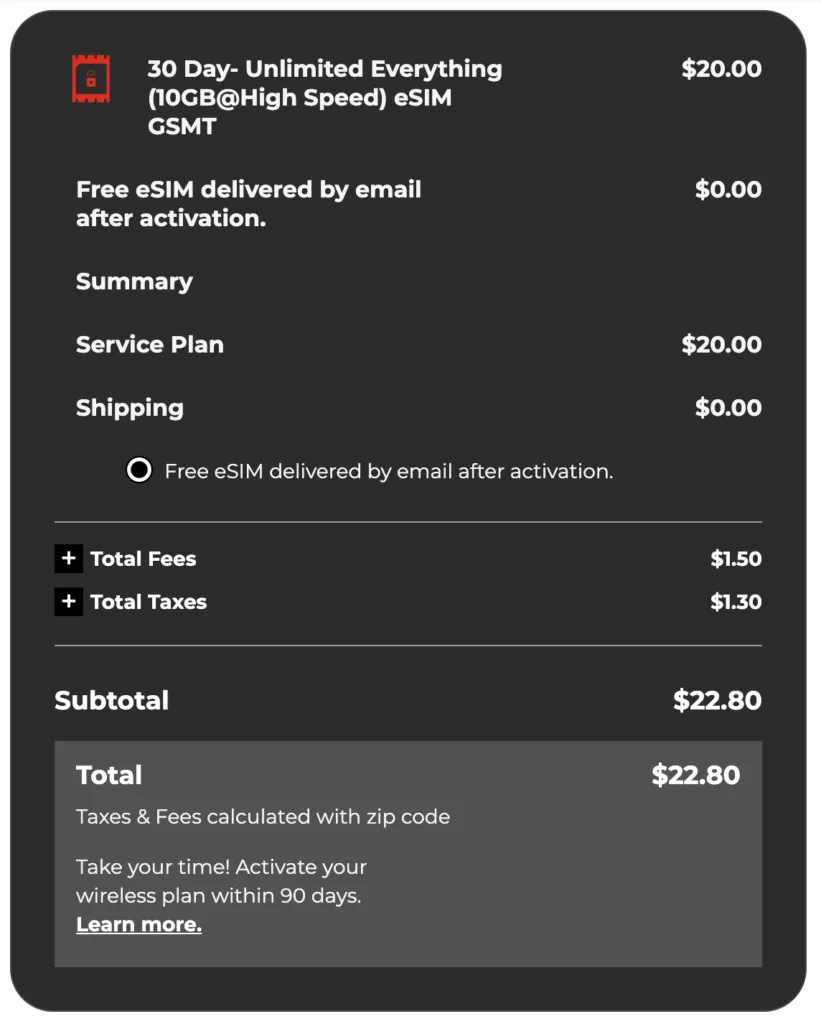
At the time of checkout, I only had to pay an extra $2.80 in fees and taxes for my Plus Plan. I can live with that. Image by Monica Yoshida, Reviews.org
Get extra discounts on a family plan or add 50 lines to a Red Pocket business plan
Red Pocket’s family plan lets you mix and match networks on up to four lines. For example, if you add the $30 per month Premium plan for the first line, each additional line on the same plan gets a $10 discount, bringing the price for additional lines down to $20 per month. You can also get a Red Pocket Business Unlimited Plan starting at $150 per month and add up to 50 lines.
Perks and add-ons
Red Pocket offers a surprising amount of goodies for a prepaid mobile carrier. On top of new-customer promos on its monthly and annual plans, you get access to phone deals, trade-in deals for cash, and even credits for referrals. We list more offers in our Red Pocket cell phone plans and deals article.
50% off first three months
On all monthly plans
25% off an entire year
On all yearly plans
Get the newest unlocked iPhones
Plus $150 back when you bring your number
Receive up to $750 back for your old phone
Check the trade-in value of your phone and send it in for a secure payment
Expert Take
“Red Pocket worked as well as my Mint Mobile service. They both run on T-Mobile’s network and both are cheap. Minus one night that Red Pocket dropped service completely, I have no complaints.”
- Monica Yoshida, Red Pocket customer in Utah

Share your experience and rate your mobile carrier
Your feedback helps others find the right cell phone plan. Whether your experience was great, frustrating, or somewhere in between, we want to hear about it.

Network coverage
4/5
Red Pocket offers coverage across all three major networks: T-Mobile, AT&T, and Verizon. But to be clear, you don’t get access to all three networks simultaneously (unlike Boost Mobile, for example).
You choose a network at the time of checkout and line activation.
Here is what each network means on Red Pocket’s site:
- GSMA: Get access to AT&T’s network coverage.
- GSMT: Get access to T-Mobile’s network coverage.
- CDMA: Get access to AT&T’s network coverage.
Important note about CDMA network: If you choose the CDMA network (Verizon), you do not get free Wi-Fi calls. So if you rely on Wi-Fi to make calls, reconsider signing up for the CDMA network.
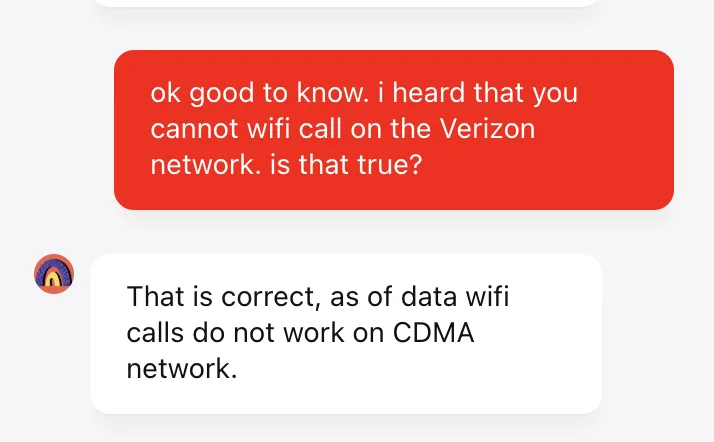
Be aware that you cannot make calls over Wi-Fi on the CDMA network (Verizon). Image by Monica Yoshida, Reviews.org
Want to switch networks? Use Red Pocket’s feature called CoverageGenius
Though you must choose a network at the time of your Red Pocket sign up, you can use the CoverageGenius tool to switch networks. According to Red Pocket’s site, the network switching process can take from a few minutes to 48 hours. While you keep your number, your old plan is immediately canceled, and you will be charged for your new plan. Since you won’t be refunded for unused days, try to switch around the end of your billing cycle.
Pro tip for switching and cancellation:

Red Pocket may charge you two days (or up to four days, according to one Redditor) before your actual renewal date. To be safe, I recommend switching or cancelling three or four days before your autorenewal to avoid getting locked into an extra month of service on a network you don’t like.

Data performance
4/5
Like many MVNOs, Red Pocket’s high-speed data can be deprioritized during network congestion. This means that when you use your phone during rush hour or in crowded public spaces, your phone activities might slow down significantly (or not work at all).
Red Pocket data speeds were great—until the night my service dropped completely
Mint Mobile’s service has never dropped for me in the almost five years I’ve had it. Red Pocket’s service was initially just as great— I could listen to podcasts, turn on Google Maps, and play YouTube for my kids during rush hour traffic. While I noticed some slower speeds than my Mint Mobile service when I performed speed tests at work and at home, I could still play YouTube and even a movie on Netflix.
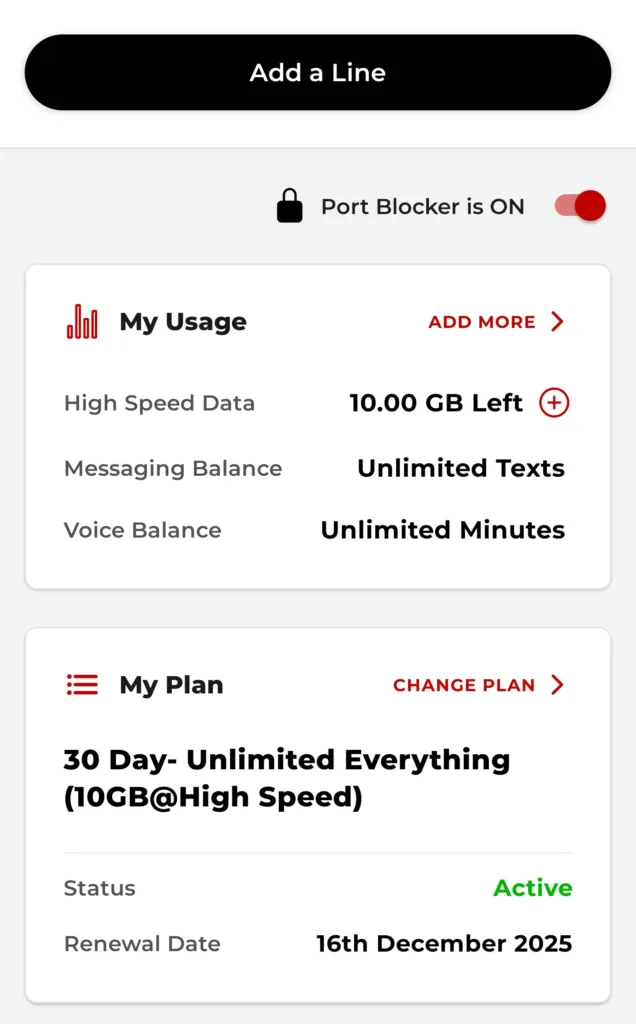
Red Pocket app homepage with my usage, plan, and renewal data. Image by Monica Yoshida, Reviews.org
Here’s what ate up most of my data: Downloading apps. I even discovered that watching ads uses up data. Who knew! So if you use apps that have a lot of ads or ad pop-ups, you’re going to burn through data a lot faster. To save data, make sure to connect to Wi-Fi whenever you can.
I had no problems with Red Pocket until my fourth night. My Red Pocket service had literally no bars and no service during the night. Both my Mint Mobile and Red Pocket phones operate on the T-Mobile network, so what gives? My phone told me I could only access emergency calls. Yet on my Mint Mobile phone, speeds were high and strong. This was the only time it happened, but it was not a good experience.
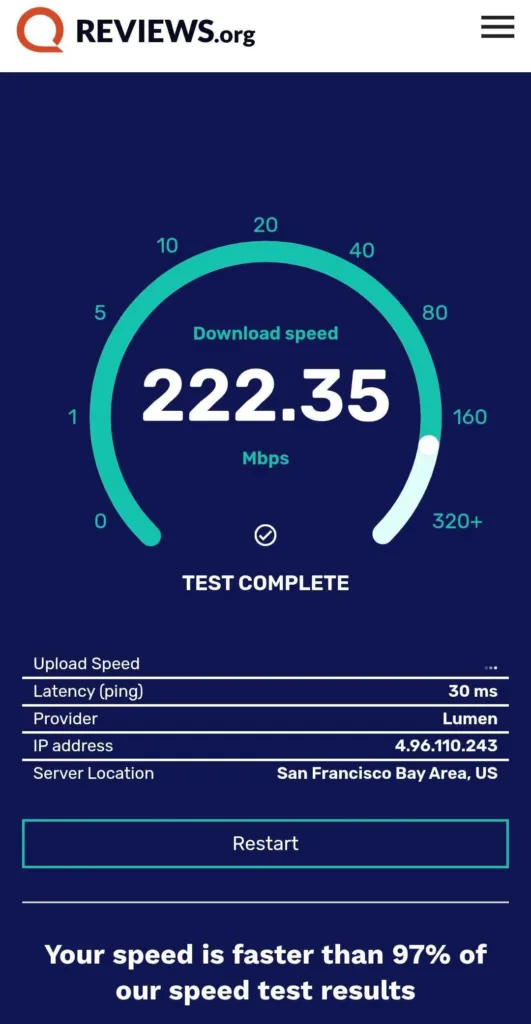
I had no bars on my Red Pocket phone one night, but over 200Mbps of speed on my Mint Mobile phone. Not cool. Image by Monica Yoshida, Reviews.org
Take advantage of Red Pocket’s data warning app feature
I found a really useful feature on Red Pocket’s app. In the “Data warning & limit” section, you can toggle on “Set data limit” and then choose at which point of your data usage you’d like a warning.
Thankfully, this feature was already toggled on when I activated my service; otherwise, I would have no idea it existed. Mine was set to 2GB, so I got a notification on my phone when I hit 2GB. I would recommend setting it to around 5GB (or whatever is half of your allotted data), so you’ll be warned whenever you use up half of your data.
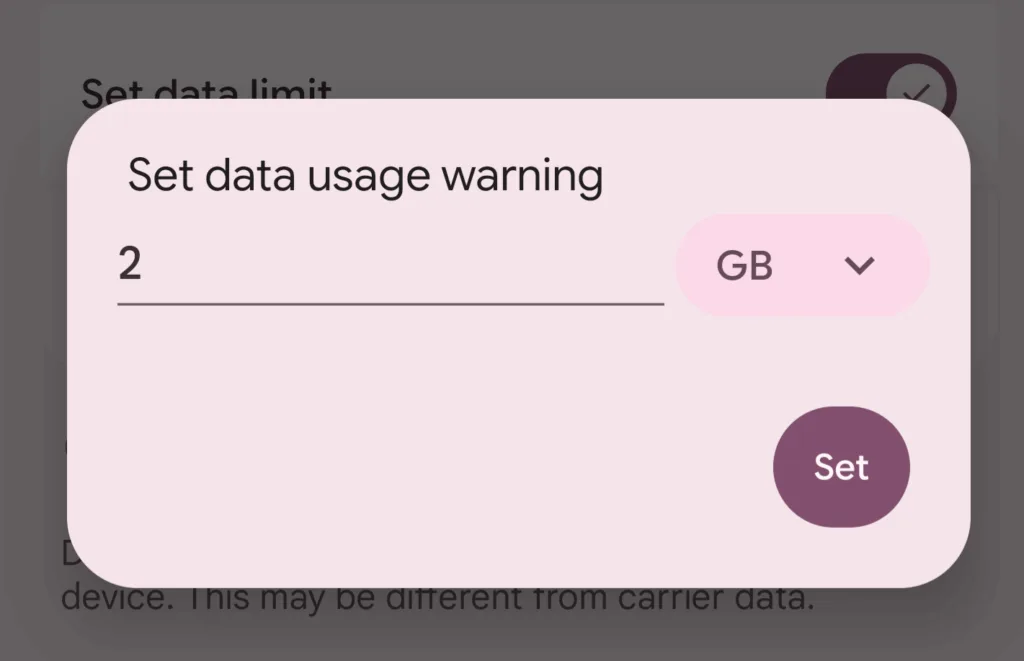
The Red Pocket app offers a feature that lets you set a data usage warning. Mine was automatically set to 2GB, so I got a notification when I’d used 2GB. Image by Monica Yoshida, Reviews.org
As I noted above, Red Pocket will throttle your speeds once you hit your premium data cap. Unlike other prepaid carriers, it doesn’t just turn off data completely when you hit your data limit (like Tello). However, the data is so slow that it practically doesn’t work anymore. Once I hit 10GB, my speeds slowed to almost a standstill, taking about five minutes just to OPEN YouTube. This has happened to me with Mint Mobile as well, and I had to survive on 1GB for a week. The best way to avoid this is to always connect to Wi-Fi when you can.

Customer service
4/5
To sign up for Red Pocket, you need to pick a network first. This sounds confusing because it is. Luckily, an agent was able to help me out, explaining that I must scroll down Red Pocket’s home page (below the testimonials and before the phone deals) until I see an image of all three major networks. You have to click into the network you want to get started. You will see plans and discounts associated with each network.
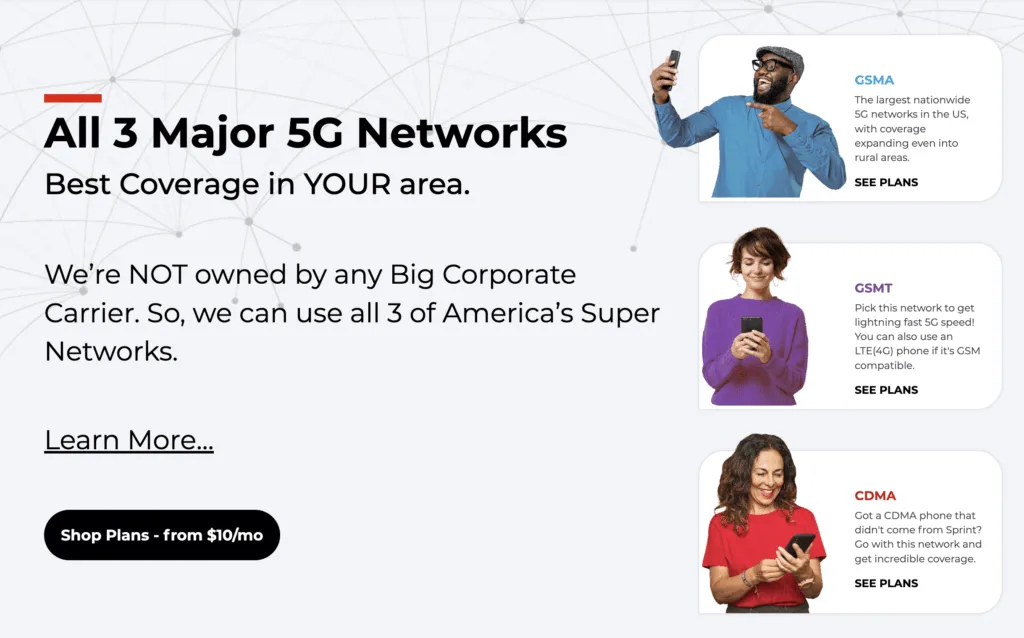
Red Pocket offers prepaid plans starting at $10 across T-Mobile (GSMT), Verizon (CDMA), and AT&T (GSMA). Image by Monica Yoshida, Reviews.org

You can also buy eBay exclusive mobile plans, especially for the GSMT annual plans. Find options from 500MB high-speed to 30GB high-speed data and from $5 per month to $30 per month. Because these all look like they use USPS, this means they are probably physical SIM cards—which will work great for anyone who doesn’t have eSIM capabilities.
It was a breeze to activate my new Red Pocket line. Make sure to connect to Wi-Fi while you are setting it up
All in all, the activation process took around 10 minutes. I opted for an eSIM card for the Plus Plan for $20 per month (10GB), and paid $22.80 at checkout. Make sure you are connected to the Wi-Fi during the activation process. If you are not connected to the Wi-Fi, it will keep telling you that something is wrong and to contact customer service.
I also realized during the activation process that the Red Pocket eSIM is not called “Red Pocket” or even “GSMT”—you’ll see “T-Mobile.” Don’t be alarmed. The GSMT network I signed up for literally works on the T-Mobile network. You will also be able to confirm this new SIM because you will see your phone number right below it.
Once you toggle on your T-Mobile (or AT&T or Verizon) SIM, your Red Pocket service will be up and running!
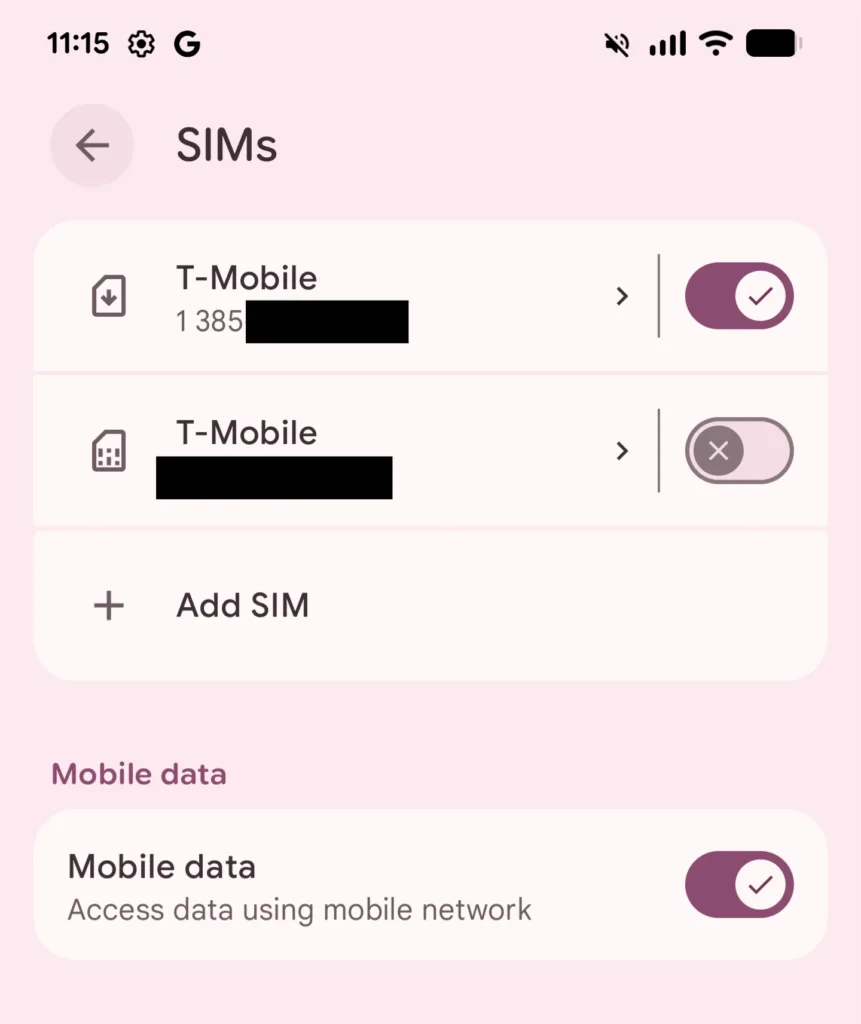
Your Red Pocket SIM will show the network you chose (mine shows T-Mobile). There is an extra T-Mobile SIM in this phone, as it used to belong to someone else with T-Mobile. I toggled it off. Image by Monica Yoshida, Reviews.org
I will say that setting up Red Pocket Mobile was much easier than the Mint Mobile activation process, but it could be because my phone has eSIM capabilities. I used a physical SIM with Mint Mobile, and it was not easy to activate. So while I can’t speak to the ease of a Red Pocket physical SIM activation, the eSIM activation was a breeze.
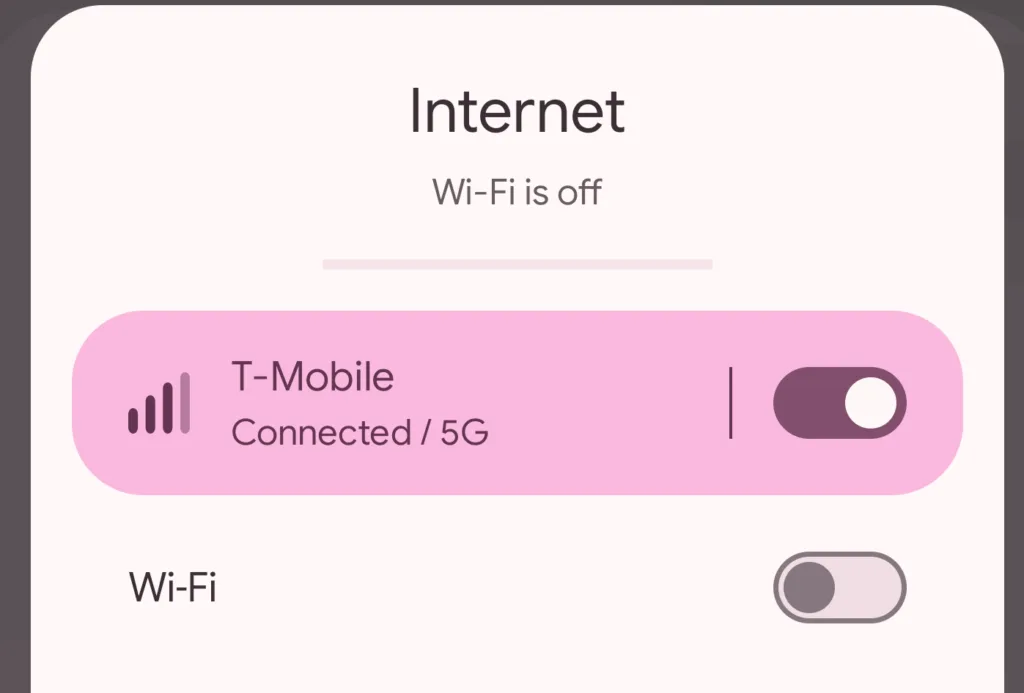
When off Wi-Fi, my phone displays the underlying network (T-Mobile in this case). Red Pocket uses major carrier networks, so you will see AT&T, Verizon, or T-Mobile displayed depending on which Red Pocket network you selected. Image by Monica Yoshida, Reviews.org
Need to contact Red Pocket?
- Call 712-775-8777 or Toll Free 888-993-3888 (Mon-Sun 5AM-9PM PST)
- Text 305-842-3314 (Mon-Sun 5AM-9PM PST)
- Live chat on Red Pocket’s site (Mon-Sun 5AM -9PM PST)
- Download the Red Pocket app and select Live Chat
- Submit a ticket on Red Pocket’s site
Reddit redpocketcs: You can reach out on Reddit to get some basic customer support.
Quality of Red Pocket customer service
Chat service/AI chatbot: The online chat function is very helpful. The representative answered my questions and even added screenshots to explain how to choose my network. All in all, it exceeded my expectations.
Calling customer service at +712-775-8777: I was connected to a real person almost immediately, who was able to answer my questions knowledgeably and kindly.
Quality of Red Pocket mobile app: The app is simple and straightforward. It doesn’t have the fun personal touch that the Mint Mobile app has, but the overview page has all the information I need to see my plan, data, and plan renewal date details.
Canceling my Red Pocket line was not straightforward or fast
I thought it would be as easy as logging into my Red Pocket app and hitting some kind of cancellation button. Sadly, there is no such button in the app. I started an online chat with a Red Pocket rep who asked me for my email, IMEI, and ICCID. I couldn’t find the ICCID, but he said that was fine and escalated my cancellation. Apparently, Red Pocket cancellation needs escalation and official approval. The agent stayed online with me until the process was completed, which took about an hour.
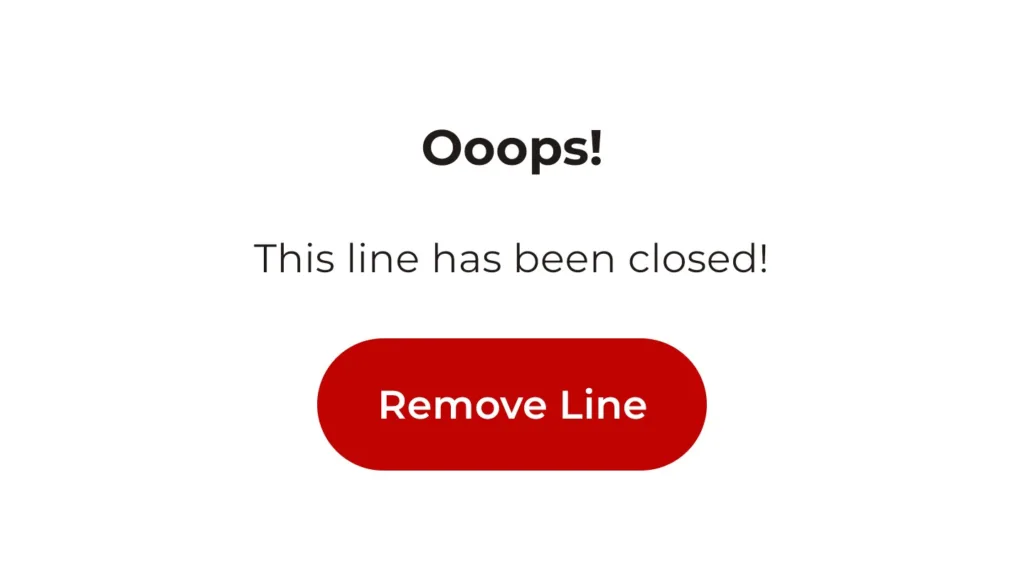
Once you cancel your Red Pocket line, open your app to confirm, and you’ll see this image. Image by Monica Yoshida, Reviews.org
Final take: Is Red Pocket worth your money?
Dollar value
5/5
Network coverage
4/5
Data performance
4/5
Customer service
4/5

Overall quality
4.3/5
If you don’t heavily rely on your mobile data and are mostly connected to Wi-Fi at home and at work, you can pay $30 or less for your cell phone bill with Red Pocket’s prepaid plans.
Choose between all three big networks (without paying big network prices), and you can even switch between them if you feel like you’re getting spotty coverage.
I recommend paying for one month first before committing to an entire year. While you can cancel your Red Pocket at any time, you can’t get a refund after the 7-day return window.

To put together this review, I explored the following factors:
- Red Pocket’s site, fine print, and term details
- Multiple interactions with online customer service
- Conversations with Red Pocket customers (sourced from online forums)
- Key findings from the official OpenSignal Report from June 2025 and our in-depth network coverage analysis
I also personally purchased a Red Pocket plan to provide first-hand testing and experience with the following:
- Online checkout
- eSIM activation
- Speed tests in different locations and times
- Diverse online activities to explore data speeds
- Streaming YouTube, listening to podcasts, downloading new apps, playing games, and engaging with apps during rush hour commutes
For more information on how we test, check out our methodology.
Red Pocket vs. the competition
In comparison to the other carriers you could choose, I would only recommend switching based on three main factors: Coverage, better phone deals, and cheaper plans. For example, T-Mobile offers great coverage in the West, but you might get better coverage with AT&T and Verizon in other areas in the country. At times, AT&T and Verizon also offer better phone deals depending on the promotions available.
If you want a cheaper plan, a T-Mobile MVNO like Mint Mobile offers similar network coverage at a much lower cost. Otherwise, Visible also offers affordable rates on Verizon’s network, with no high-speed data cap. US Mobile is also a handy option if you want to jump between AT&T, T-Mobile, and Verizon networks for the greatest flexibility.
Red Pocket at a glance
Other cell phone carriers
Red Pocket FAQ
Red Pocket uses all three big networks—Verizon, AT&T, and T-Mobile. But it doesn’t use them at the same time. You choose one at checkout, but then you can switch once you activate your plan.
Red Pocket plans start at extremely low prices, from $10 to $30, and you get generous high-speed data, international benefits, and you don’t have to lock yourself into a contract. Choose between the three big networks and switch between them, too.
Technically, yes. It does have unlimited data, but once you use the data allotment on your plan, your speeds become excruciatingly slow. Your data becomes practically unusable. However, you can always add more data if you need it throughout the month through the app.

Related Articles
US Mobile Dark Star: Is the AT&T Network Right for You?
Curious about Dark Star and whether it's the best US Mobile network for you? Here's...

Verizon Cell Phone Plans and Deals
Verizon offers great deals and top-notch coverage for its unlimited cell phone plans. Read all...
Boost Mobile Cell Phone Plans and Deals
Boost Mobile offers unlimited data mobile plans at some of the most affordable prices available....

PureTalk USA Review (2026): Is It the Best AT&T Network Alternative?
PureTalk uses AT&T’s network and provides discounted rates on cell phone plans. But how does...



