
Free, safe, and actually worth it—picks from a dad of three.
Best Free Streaming Apps for Kids






 6 min read
 Edited ByBrenna Elieson
As a father of three teens, I know how important it is to identify the best free streaming apps for kids. Because, let’s face it, what entertains young children isn’t exactly the same as it is for parents.
Parents often want to unwind at the end of a long day, and if their children can get safe, educational content for 30 minutes, everyone is happier.
In our review of the top free streaming apps for kids, HappyKids.TV, Kidoodle.TV, PBS Kids, Tubi, and the Roku Channel stand out most. We analyzed platform offerings, parental controls, and other features to drive our research. If you have a toddler or tween and want a free streaming app for your child, read on to identify the best options.
Best free streaming apps for kids at a glance:
- Best overall: HappyKids.TV ↓
- Best for toddlers: Kidoodle.TV ↓
- Best for educational content: PBS Kids ↓
- Best for cartoon fans: Tubi ↓
- Best for teens: Roku ↓

Why you can trust us
At Reviews.org, our team takes its editorial independence seriously. We may earn money when readers click affiliate links, but we don't work for our brand partners, and they don’t approve our pieces before publication. To learn more, visit our About us page.

Meet the expert
My name is John Schmoll, and I have tested streaming services and TV plans for over a decade. I’m also a parent of three teens, so I know the challenge of entertaining young children while keeping them in a safe environment where they aren’t bombarded by ads. I have personally tested HappyKids.TV, Kidoodle.TV, PBS Kids, Tubi, and the Roku Channel across multiple platforms to confirm content quality and interface reliability.

Reviews.org
Best overall: HappyKids.TV
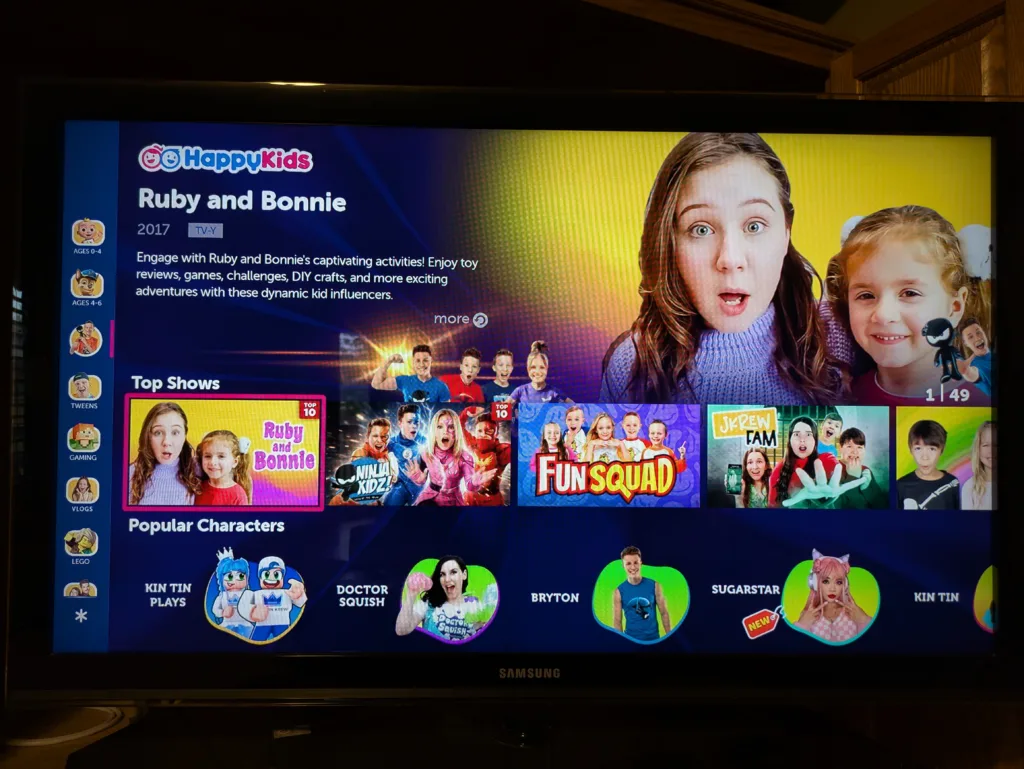
HappyKids.TV organizes content by age group, from toddlers to tweens, making it easy to find the right fit.
Our rating: 4.75/5
If you want an app that’s suitable for all ages without needing an account, try HappyKids.TV.

Pros
 Over 150,000 videos
Includes games and educational content
No account is needed
Over 150,000 videos
Includes games and educational content
No account is needed 
Cons
 Kids' movies are a bit lackluster
All content contains ads
Gaming ads can be intrusive
Kids' movies are a bit lackluster
All content contains ads
Gaming ads can be intrusive Editor's verdict and quick specs
If you’re looking for an award-winning, kid-friendly app, look no further than HappyKids.TV. The app won the Mom’s Choice Gold Award in 2024 and the National Parenting Product Award in 2022. HappyKids boasts over 150,000 videos, segmented by age from 0–4 all the way to tweens, though the app seems to have more content for children ages 4–9.
Users can search for content based on popular shows, movies, stories, and more. If your child is into gaming, they can watch content on games like Minecraft, Roblox, and Sonic. One feature that I like about HappyKids.TV is that an account isn’t necessary to use parental controls. The platform is also compliant with the Children’s Online Privacy Protection Act (COPPA). One area you may have concerns over is the gaming ads. Some can be erratic, or YouTube-like, so keep that in mind if you have younger children.
Popular kids’ shows: Paw Patrol, Clifford the Big Red Dog, My Little Pony, Kin Tin, Sonic
Best for toddlers: Kidoodle.TV
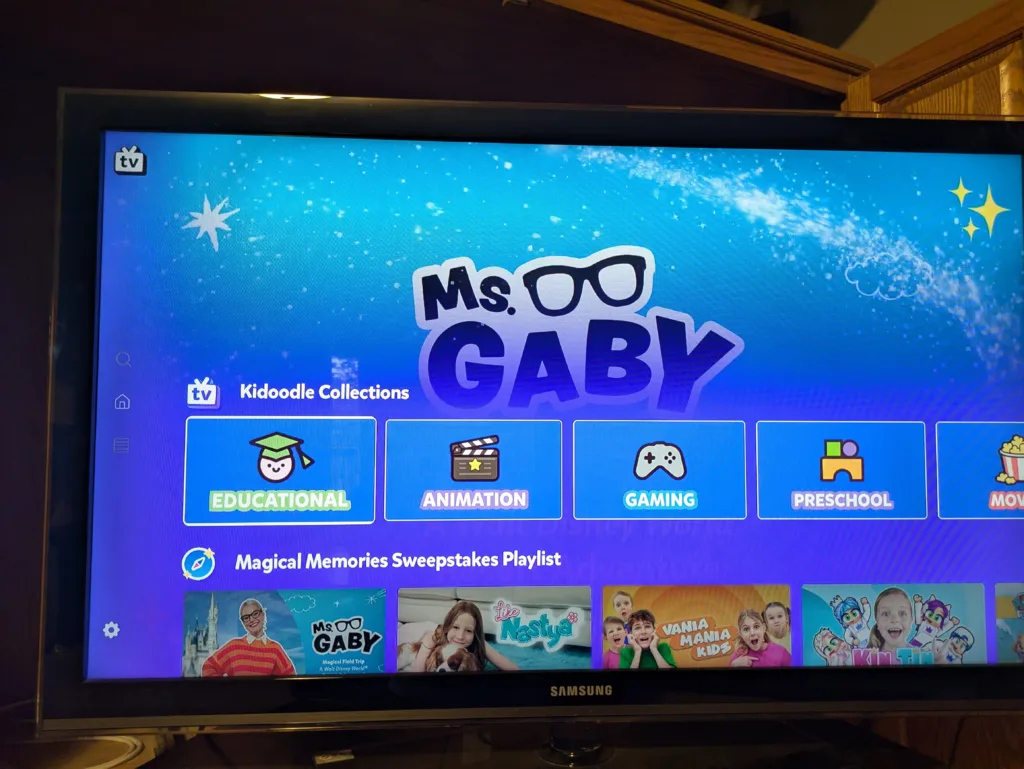
Kidoodle.TV groups content by age and category, including a dedicated Teacher's Corner for educational videos.
Our rating: 4.25/5
If you have a toddler and want a dedicated kids platform with robust parental controls, Kidoodle.TV is a top choice.
Pros
Broad range of content
Devoted gaming section
Easy to navigate Cons
Must pay for extra features
Repeat ads
Older content can have lower video quality Editor's verdict and quick specs
Kidoodle.TV is a close second to HappyKids.TV and is a solid choice for families with toddlers. The Kidoodle app has over 50,000 videos and excels at segmenting content, grouping it into sets for ages 5–8 and 9–12. Other content categories include Kidoodle Gaming, Unboxing and Toy Play, Playtime, Movies, Adventure Awaits, and Teacher’s Corner, which is my favorite because it has short, practical educational videos.
Kidoodle is COPPA-compliant and, like the other best streaming apps for kids, is available on a wide range of devices. The one drawback to Kidoodle is that you need an account to access premium features. An account is free and gives access to its Parents Room, where you can set parental controls like bedtime hours and content filters. If you want an ad-free experience, you can upgrade to a premium account for $5 per month.
Popular kids’ shows: Angry Birds, SpongeBob SquarePants, Peppa Pig, Wallace & Gromit, Doodle Girl
Best for educational content: PBS Kids
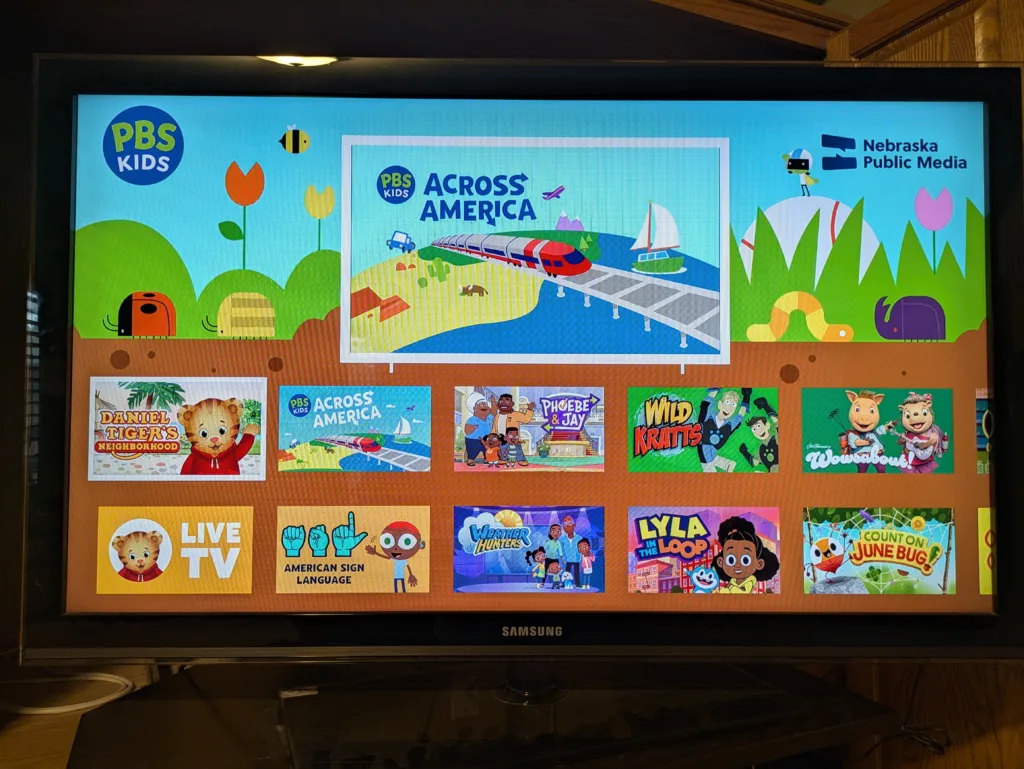
PBS Kids replaces traditional ads with short sponsor spots, many of which are educational.
Our rating: 4.25/5
For parents wanting educational content for their younger children, look no further than PBS Kids.
Pros
Live stream of PBS Kids content
Intuitive to use
Relatively few ads Cons
Not good for older kids
App can be buggy at times
Not as robust as other kid-friendly streaming apps Editor's verdict and quick specs
The PBS Kids app is a clear choice for parents seeking educational content for their younger children. It has been around for years and is completely free. The PBS Kids app skips traditional ads. Instead, you can expect to see 45–60 second spots that are related to its sponsors, and they’re often educational.
Accessing content is easy; you can watch via the app or website. Expect to provide your ZIP code so the platform can show you your local content. One key drawback of PBS Kids is that it’s not as well-rounded as other streaming apps for kids. It has roughly 600 full TV episodes and 5,000+ clips. It's not bad — you'll just find more content elsewhere.
Popular kids’ shows: Wild Kratts, Clifford the Big Red Dog, Curious George, Arthur, Lyla in the Loop
Best for cartoon fans: Tubi
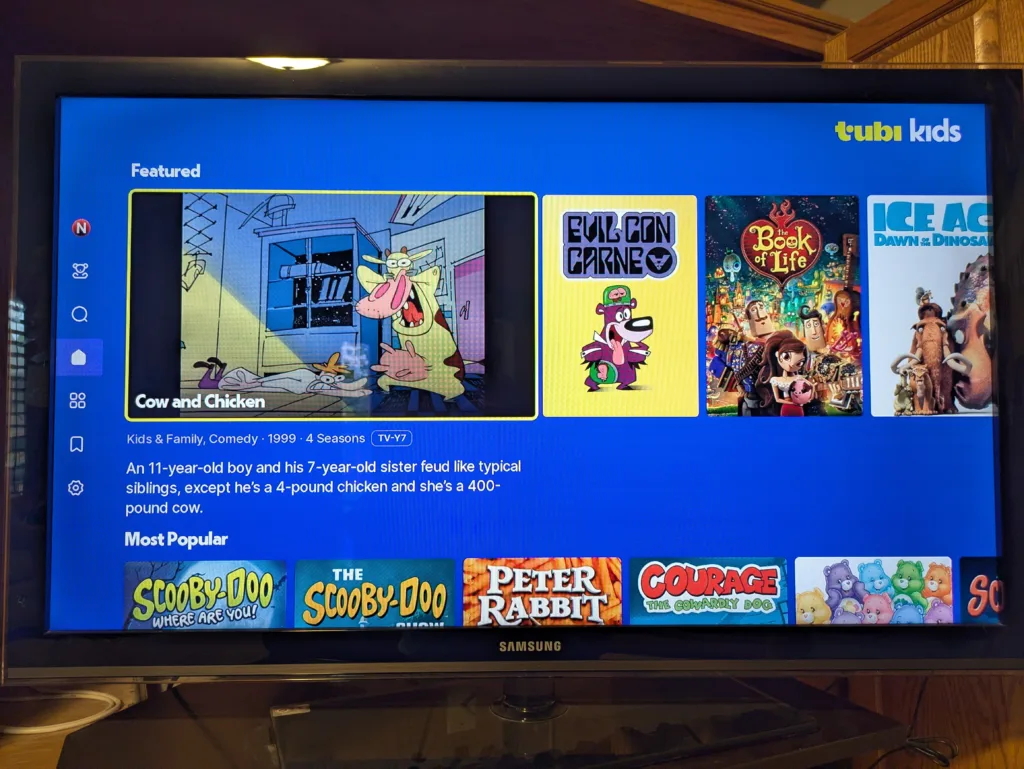
Tubi Kids organizes content by genre rather than age, making it better suited for older kids than toddlers.
Our rating: 4/5
If your children enjoy classic or new cartoons, Tubi has everything you need.
Pros
Netflix-like interface
Classic and new cartoons
Content for parents and kids alike Cons
Account required to create parental controls
Easy for kids to watch inappropriate content
Ad load can be significant Editor's verdict and quick specs
Tubi is one of the best free streaming apps in the space, and it has a compelling offering in Tubi Kids. You can access Tubi Kids from the main Tubi platform and unlock a wide range of children’s content. Unlike other streaming apps for kids, Tubi doesn’t categorize content by age, but by genre. Tubi Kids has a preschool category, but Tubi seems best for older kids looking for popular cartoons of today or classic content.
Tubi's interface will feel familiar if you've used Netflix — you browse a large content library organized by rows and genres, and hit play without any subscription prompts. It has loads of available content, so you can even find shows you may like for free. And virtually anything with a screen can access Tubi Kids. While you don’t need an account to use Tubi, you’re unable to set parental controls without one. Plus, if you don’t have an account, it can be easy for children to access inappropriate content.
Popular kids’ shows: Ninjago, My Little Pony, Scooby-Doo, Teen Titans, Pokémon
Best for teens: Roku Channel
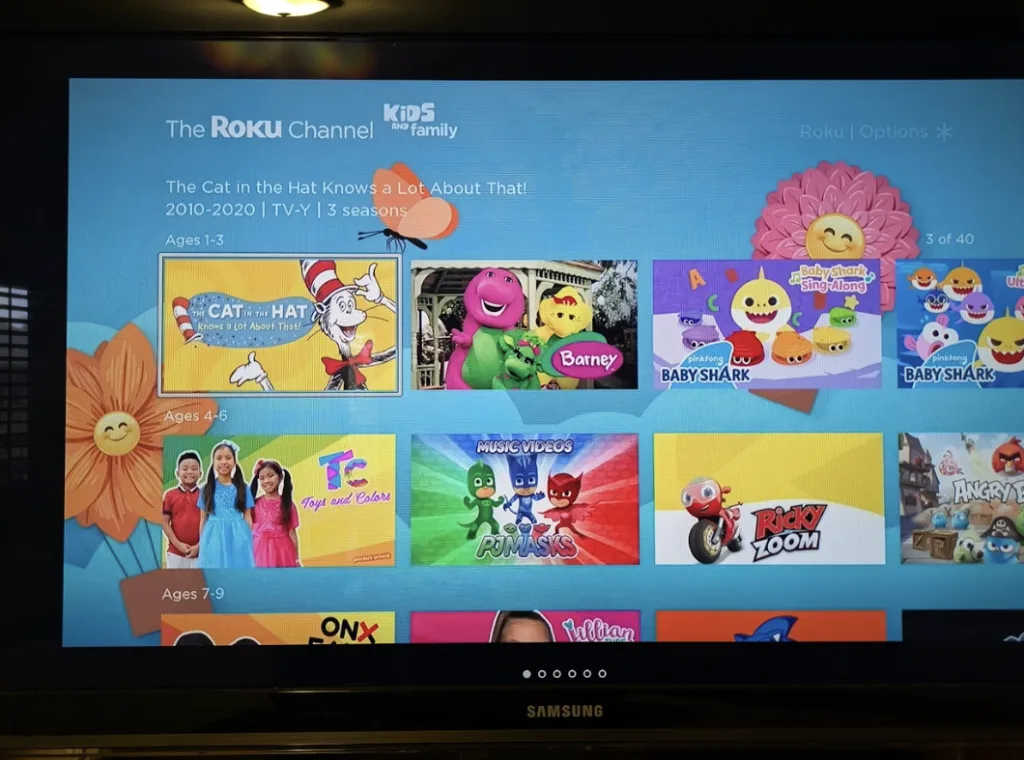
The Roku Channel organizes kids' content by age group and includes a section for video game content, making it a solid pick for teens.
Our rating: 3.75/5
If you want a free platform the entire family can use, the Roku Channel is a must-try.
Pros
Content for parents and kids
Growing library of content
Includes live TV Cons
Account required to create parental controls
Easy for kids to watch inappropriate content
Ad load can be significant Editor's verdict and quick specs
Once thin on kids' content, the Roku Channel now has more than 10,000 free shows and movies for kids, and you don’t need a Roku device to watch them. Roku categorizes its kids' content better than Tubi, with age-based segmentation.
You can also find a section focused on video game content, which is perfect for teens, and is one of my children's favorites. Teens can also access live TV content within Roku Kids, but it’s free ad-supported TV that includes age-appropriate shows and movies. Like Tubi, the big drawback to the Roku Channel is that an account is necessary to establish parental controls. And since Roku integrates with other streaming apps, those parental controls may not apply to third-party platforms.
Popular kids’ shows: Groove Squad, Pokémon, Bill & Ted’s Excellent Adventure, Life with Derek, Mighty Morphin Power Rangers

We tested and ranked the best streaming apps for kids in 2026 based on several key factors, including:
- Content
- Parental controls
- User experience
- Features available at no cost
Scoring guide: 1 = Poor · 2 = Fair · 3 = Average · 4 = Good · 5 = Excellent
For more information on how we test, check out our methodology.
What to look for in streaming apps for kids
Selecting a suitable streaming app for your children is not an endeavor to take lightly. As a parent, I want to protect my children so they can’t readily access inappropriate content. Consider the following when comparing free streaming apps.
Content Availability
Choosing the right content fit is important when reviewing streaming apps for children. If your child is a tween, but the platform focuses on content for younger children, they may be dissatisfied.
Parental Controls
It’s important to protect young children from inappropriate content. Look for platforms that are COPPA-compliant or that offer robust parental controls.
Premium Features
Not every platform offers premium features in a base account. You may need to pay for some features depending on the platform.
Device Support
Most streaming apps for kids work across a wide range of devices. If your child watches content on the go, make sure your mobile device supports it.
Ad Experience
Ads are a reality in streaming. Some platforms, like the Roku Channel and Tubi, will have relatively more ads, so keep that in mind if you don’t want your child inundated with commercials.
How to save money for free kids' streaming apps
Slashing costs is important when picking any streaming platform, even if it is free. Consider the following when cutting costs.
1
Beware premium offerings
Some free streaming apps have premium upgrades. If you want to keep your cost to zero, avoid the upgrade.
2
Watch your data
Streaming is helpful to entertain young kids, but if you don’t have unlimited data, your phone or internet bill can increase.
3
Avoid in-app purchases
Streaming apps can often allow for in-app purchases; forgo those to keep costs to nothing.
Best free streaming apps for kids FAQ
HappyKids.TV is the best streaming app for kids as it has 150,000+ videos and is COPPA-compliant.
Yes, Khan Academy Kids is free, with no premium features or third-party ads.
A 10-year-old can stream on HappyKids.TV, Kidoodle.TV, PBS Kids, Tubi, and the Roku Channel.

Related Articles
She Quit Social Media for 30 Days—Including Dating Apps. Here’s What She Learned.
I spend 27 hours a week on social media. I wanted freedom from it. Danika...
Viasat Internet Plans and Deals
Read about Viasat internet prices, plans, and deals for high-speed internet.
Did You Just Get Hacked? Here’s What to Do in the Next 10 Minutes
Getting hacked cost me $4,500 in fraudulent charges. Here's what to do immediately after getting...

Your Mom Could Save $50/Month With This One Trick
Cut down your monthly phone bill by switching to a more affordable carrier that offers...



